Make Discord Safer for Teens
Discord is where teen gaming and friend groups live — and also where strangers slide into DMs from servers with thousands of members. The safety settings are buried but effective: DM controls, content filters, and friend-request limits. Here is the lockdown that keeps the community and cuts the risk.
TL;DR / Quick Fix
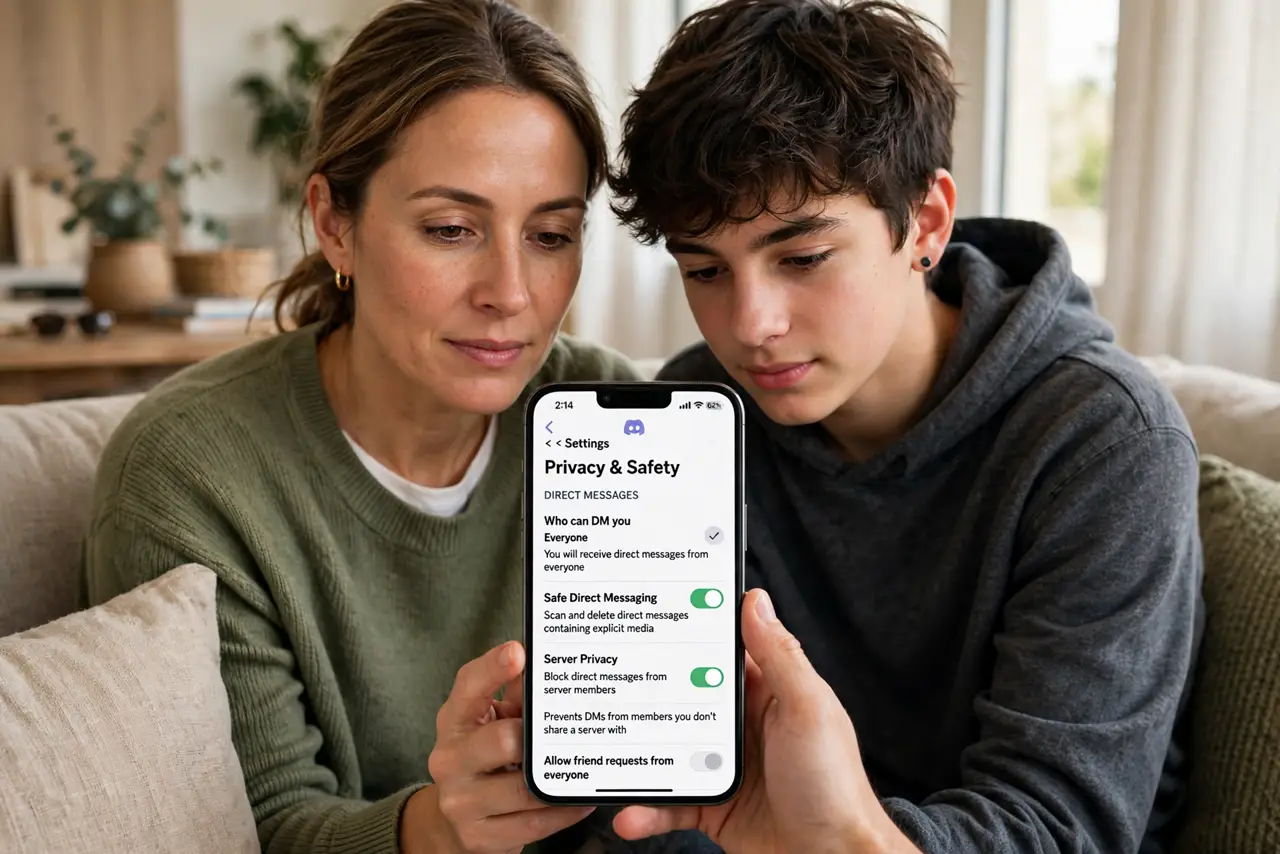
Quick fix: in Discord, set DMs from server members to off, turn on the explicit-content filter, and review the friend list together — most teen risk comes from strangers in big servers. Keep them in smaller, moderated communities. Talk monthly about what’s happening; settings are the start, not the end.
Follow these steps
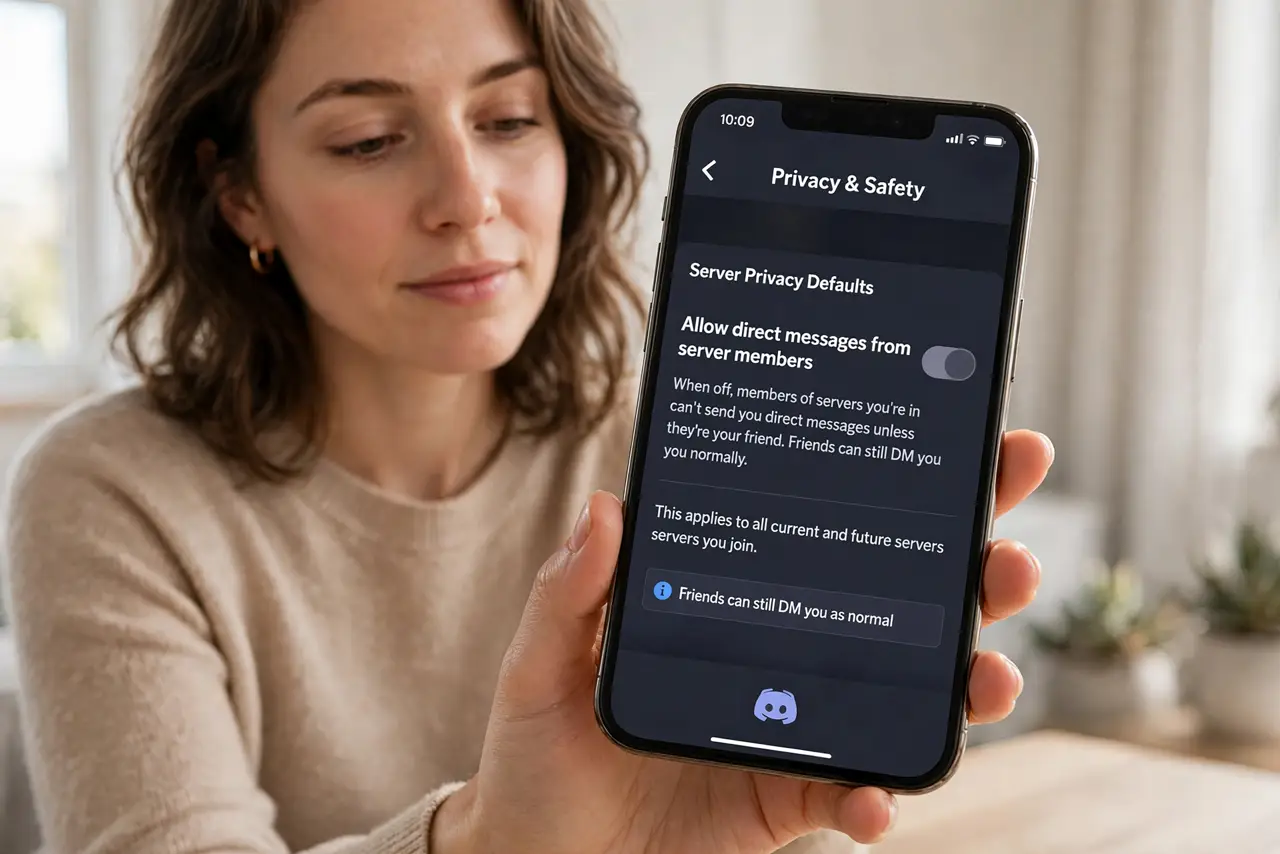
- Turn off DMs from server members. In Privacy settings, disable ‘Allow direct messages from server members.’ This single toggle cuts the main stranger-contact channel — friends can still DM normally.
- Enable the explicit content filter. Set the media filter to keep explicit images blurred or blocked. It is AI-based and imperfect, but it catches a lot — better than nothing by a mile.
- Limit who can send friend requests. Restrict requests to friends of friends or disable them. Open requests are how strangers bridge from a server into private contact — close the bridge.
- Review servers together. Look at the server list: big public servers are the risk zone, small friend servers are the safe zone. Leave the ones with no moderation and thousands of strangers — see Discord basics for how servers work.
- Check the friend list. Like Roblox controls, the friends list needs eyes on it. Unknown names get a conversation, not an interrogation — curiosity first.
- Talk monthly. Servers change, new friends appear, drama happens. A regular low-pressure check-in beats any setting — the settings buy safety, the talk buys trust.
What NOT to do
- Do not leave server DMs open. Strangers in big servers DMing your teen is the number-one risk pattern — close it.
- Do not rely on the content filter alone. It misses plenty; combine it with DM limits and server choices.
- Do not ban Discord outright without discussion. Blanket bans push use underground onto worse platforms — supervised Discord beats secret alternatives.
- Do not ignore voice channels. Text filters do not cover voice. Know which voice channels they join and who moderates them.
Frequently asked questions
Can I monitor my teen’s Discord?
Discord has no parent dashboard — safety comes from settings plus conversation. Third-party ‘monitoring’ apps are mostly spyware with marketing; skip them.
What’s the right age for Discord?
The platform requires 13+. Maturity matters more than the number — some 14-year-olds navigate it fine, some 17-year-olds do not.
Are private servers safe?
Safer — small servers of real friends have the lowest risk profile. Public servers with thousands of strangers are the opposite.