Dropdown Chips? How To
Your document asks people to type their status — and you get 'done,' 'Done,' 'DONE,' 'finished,' and 'almost.' Dropdown chips fix that: in-text menus with preset options everyone picks from, keeping entries consistent. They are tiny, but they civilize shared documents. Here is how to add and use them.
TL;DR / Quick Fix
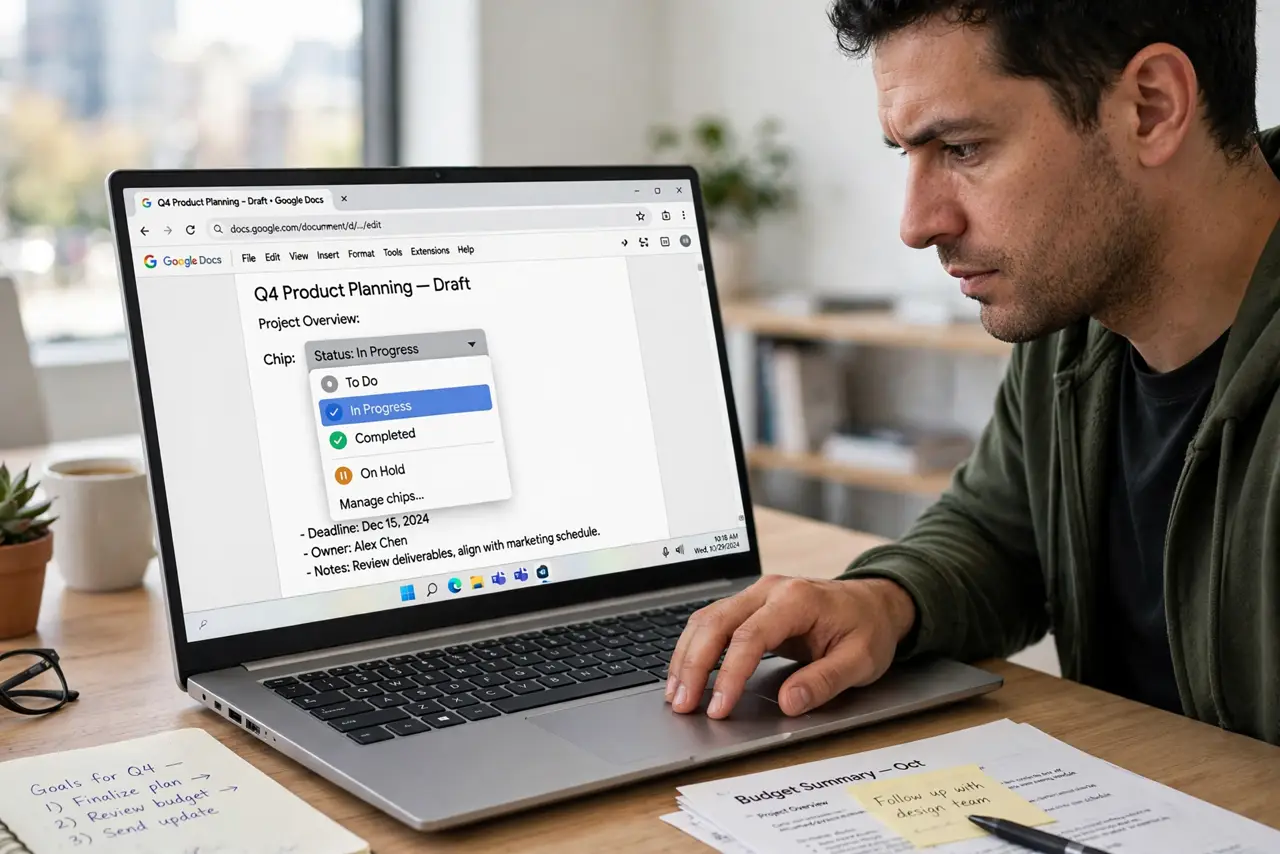
Quick fix: dropdown chips in Google Docs are in-text menus with preset options — status, priority, or any list. Insert one via Insert > Dropdown, pick or create options, and click the chip to change its value. They turn messy free-text fields into clean, consistent choices in a shared document.
Follow these steps
- Place the cursor where the chip goes. Dropdown chips sit inline in your text — in a table cell, a tracker row, or a template slot.
- Insert the dropdown. Go to Insert > Dropdown. Choose a preset (like a project-status template) or create a new dropdown from scratch.
- Define your options. Add each choice with its own color: Not started, In progress, Done — or priorities, owners, whatever the document tracks.
- Click the chip to set its value. Clicking the chip opens the menu; pick the current value. Changing it later is one click — no retyping.
- Use them in tables and trackers. Dropdown chips shine inside tables: a status column where every cell is a consistent, colored, clickable choice.
- Reuse dropdowns across the document. Once defined, a dropdown template is available everywhere in the doc. Consistency compounds.
What NOT to do
- Do not create a dropdown for genuinely free-form content. Notes and feedback need typing — dropdowns are for finite choices.
- Do not make twenty options. A dropdown with endless choices is barely better than free text — keep it to a handful.
- Do not change option meanings mid-project. Renaming 'Blocked' to mean something new corrupts every historical chip using it.
- Do not expect dropdown data to export cleanly everywhere. Copy-pasting to other apps may flatten chips to plain text.
Frequently asked questions
Can I add my own colors to options?
Yes — each option gets a color when you define it. Colors make the chip scannable at a glance.
Do dropdown chips work for viewers?
Viewers see the current values but cannot change them. Commenters and editors can click and update.
What is the difference between a dropdown chip and a checklist?
Checklists track done/not-done per line. Dropdowns offer multiple named states per spot — richer status, same one-click ease. See checklists.