Email Images Will Not Load? Fix Them
Mail apps block images by default to protect privacy, so a blank email is often a setting doing its job. Allow images for senders you trust, one sender at a time, rather than for all mail.
TL;DR / Quick Fix
Quick fix: open the message and choose to display images for that sender, then check the mail app setting for automatic image loading. If images still fail, check your connection and try loading the message again. Last, view the message on the web if it still fails to confirm it.
Follow these steps
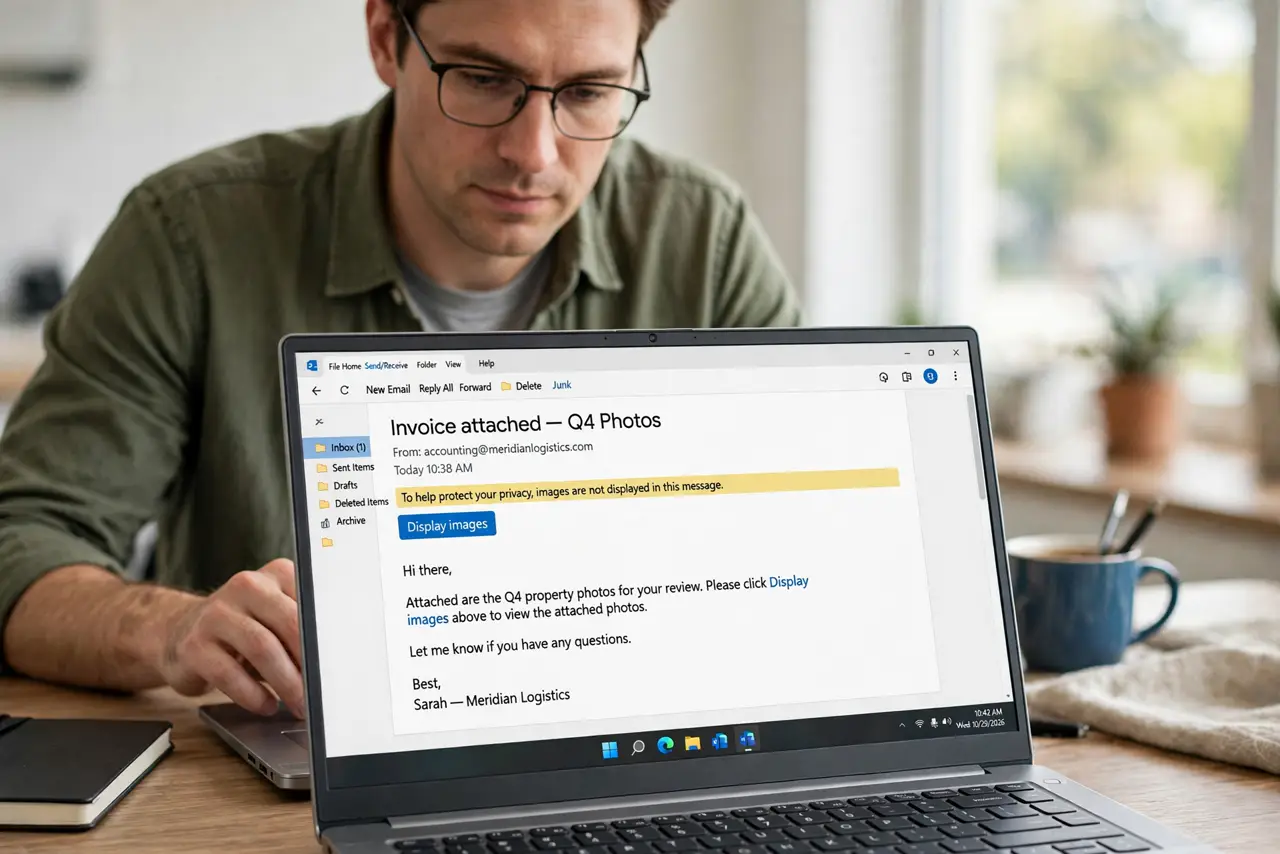
- Use the display images option in the message. Open the message and look for a display images or load images button at the top. Tapping it loads the pictures for this message only, which is the safest first step.
- Allow images for a trusted sender. If you regularly read mail from this sender, choose the option to always display images from them. Limit this trust to senders you genuinely recognize.
- Check the mail app image setting. Open mail settings and find the option for loading remote images. If it is set to never load images, change it to ask first or to load for trusted senders.
- Check your connection and reload. Confirm you are online, then close and reopen the message. Images load from the sender's server, so a weak connection can leave them blank on the first try.
- Check whether images are blocked by a setting on the device. Look for a data saver or privacy setting that blocks remote content. A device-level block can override the mail app's own setting.
- View the message on the web if it still fails. Open the same mailbox in a browser and load the message there. If images appear on the web, the mail app setting is the remaining cause.
What NOT to do
- Do not allow images for all senders at once. Loading images tells a sender the message was opened, which spammers use to confirm addresses.
- Do not allow images in an unexpected message. A blank message from a stranger is safer left blank.
- Do not download every image in a message you do not trust. Viewing is enough; downloading adds nothing.
- Do not turn off all privacy protections to see pictures. Sender-by-sender permission is the balanced fix.
Frequently asked questions
Why are email images blocked by default?
Loading an image can confirm your address is active, so mail apps block images until you trust the sender.
Will allowing one sender affect other mail?
No. Sender permission applies to that sender only, and other senders stay blocked until you allow them.
What if images fail for every sender?
Then check the mail app setting and your connection, since a global block or an offline state affects all messages.