Facebook Memorialization Setting? Find It
Facebook lets you decide in advance what happens to your profile after you die: it can become a memorialized page for friends to visit, or it can be deleted entirely. You can also name a legacy contact to manage it. This guide finds the setting and explains the choice, as part of your wider digital legacy plan.
TL;DR / Quick Fix
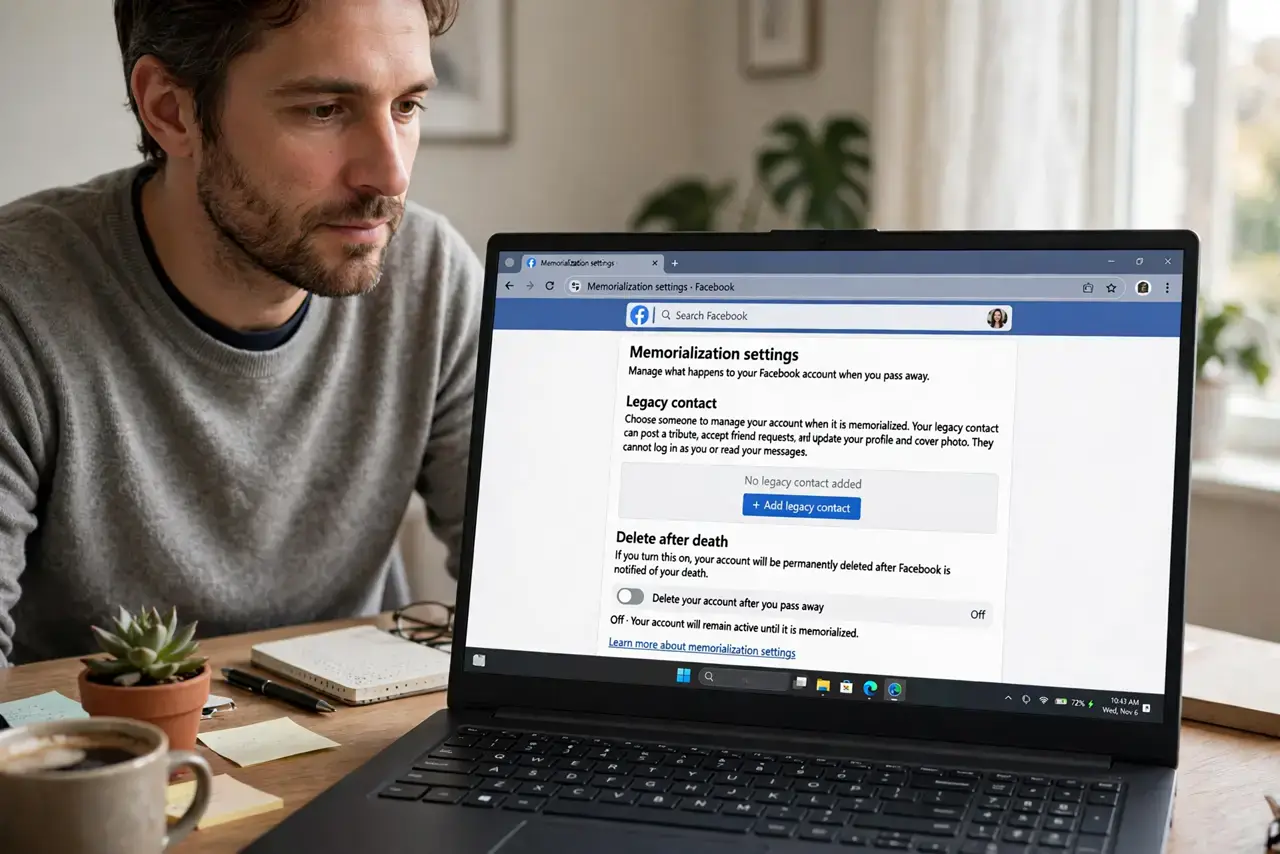
Quick fix: open Facebook Settings, go to Accounts Centre, then Personal details, then Account ownership and control, then Memorialisation settings. Choose a legacy contact or deletion, and tell someone your choice. Five minutes now spares your family from guessing later.
Follow these steps
- Open the memorialisation settings. In the Facebook app or site: Settings, then Accounts Centre, then Personal details, then Account ownership and control, then Memorialisation settings.
- Choose memorialize or delete. Memorializing keeps your profile as a remembrance page friends can visit. Deletion removes it entirely. Neither is wrong — pick what fits you.
- Name a legacy contact (optional). A legacy contact can pin a tribute post, update your profile picture, and manage the memorialized page — but cannot read your messages or post as you.
- Tell your family your choice. Facebook will follow the setting, but your family still needs to know it exists and what you chose, or they will agonize over the decision anyway.
- Consider Instagram too. The same Accounts Centre covers Instagram, which has its own memorialization option. Set both while you are there.
- Keep it with your other plans. Note your Facebook choice alongside your Apple and Google settings so your legacy plan lives in one place your family can find.
What NOT to do
- Do not leave the default and assume family can decide. Without your setting, Facebook requires paperwork and time your grieving family should not have to spend.
- Do not name a legacy contact who barely uses Facebook. They need to actually log in and act — pick someone comfortable with the platform.
- Do not forget your Facebook login is also a login elsewhere. If you used 'Log in with Facebook' on other sites, your family may need that access handled separately.
- Do not post your wishes only as a status. A post saying 'delete my Facebook when I die' is not a setting and Facebook will not act on it.
Frequently asked questions
What does a memorialized profile look like?
Your profile gains a 'Remembering' label, friends can share memories on your timeline, and your privacy settings stay as you left them.
Can a legacy contact read my messages?
No. They cannot log in as you, read messages, or remove friends — only manage the memorial aspects of the profile.
What if nobody tells Facebook I died?
The account simply stays as-is. That is why naming a legacy contact and telling your family matters.