Schedule an Email to Send Later in Gmail
Writing an email at midnight but not wanting to look like you never sleep? Gmail's Schedule Send holds your message and delivers it at a decent hour. It is built in, free, and takes three clicks — no extensions, no weird workarounds.
TL;DR / Quick Fix
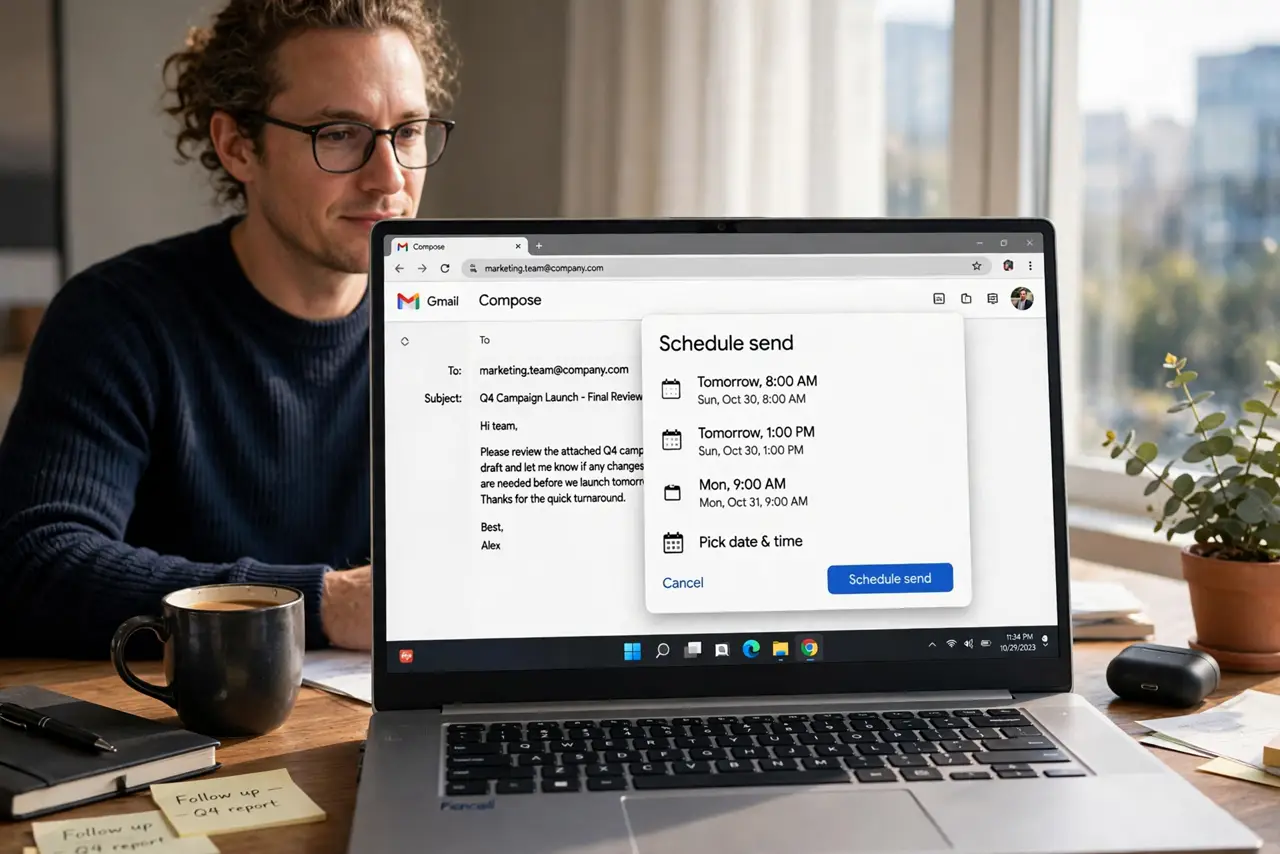
Quick fix: write the email, click the small arrow next to Send, and pick a time — Gmail delivers it then. Scheduled mail waits in the Scheduled folder where you can still edit or cancel it, which beats [[racing the undo window|gmail-undo-send-time]].
Follow these steps
- Compose the email normally. Write the subject, body, and recipients exactly as usual. Scheduling changes only the delivery time, nothing else.
- Click the arrow beside Send. The Send button has a small dropdown arrow. Click it to reveal 'Schedule send' — it is easy to miss the first time.
- Pick a suggested time or set your own. Gmail offers morning slots; choose 'Pick date & time' for anything specific. Aim for the recipient's working hours.
- Confirm it landed in Scheduled. Open the Scheduled label in the sidebar. Your email should sit there with its delivery time shown — that is your proof it is queued.
- Edit or cancel freely before it sends. Open the scheduled email, cancel the schedule, edit, and reschedule. Nothing is final until the clock runs out.
- Mind time zones for distant recipients. Schedule for their morning, not yours. A 9 AM send in your zone can be a 3 AM ping in theirs.
What NOT to do
- Do not schedule time-sensitive news too tightly. If the facts might change before delivery, send now or wait — a stale scheduled email embarrasses.
- Do not forget scheduled emails exist. Review the Scheduled folder weekly; a forgotten draft can send something you no longer mean.
- Do not schedule everything out of anxiety. Routine replies sent now are fine — reserve scheduling for off-hours writing and timed announcements.
- Do not trust the clock blindly on travel days. If you change time zones, double-check that pending scheduled sends still land when intended.
Frequently asked questions
Where do scheduled emails wait?
In the Scheduled label in Gmail's sidebar. They sit there, editable and cancellable, until the send time arrives.
Can I schedule from the Gmail phone app?
Yes — the same Send arrow menu exists in the mobile app, with the same scheduling options.
What happens if I lose internet before it sends?
Scheduled emails live on Google's servers, not your device. They send on time even if your laptop is off.