160 MHz Channels? Basics
Your router offers a 160 MHz channel width option and promises double the speed, but your Wi-Fi got flakier after turning it on. A 160 MHz channel bonds eight standard 20 MHz channels into one super-wide lane — huge throughput when it works. The tradeoff is that it is far more sensitive to interference and needs DFS spectrum. Here is when to use it and when to back off.
TL;DR / Quick Fix
Quick fix: a 160 MHz channel can double Wi-Fi speed by bonding eight 20 MHz channels, but it needs DFS spectrum and low interference. In crowded apartments it often causes drops — switch back to 80 MHz if that happens. Use it only when your devices support it.
Follow these steps
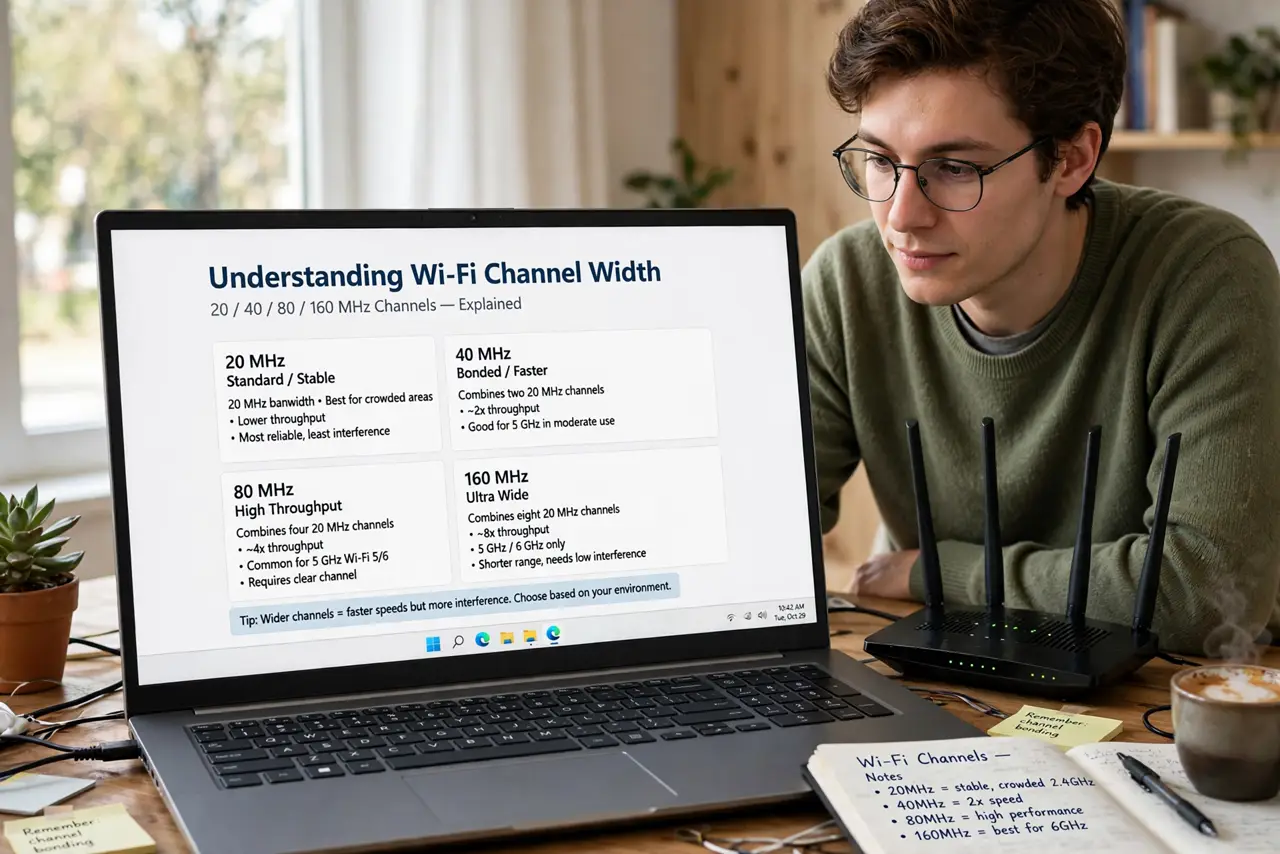
- Understand what channel width means. Wi-Fi channels come in widths: 20, 40, 80, and 160 MHz. Wider means more data per second but a bigger target for interference. 160 MHz is the widest — fastest on paper, fussier in practice.
- Check your router and devices support it. Both the router and your device must support 160 MHz (common on Wi-Fi 6/6E/7 gear, rare on older devices). If your laptop's Wi-Fi card is older, enabling 160 MHz on the router gains you nothing for that device.
- Know that 160 MHz needs DFS spectrum. A full 160 MHz channel almost always extends into DFS channels, the radar-shared spectrum. That means radar detection can knock you off the channel — the price of the extra speed.
- Try it in a house, skip it in a dense apartment. In a standalone house with little neighboring Wi-Fi, 160 MHz often works beautifully. In an apartment building with thirty competing networks, the wide channel collides constantly — 80 MHz will feel faster and steadier.
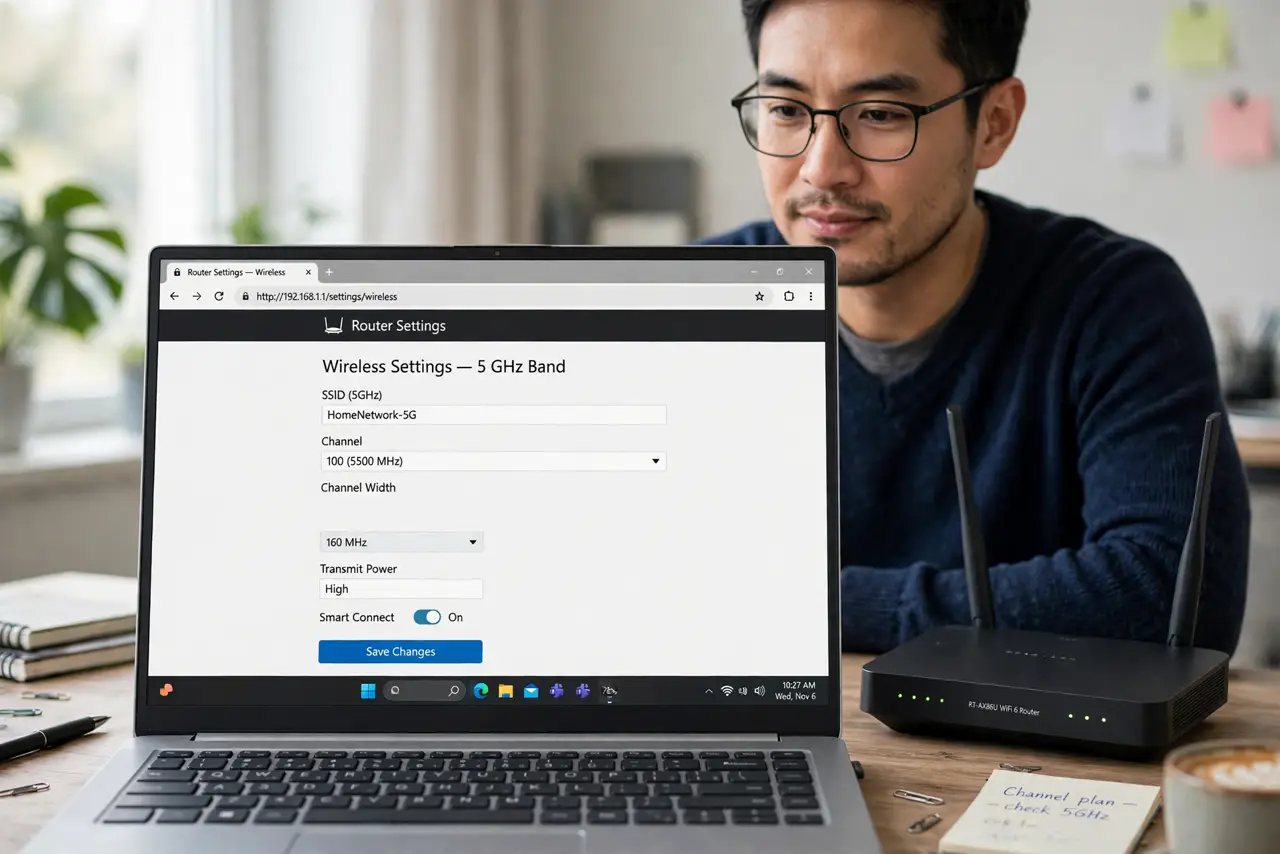
- Change the setting in your router. Log in to your router admin (see the router login guide), open the 5 GHz wireless settings, and set channel width to 160 MHz (sometimes labeled '160MHz' or 'Auto 20/40/80/160'). Save and let the router restart its radio.
- Test real usage for a few days. Run speed tests and note any drops during video calls. If speeds jump and nothing disconnects, keep it. If you see new instability, drop back to 80 MHz — a stable 80 beats a flaky 160 every time.
What NOT to do
- Do not enable 160 MHz and assume every device benefits. Older phones and laptops ignore it entirely — only newer Wi-Fi 6+ devices use the wide channel.
- Do not use 160 MHz next to an airport or weather radar without expecting drops. The DFS portion of the channel invites radar-related interruptions.
- Do not judge it from one speed test. Interference varies by time of day — test across a few days of normal use before deciding.
- Do not forget your neighbors. A 160 MHz channel hogs spectrum; in shared buildings, being a good spectrum citizen with 80 MHz often helps everyone, including you.
Frequently asked questions
Will 160 MHz double my internet speed?
Only if your internet plan and your devices can actually push that much data. Most people are limited by their plan speed first — 160 MHz helps device-to-router speed, which matters most for local transfers.
Why did my Wi-Fi get worse after enabling 160 MHz?
Almost always interference or DFS radar events on the wider channel. Switch back to 80 MHz and the stability usually returns immediately.
Is 160 MHz the same as Wi-Fi 6E or Wi-Fi 7?
No — 160 MHz is a channel width setting available on Wi-Fi 5, 6, and 7 routers. Wi-Fi 6E and 7 add new spectrum and features on top of it.