The Action Button Does the Wrong Thing
The Action Button opens the wrong app, silences the phone, or does nothing you expected. It runs whatever action was last assigned to it — and that assignment is one setting away.
TL;DR / Quick Fix
Quick fix: open Settings, then Action Button, and check which action is assigned. Swipe to the action you actually want, such as Camera or Flashlight, and test the button once and test the button once to confirm it runs the action you actually want.
Follow these steps
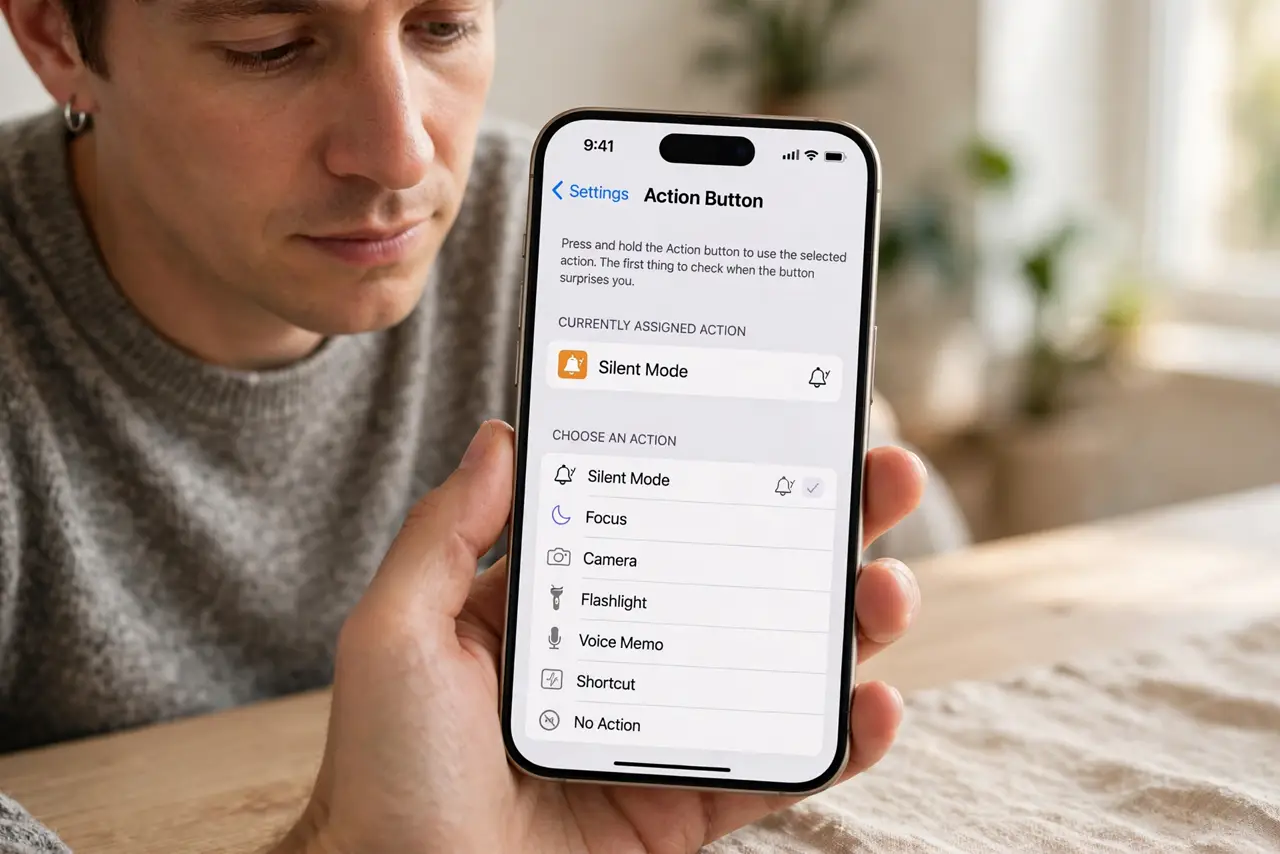
- Open the Action Button setting. Open Settings, then Action Button. The screen shows the currently assigned action, which is the first thing to check when the button surprises you.
- Swipe to the action you want. Swipe through the actions — Silent Mode, Focus, Camera, Flashlight, and more — and stop on the one you want. The button runs the displayed action, so pick deliberately.
- Test the button once. Press and hold the Action Button and confirm it runs the action you just chose. A single test prevents another surprise the next time you press it by habit.
- Check for a Shortcut assignment. If the button is set to Shortcut, open Shortcuts and check which shortcut it runs. A shortcut assigned long ago can do something unexpected, and editing it fixes the button.
- Check Silent Mode confusion. If the button is set to Silent Mode, pressing it toggles silent on and off with no visible app. That silent toggle is correct behavior, not a fault, when Silent Mode is the assignment.
- Reassign after an update or reset. After a major update or a settings reset, recheck the Action Button assignment. Resets can restore a default action that differs from the one you chose.
What NOT to do
- Do not press the Action Button repeatedly hoping for a different result. It runs the same assigned action every time, so change the assignment instead.
- Do not assume the button is broken when it toggles silent. Silent Mode is a valid assignment, and its only visible sign is the silent indicator.
- Do not assign a Shortcut you have not tested. An untested shortcut can send a message or run an automation you did not intend from a pocket press.
- Do not ignore the assignment after someone else used your phone. Another person's quick change can reassign the button without you noticing.
Frequently asked questions
Why does the Action Button do the wrong thing?
Because it runs the action currently assigned in Settings, which may differ from the action you remember choosing.
Can the button run a Shortcut?
Yes. Set it to Shortcut and pick a tested shortcut, so one press runs exactly that automation.
Why does pressing it seem to do nothing?
It may be set to Silent Mode, which toggles silent with no app opening, so the only sign is the silent indicator.