Back Tap Triggers by Accident on iPhone
Double-tapping the back of the iPhone was meant as a shortcut, but cases, tables, and everyday handling set it off. The trigger is more sensitive than people expect — and easy to tame.
TL;DR / Quick Fix
Quick fix: open Settings, then Accessibility, then Touch, then Back Tap, and change Double Tap to a harmless action or None. Then test handling the phone normally to confirm accidental triggers stop and test normal handling with your usual case on.
Follow these steps
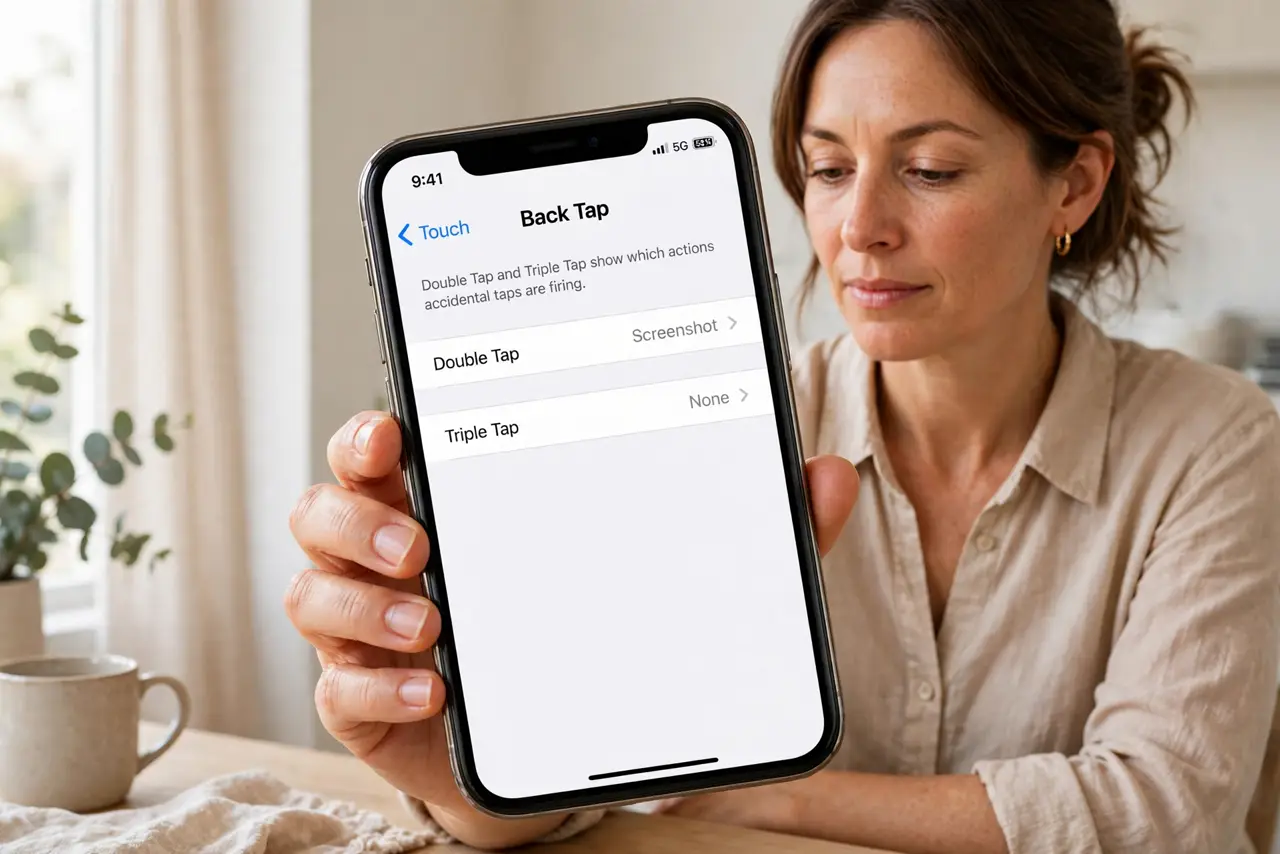
- Open the Back Tap settings. Open Settings, then Accessibility, then Touch, then Back Tap. The Double Tap and Triple Tap entries show exactly which actions accidental taps are firing.
- Set Double Tap to None or a harmless action. Change Double Tap to None, or to a harmless action such as Flashlight only if you want it. None stops accidental triggers entirely, which is the safest test.
- Check Triple Tap too. Review the Triple Tap entry as well. A triple tap set to a strong action can fire during handling too, so set it to None if you never use it deliberately.
- Test with your normal case on. Put your usual case on and handle the phone normally — pocket, table, bag — for an hour. A case changes how taps register, so test with the case you actually use.
- Check the action, not just the tap. If a screenshot or shortcut keeps appearing, note which action fired. The action name tells you whether Double Tap or Triple Tap caused it, so you change the right one.
- Reassign only if you truly use it. If you use Back Tap deliberately, reassign it to one action you want and keep the other tap at None. One deliberate shortcut beats two accidental ones.
What NOT to do
- Do not assign Back Tap to a strong action you use rarely. A shortcut that sends a message or runs an automation should never fire from a pocket tap.
- Do not assume the phone is tapping itself. Back Tap reads taps on the back, so cases, tables, and handling all count as taps to the sensor.
- Do not turn off Accessibility entirely to stop Back Tap. Back Tap is one setting inside Touch, and turning it to None fixes it without touching other features.
- Do not test Back Tap by tapping hard. Normal handling taps are the ones that misfire, so test with everyday handling, not forceful taps.
Frequently asked questions
Why does Back Tap fire by accident?
Because cases, tables, and everyday handling tap the back of the phone, and Back Tap reads those as deliberate taps.
How do I stop accidental Back Tap?
Set Double Tap and Triple Tap to None in Accessibility, then Touch, then Back Tap.
Can I keep one Back Tap shortcut?
Yes. Keep the tap you use deliberately, and set the other tap to None.