Wireless CarPlay Disconnects at Traffic Lights
Wireless CarPlay connects, then drops every time you stop at a light — music stutters and maps freeze. The Wi-Fi link CarPlay uses is fragile, and a competing connection or a sleepy phone breaks it.
TL;DR / Quick Fix
Quick fix: forget the car in the iPhone's CarPlay settings and pair it again — a fresh pairing fixes most dropouts. Keep the iPhone charged and unlocked nearby, and turn off any VPN. If drops persist at lights, try wired CarPlay to confirm the car's unit is fine.
Follow these steps
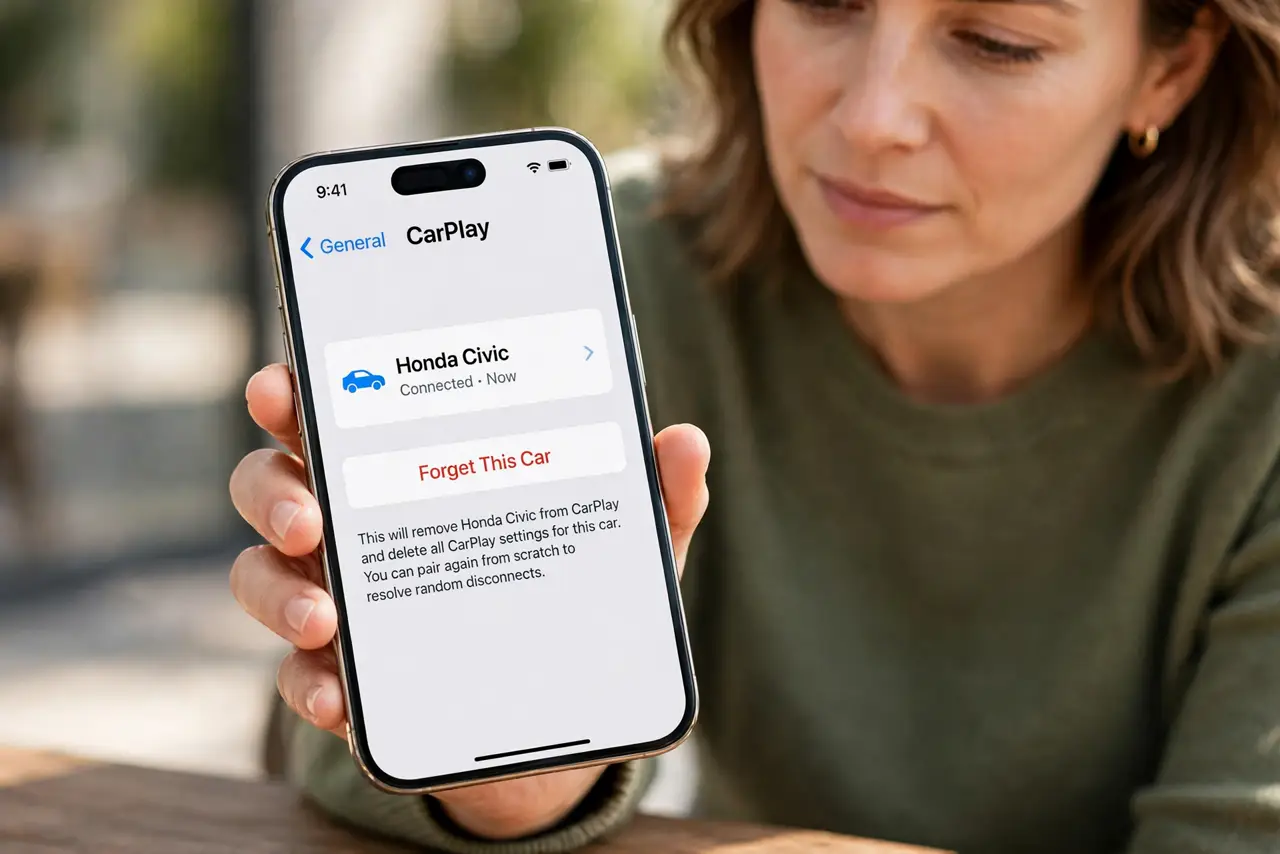
- Forget and re-pair the car. Open Settings, then General, then CarPlay, select your car, and choose Forget This Car. Pair again from scratch — stale pairing data causes most random disconnects.
- Keep the iPhone awake and nearby. Wireless CarPlay uses Wi-Fi plus Bluetooth. A phone deep in a bag with the screen long-locked can let the link sleep; keep it reasonably close to the dashboard.
- Turn off VPN on the iPhone. A VPN can interrupt the local Wi-Fi link CarPlay depends on. Disable it before driving and see whether the traffic-light dropouts stop.
- Check for a competing Wi-Fi network. If the iPhone auto-joins a known network at that intersection — like a shop's Wi-Fi — CarPlay's link breaks. Turn off auto-join for networks near your route.
- Update the iPhone and the car's system. Install the latest iOS, and check the car maker's site for infotainment updates. Both ends get CarPlay stability fixes over time.
- Test with a cable to isolate the fault. Plug in with a cable for one drive. If wired CarPlay never drops, the car's wireless unit is the weak link, not your iPhone.
What NOT to do
- Do not restart the car's whole infotainment system mid-drive. Pull over first — a reboot while moving kills navigation when you need it most.
- Do not blame your data plan for CarPlay drops. Wireless CarPlay uses a local Wi-Fi link to the car, not your cellular data, for the connection itself.
- Do not keep five old cars in the CarPlay list. Remove cars you no longer drive so the iPhone stops trying to juggle stale pairings.
- Do not buy a wireless CarPlay adapter to fix built-in wireless dropouts. If the car's own wireless radio drops, an adapter on the same kind of radio rarely helps.
Frequently asked questions
Why does it drop at traffic lights specifically?
Stopping lets the iPhone auto-join a nearby known Wi-Fi network, which steals the link CarPlay uses. Disable auto-join for those networks.
Does wireless CarPlay drain the battery fast?
Yes, it uses Wi-Fi and Bluetooth continuously. Keep the phone on a charger during long drives.
Is wired CarPlay more reliable?
Generally yes. The cable removes the wireless link entirely, which is why it is the best test for isolating the problem. If the car display itself goes black, that is a different fault.