Tune Charging Routines
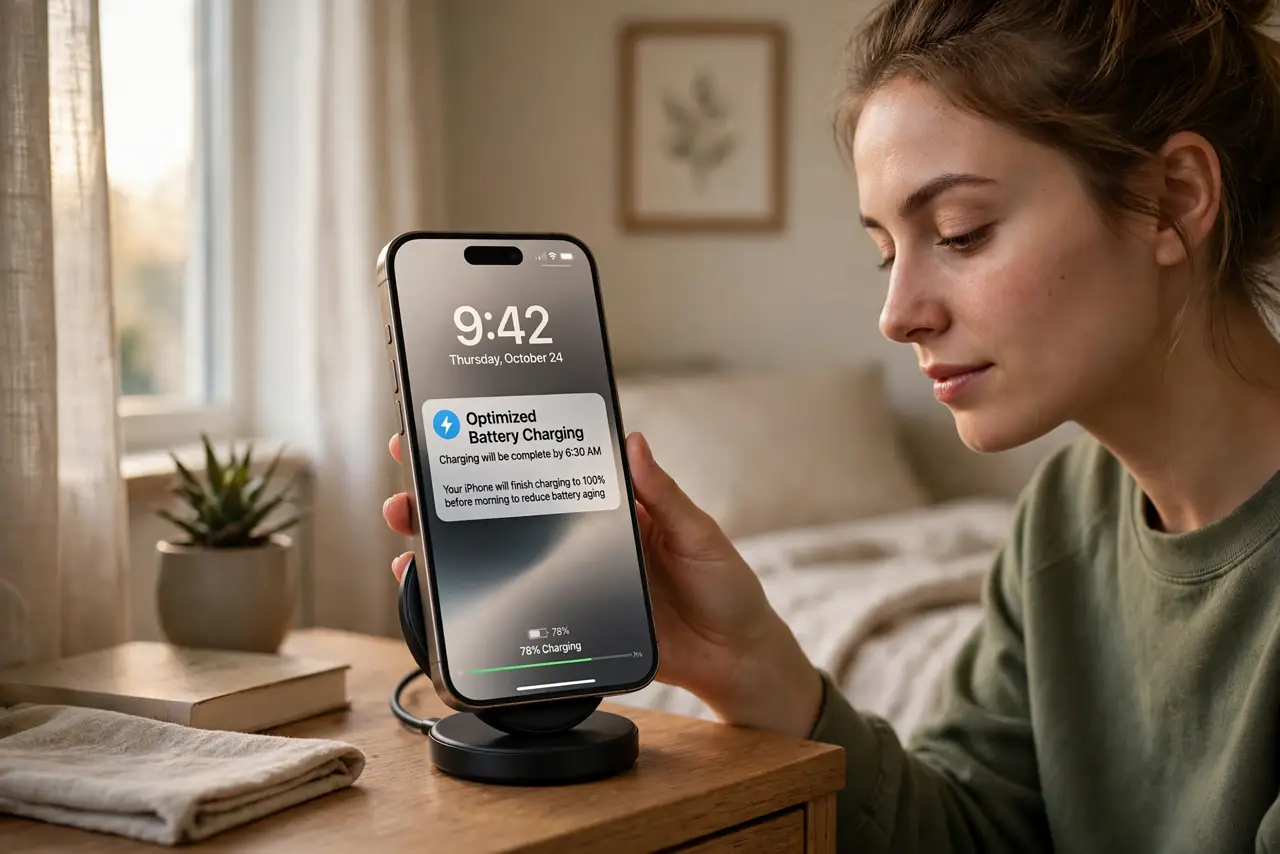
Your battery health keeps dropping and you charge the same way every night — plug in at midnight, 100% by 3 a.m., cooking at full for hours. Optimized charging fixes the routine, not just the cap: the phone learns when you wake and finishes the charge just in time. Same mornings, far less wear.
TL;DR / Quick Fix
Quick fix: turn on optimized or adaptive charging so the phone holds at 80% overnight and tops up before your alarm. Keep the phone cool while charging — heat ages batteries fastest. Pair it with the 80 percent cap on days you do not need full range.
Follow these steps
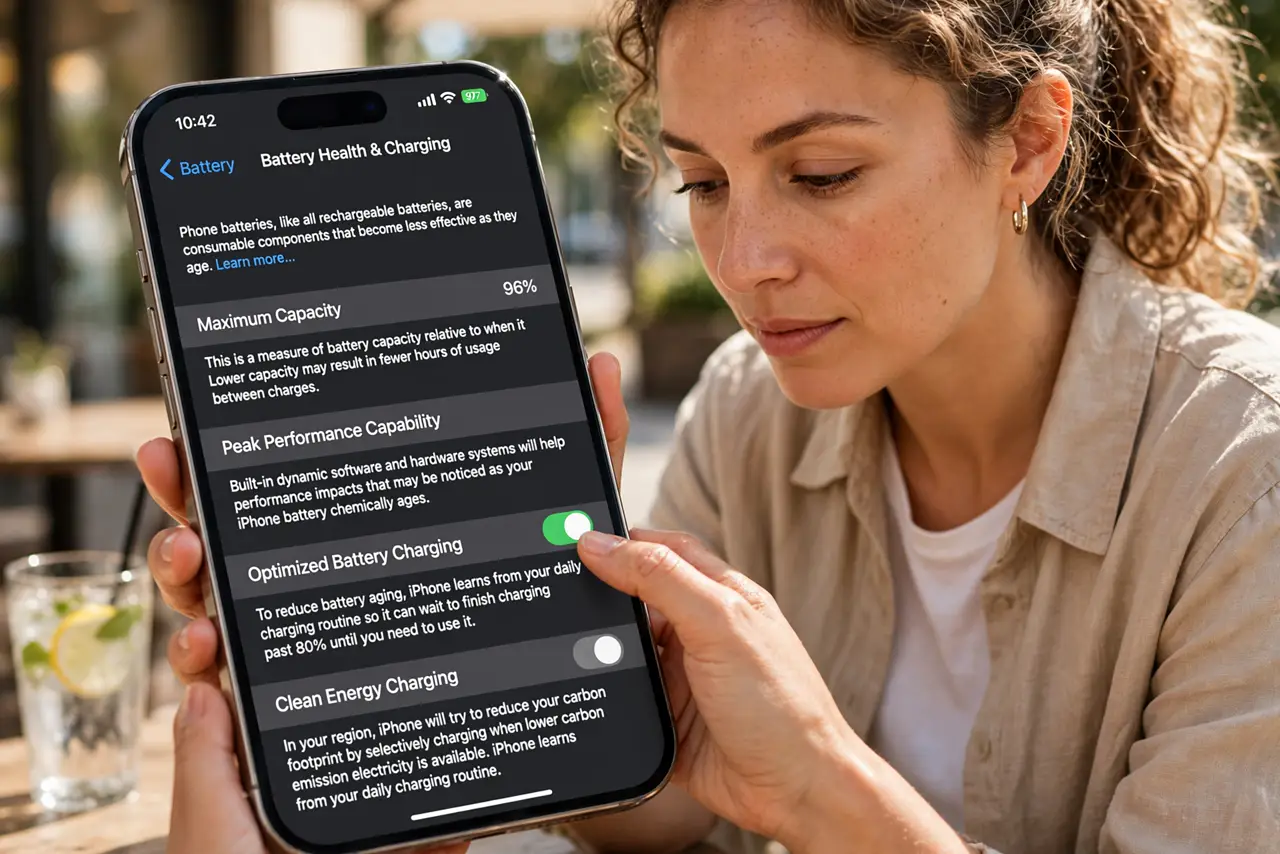
- Turn on optimized charging. iPhone: Settings, Battery, Battery Health and Charging — enable Optimized. The adaptive version on Android does the same learning trick under a different name.
- Give it a week to learn. The phone studies your wake time for several days before the routine kicks in. Consistency teaches it faster — erratic schedules confuse it.
- Keep it cool overnight. Charging generates heat; a hot bedroom plus a case doubles it. Nightstand in the open beats under-the-pillow every time — heat is the real battery killer.
- Watch the hold-at-80 behavior. Seeing 80% at 3 a.m. is the feature working, not a bug. The top-up lands before your alarm — trust the routine for a week before judging.
- Combine with the hard cap. On days you know you will not need full range, the 80 percent cap plus optimized charging is the gentlest possible routine.
- Unplug rituals are obsolete. No more 2 a.m. unplugging — the phone manages the top-up. Let the software do the worrying.
What NOT to do
- Do not disable it after two days. The learning needs about a week — early judgment is just impatience.
- Do not charge under the pillow. Trapped heat plus charging current is the fastest aging combo in the home.
- Do not expect it on chaotic schedules. Shift workers with random hours get less benefit — the cap helps them more.
- Do not micro-manage nightly. Set it once; nightly fiddling adds nothing but anxiety.
Frequently asked questions
How does optimized charging work?
It holds the battery around 80% overnight, then completes the charge shortly before your usual wake time — less time at full.
Why is my phone still at 80% in the morning?
The routine misjudged your wake time, or the learning is incomplete. Give it a few more consistent days.
Is it better than the 80% cap?
Different tools: the cap is strict and immediate, optimized is adaptive and full by morning. Many use both.