Medical Info on Lock Screen?
If you are ever in an accident and cannot speak, your phone can speak for you — if you set it up. Medical ID puts your allergies, conditions, medications, and emergency contacts on your lock screen, reachable without unlocking the phone. It takes five minutes to fill in and could matter enormously once. Here is how to set it up on iPhone and Android.
TL;DR / Quick Fix
Quick fix: Medical ID shows your allergies, conditions, and emergency contacts on your lock screen without unlocking the phone. Set it up in the iPhone Health app or Android's safety settings, and keep it current. First responders are trained to look for it.
Follow these steps
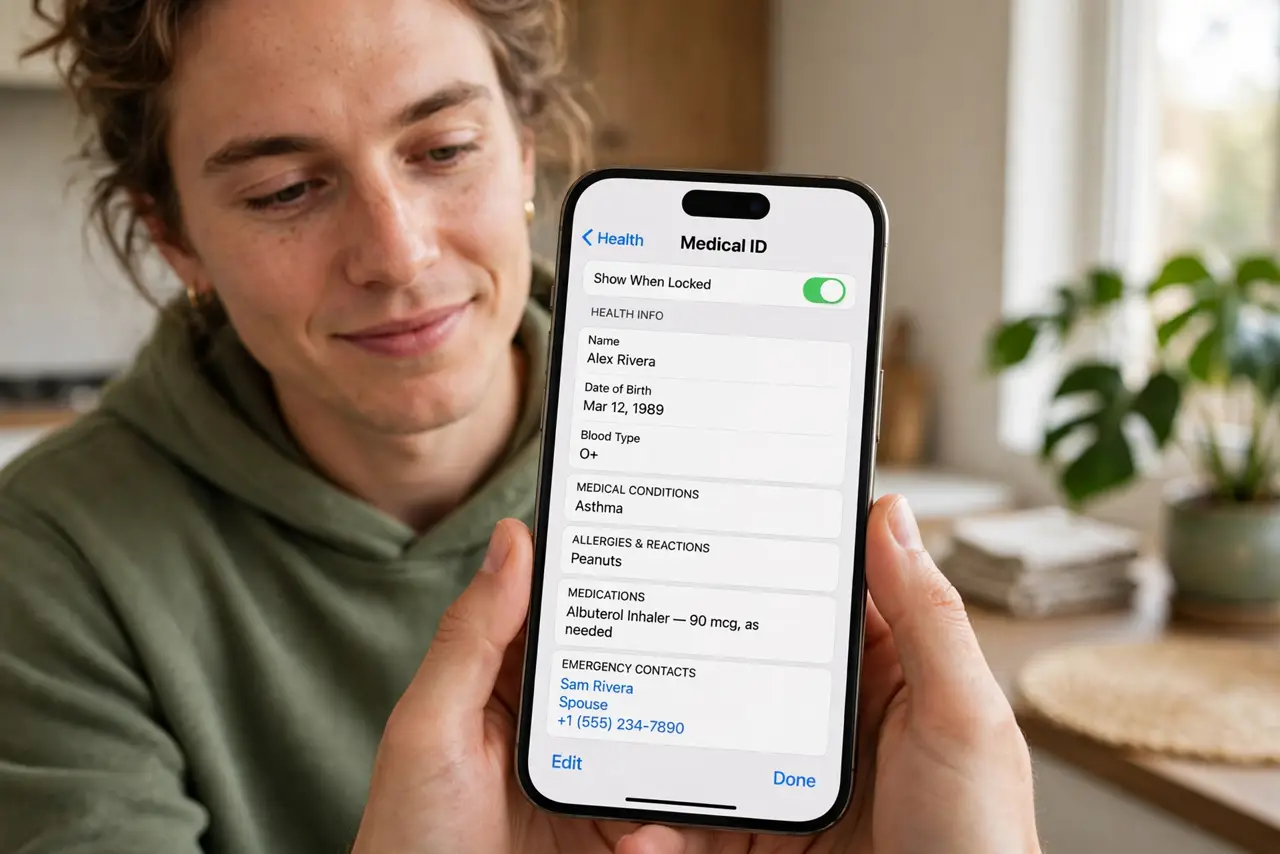
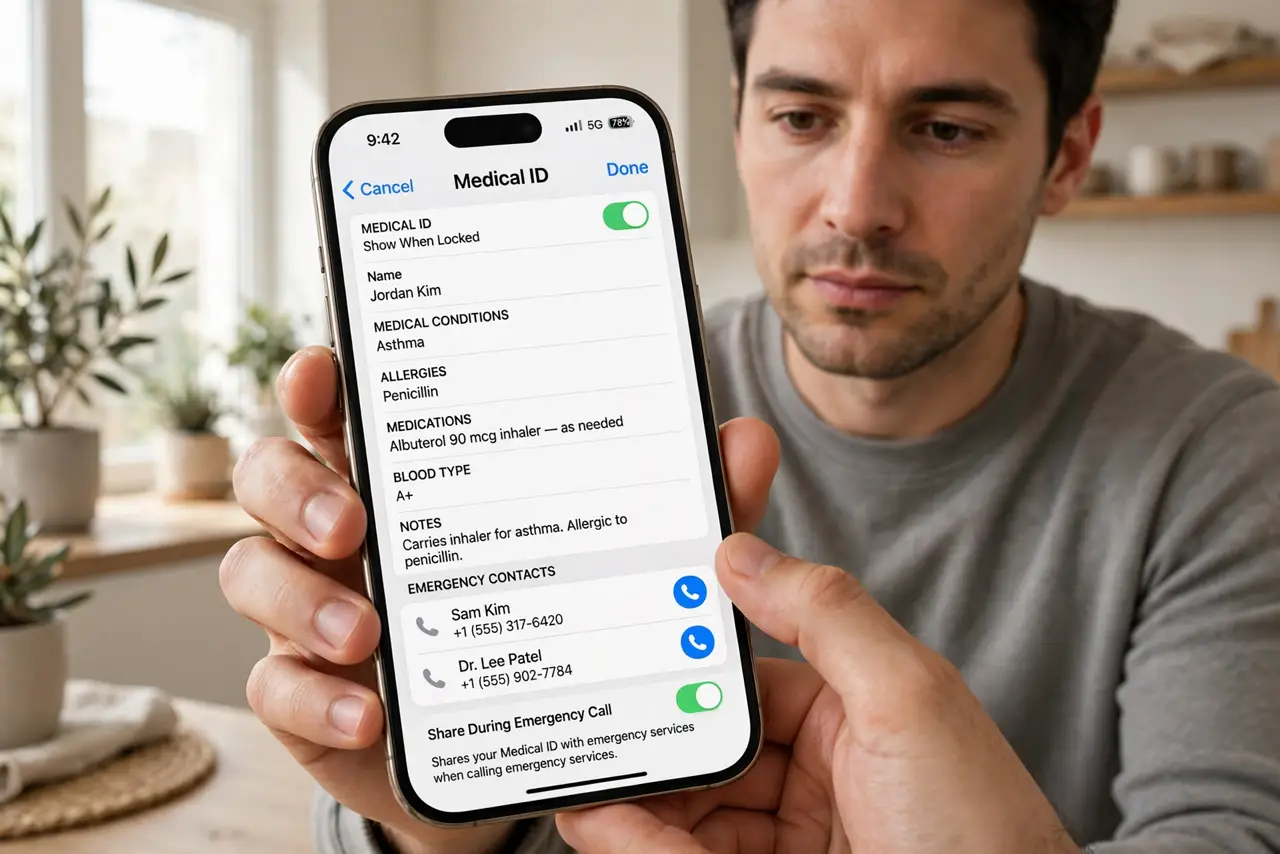
- Set it up on iPhone. Open the Health app, tap your profile picture, choose Medical ID, and fill in conditions, allergies, medications, blood type, and emergency contacts. Toggle on 'Show When Locked' — without that, it is useless in an emergency.
- Set it up on Android. Open Settings and look for Safety & emergency (wording varies by maker), then Medical information. Fill in the same details and enable lock-screen access. Samsung and Pixel phones both support this.
- Add emergency contacts properly. Add contacts through the Medical ID screen, not just your address book — only designated emergency contacts appear to responders. Include someone who actually answers unknown numbers.
- Keep it current. Review your Medical ID twice a year and after any diagnosis or medication change. Outdated medical info is worse than none — it can mislead treatment.
- Tell someone it exists. Mention to family that your Medical ID is set up. In an emergency they can show responders how to find it: on iPhone, hold the side button and volume button, then tap Medical ID on the power-off screen.
- Know the privacy tradeoff. Anyone holding your phone can read your Medical ID — that is the point. Keep it to what responders need: conditions, allergies, medications, contacts. Leave out anything you would not want a stranger to know.
What NOT to do
- Do not fill it in and leave 'Show When Locked' off. A Medical ID nobody can reach in an emergency helps nobody.
- Do not let it go stale. Old medications and removed allergies mislead responders — review it twice a year.
- Do not put your full life story in it. Responders need conditions, allergies, and contacts — not your biography.
- Do not skip emergency contacts. Medical facts without someone to call leave responders with half the picture.
Frequently asked questions
Can strangers see my Medical ID?
Only if they pick up your phone and look — it is on the lock screen by design. That is the intended tradeoff: visibility to helpers outweighs privacy in a crisis.
Does it work if my phone is dead?
No — it needs power. A medical bracelet still wins for always-on identification. Use both if your condition is serious.
What about Emergency SOS?
Separate feature — Emergency SOS on Android calls for help, while Medical ID informs whoever finds you. Set up both; they cover different moments.