Message Effects Do Not Send on iPhone
You send a message with balloons or confetti and it arrives plain — or the effect option never appears at all. Effects need iMessage and a compatible setting on both ends, and one quiet switch often blocks them.
TL;DR / Quick Fix
Quick fix: confirm the chat is blue (iMessage) — effects do not work on green SMS texts. Then check Settings, then Accessibility, then Motion, and turn off Reduce Motion. Restart Messages and try the effect again with a long-press on the send arrow.
Follow these steps
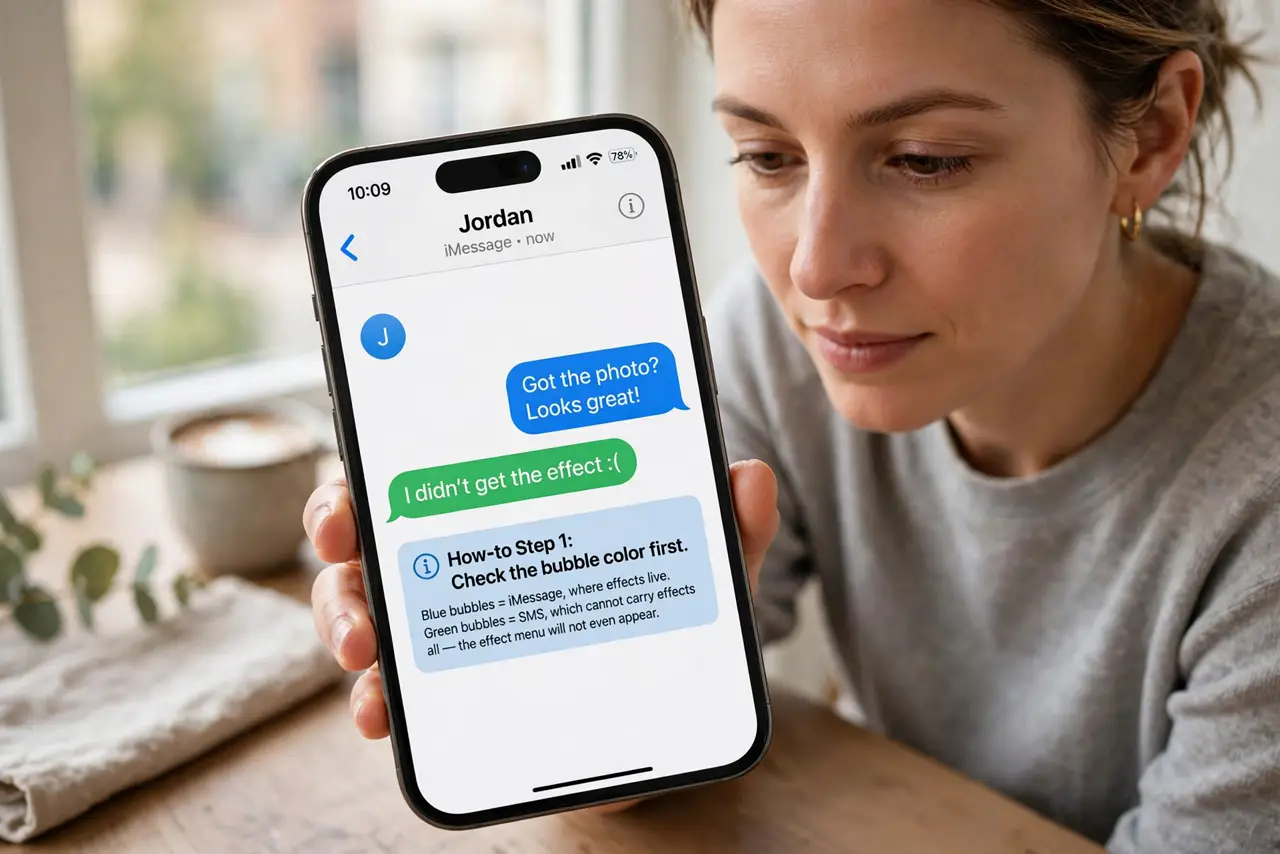
- Check the bubble color first. Blue bubbles mean iMessage, where effects live. Green bubbles mean SMS, which cannot carry effects at all — the effect menu will not even appear.
- Turn off Reduce Motion. Open Settings, then Accessibility, then Motion, and switch off Reduce Motion. This setting quietly disables screen effects across the whole iPhone.
- Decide about auto-playing effects. In the same Motion pane, leave Auto-Play Message Effects on if you want effects to play by themselves. Turning it off means effects arrive but stay still until you tap them.
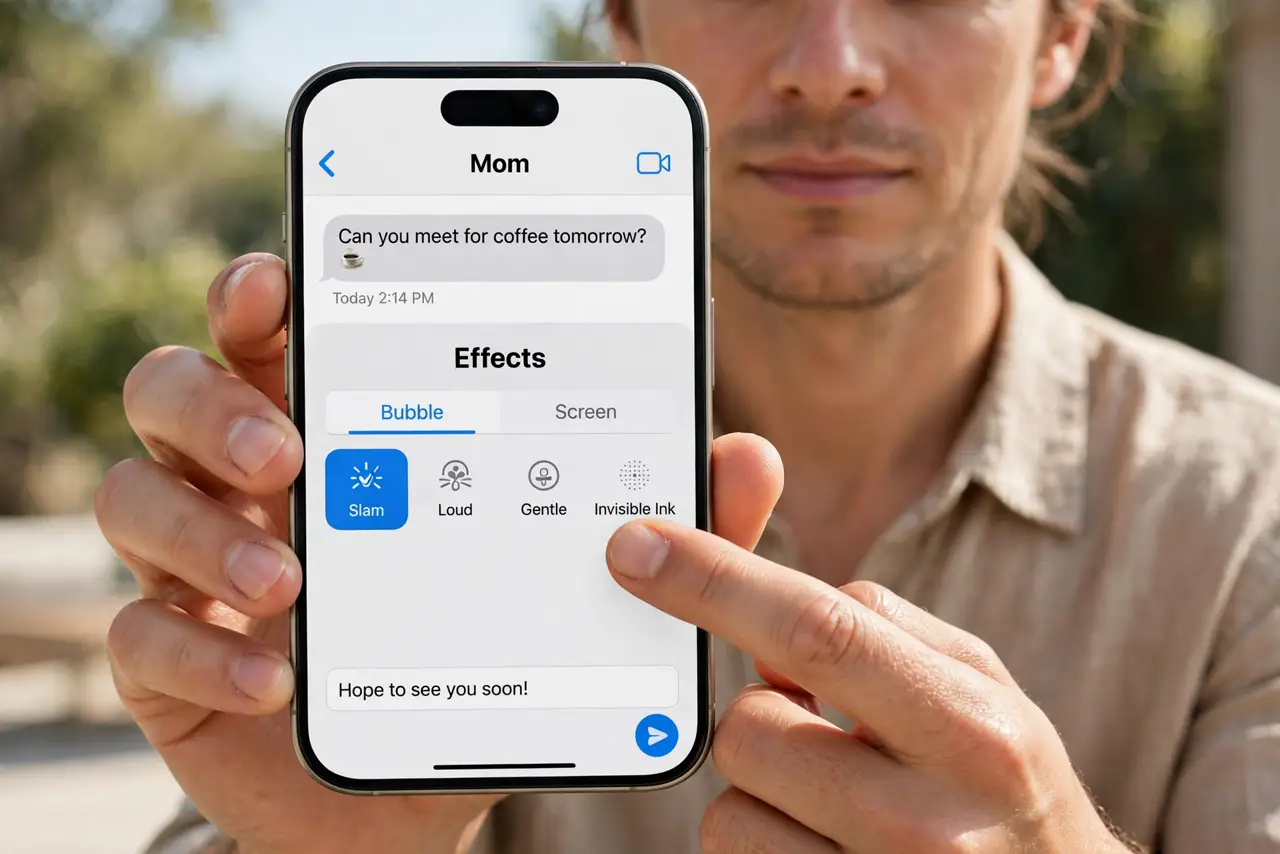
- Long-press the send arrow. Type the message, then press and hold the blue send arrow. The effects screen with Bubble and Screen tabs appears — a quick tap sends the message without it.
- Check the other person's setup. Effects need iMessage on both ends and a recent enough iOS. If one side uses SMS or an old version, the effect simply will not travel.
- Restart Messages if the menu is missing. Force-quit Messages and reopen it, then retry the long-press. A stuck Messages session can hide the effects screen even when everything is set right.
What NOT to do
- Do not reinstall Messages or reset the iPhone for missing effects. A motion setting or an SMS conversation explains it, and a reset is wildly disproportionate.
- Do not expect effects on group chats with an Android member. One green bubble in the group turns the whole thread SMS, and effects cannot ride along.
- Do not keep resending the same message hoping the effect appears. The effect is chosen before sending — resending the plain text changes nothing.
- Do not confuse full-screen effects with bubble effects. Balloons fill the screen; slam and gentle change the bubble — pick the tab you actually want.
Frequently asked questions
Why do effects work with one friend but not another?
The working chat is iMessage; the other is SMS. Effects only travel over iMessage's blue bubbles.
Does Reduce Motion really block effects?
Yes. It is designed to calm animations system-wide, and message effects are exactly the kind of animation it stops.
Can Android users see iPhone effects?
No. They receive the plain text, sometimes with a note describing the effect, but never the animation itself.