Safari Reader Mode Button Goes Missing
Reader view used to sit in the address bar, turning cluttered articles into clean text — and now the button is gone. Apple moved it, and on some pages the site itself blocks it.
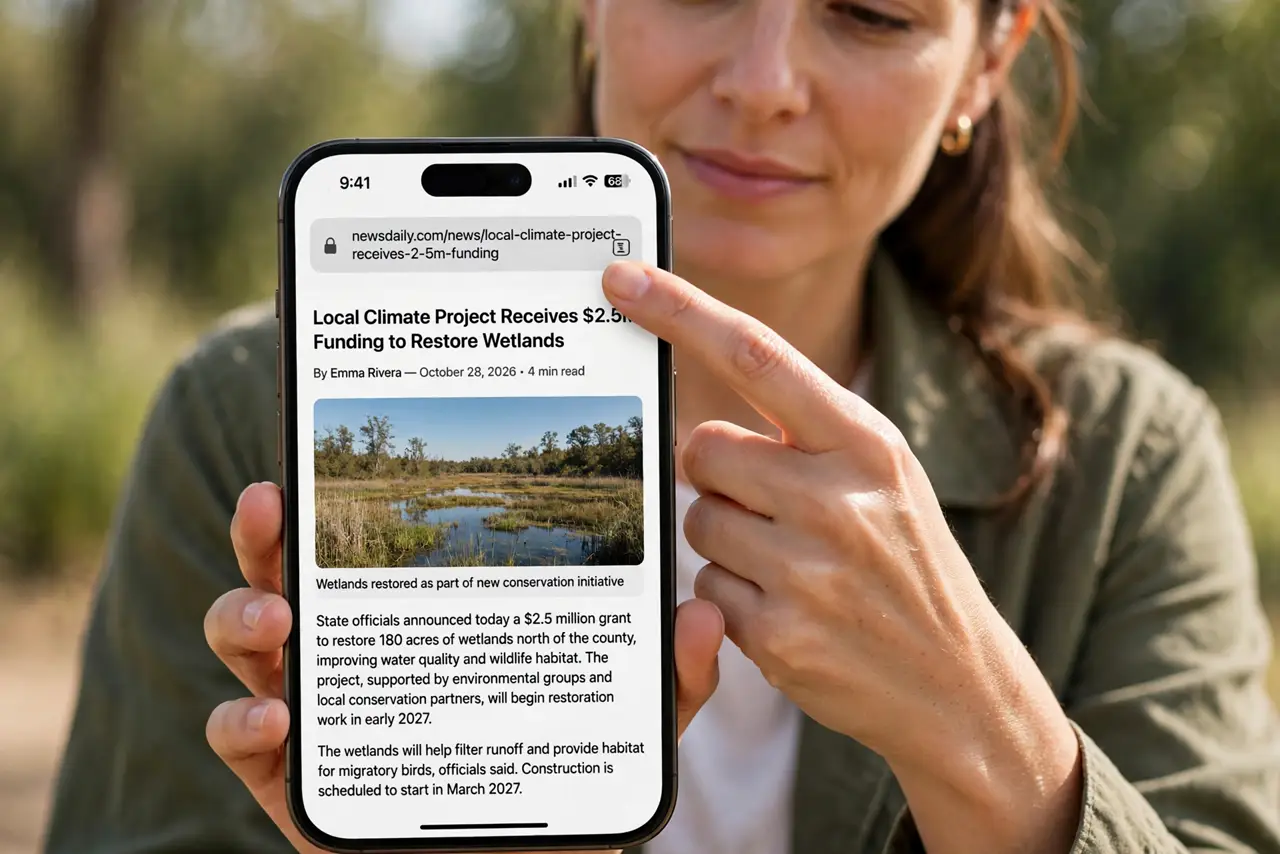
TL;DR / Quick Fix
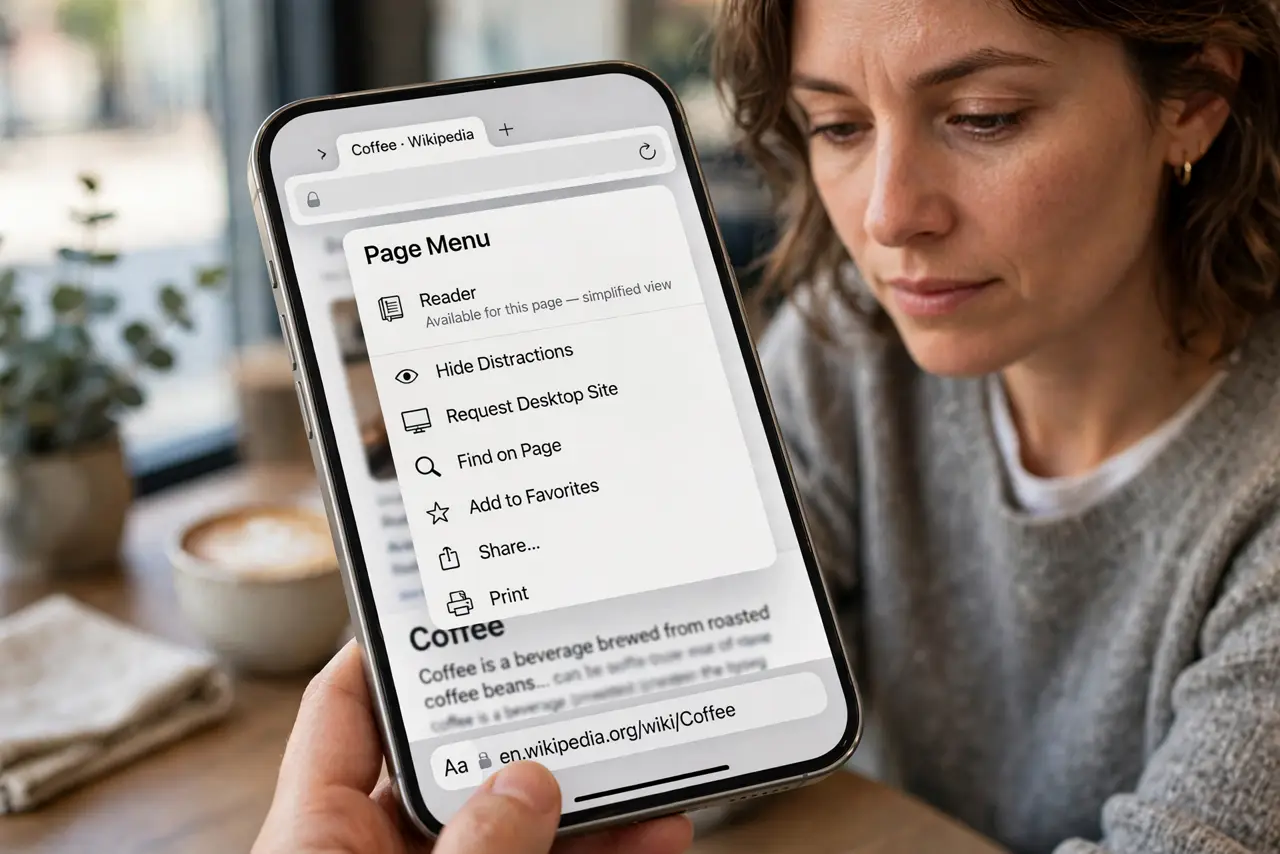
Quick fix: tap the page menu button at the left of the address bar and choose Show Reader — the button moved there in recent iOS versions. If Reader is grayed out, the page does not support it. Try it on a plain news article to confirm the feature works.
Follow these steps
- Look in the page menu, not the address bar. Tap the icon at the left end of the address bar to open the page menu. Show Reader lives there now — the old standalone button is gone.
- Check the page actually supports Reader. Reader only appears on article-style pages. Homepages, videos, and photo galleries legitimately have no Reader option, grayed out or missing.
- Reload the page and try again. A half-loaded page can hide the Reader option. Reload, wait for the article text to fully appear, then open the page menu again. If pages keep half-loading, that is a separate Safari reload problem.
- Test on a known-good article. Open a plain news article and check the menu. If Reader appears there, the feature works and the other page simply does not support it.
- Check Content Blockers are not breaking it. An aggressive content blocker can confuse Reader's article detection. Temporarily disable it for the site and see whether Reader returns.
- Update iOS if the menu looks different. Apple rearranges Safari's menus between versions. Updating aligns your iPhone with the current layout, so guides and buttons match again.
What NOT to do
- Do not assume Reader is broken because one site lacks it. Many sites deliberately block Reader to keep their ads, and no setting overrides that.
- Do not try to reinstall Safari — you cannot. Safari is part of iOS, so a missing button is a layout or page issue, never an app to reinstall.
- Do not clear all website data for one missing button. That logs you out everywhere for a menu change Apple made on purpose.
- Do not confuse Reader with Reading List. Reader cleans the current page; Reading List saves pages for later — different features, different menus.
Frequently asked questions
Where did the Reader button go?
Apple moved it into the page menu at the left of the address bar. Tap that icon and choose Show Reader.
Why is Show Reader grayed out?
The page is not an article-style page, or the site blocks Reader. Try a standard news article to confirm it works.
Can I force Reader on any page?
No. If the page does not expose article content, Reader stays unavailable no matter the settings.