Smart Rotate Widgets
Your widget stack shows the news at 7 AM when you need the calendar, and the calendar at lunch when you want the weather. Smart Rotate is supposed to fix that — automatically surfacing the most relevant widget by time of day and habit. When it works it feels like magic; when it guesses wrong it is just annoying. Learn to set it up, and when to turn it off. Start with the widget stack basics.

TL;DR / Quick Fix
Quick fix: Smart Rotate lets an iPhone widget stack show the most relevant widget automatically — calendar in the morning, news at lunch. Long-press the stack, turn on Smart Rotate, and reorder the widgets by priority. If it guesses wrong, turn it off; a manual stack is always calmer.
Follow these steps
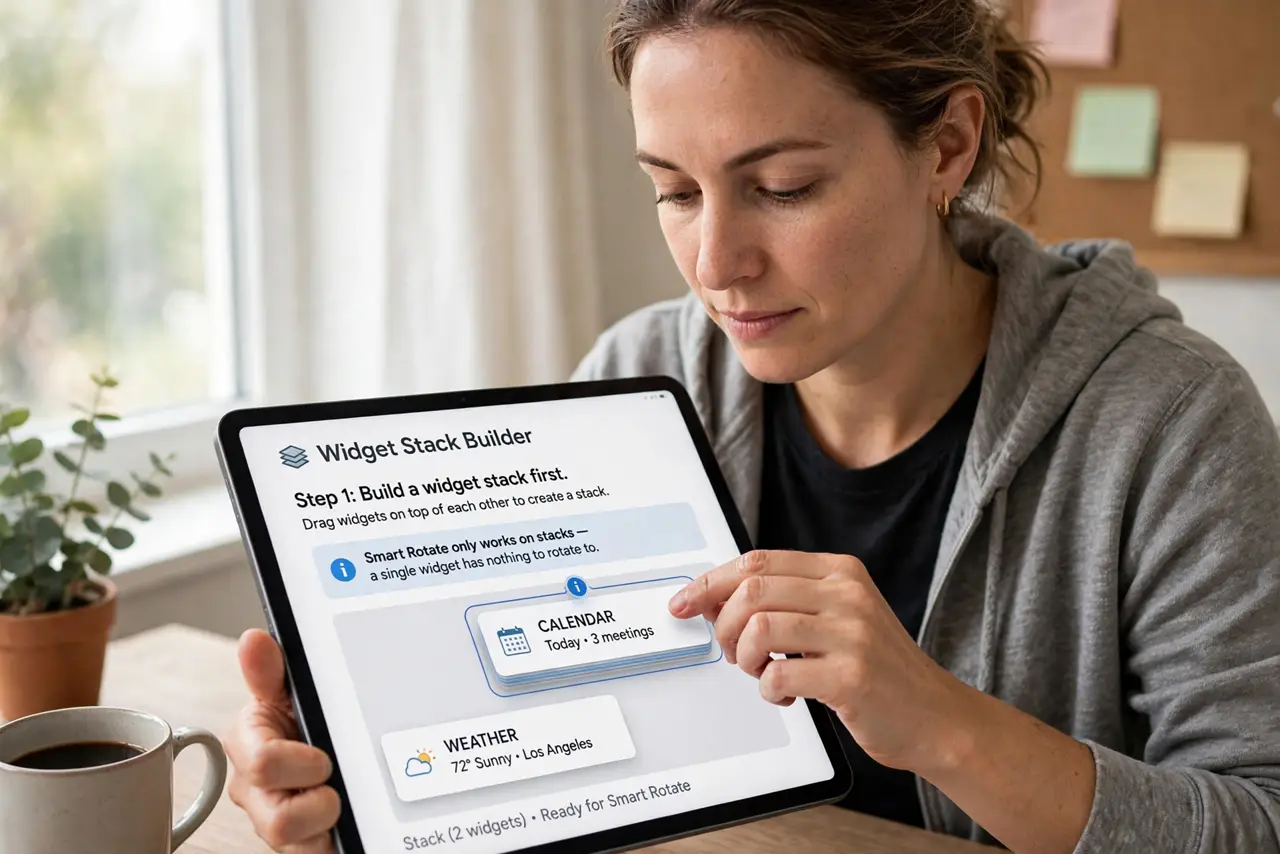
- Build a widget stack first. Drag widgets on top of each other to create a stack. Smart Rotate only works on stacks — a single widget has nothing to rotate to.
- Long-press the stack. Touch and hold the stack, then choose Edit Stack. This is where all the stack's behavior lives.
- Turn on Smart Rotate. Enable the Smart Rotate toggle. Your iPhone will now reorder the stack based on time, location, and your habits.
- Order widgets by priority. Drag your most important widgets to the top of the list. Smart Rotate treats the order as hints about what matters to you.
- Give it a few days. The relevance engine learns from your routine. Judging it after two hours is unfair — let it observe a few typical days.
- Turn it off if it annoys you. If the stack keeps showing the wrong widget, disable Smart Rotate. A predictable manual stack beats a clever unpredictable one.
What NOT to do
- Do not stack twenty widgets and expect magic. Smart Rotate works best with a handful of genuinely useful widgets.
- Do not expect it to read your mind. It follows patterns — break your routine and its guesses break too.
- Do not forget widgets can go stale. A widget showing old data is a widget problem, not a rotation problem.
- Do not leave battery-hungry widgets in the stack. Some widgets drain power with constant updates — rotate or remove them.
Frequently asked questions
Why does it show the wrong widget?
It learned a pattern that does not match today. Reorder the stack to retrain its hints, or turn rotation off for full control.
Does Smart Rotate use my location?
It can consider location among its signals. If that bothers you, the manual stack gives you the same widgets without the guessing.
Can Android do this?
Android widgets do not have the same Smart Rotate feature, though some launchers offer similar auto-switching stacks.