Change Your AirDrop Name
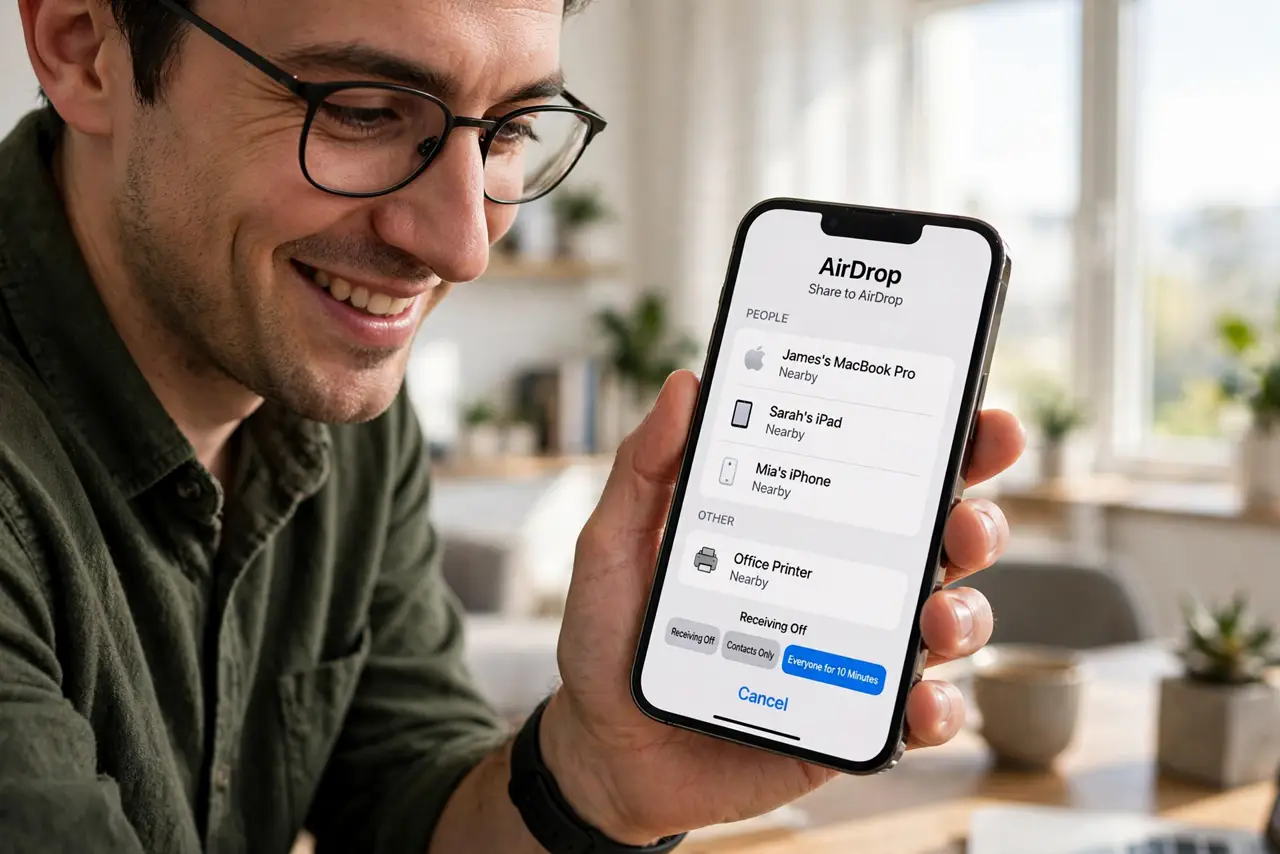
You try to AirDrop a photo and face five devices all named 'iPhone' — a guessing game nobody wins. Your AirDrop name is just your device name, and changing it takes ten seconds. This guide renames your devices so sharing stops being a lottery.
TL;DR / Quick Fix
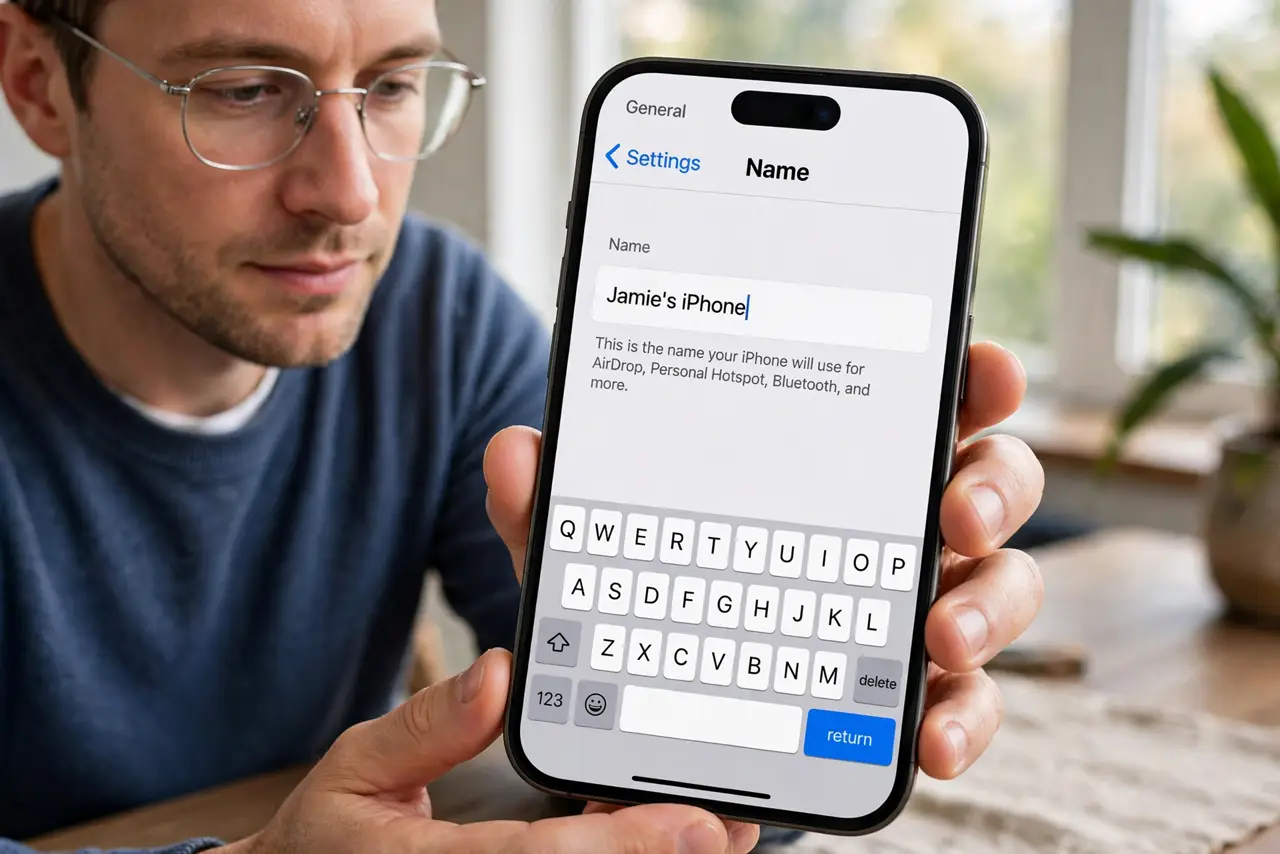
Quick fix: if everyone nearby is named iPhone, change yours — on iPhone go to Settings, General, About, Name; on Mac it follows your device name in System Settings. Pick something recognizable like Maya's iPhone so AirDrop targets are obvious. The new name appears to nearby devices immediately.
Follow these steps
- Change the iPhone name. On iPhone: Settings, General, About, Name. Type something recognizable — 'Maya's iPhone' beats 'iPhone (3)' forever.
- Change the Mac name. On Mac: System Settings, General, About, Name. The Mac's AirDrop identity follows this name too.
- Make it recognizable, not cryptic. Use your name plus the device. Nearby strangers see these names — 'Maya's MacBook' is friendly and findable.
- Check it worked. Ask a friend to open their share sheet, or open AirDrop on your own Mac. The new name should appear within seconds.
- Rename iPads and Watches too. Every Apple device broadcasts a name. Rename the whole fleet once and AirDrop becomes self-explanatory everywhere.
- Pair with contact-only sharing. A clear name plus Contacts Only AirDrop means the right people find you and strangers cannot — name and privacy together.
What NOT to do
- Do not use embarrassing names. 'ButtPhone3000' is funny until it appears on a client's share sheet in a meeting.
- Do not include your full name publicly if it worries you. First name plus device is plenty for identification.
- Do not forget the Watch. Apple Watches broadcast too — rename them in the Watch app.
- Do not expect instant updates everywhere. Most devices refresh fast, but give Bluetooth a minute in crowded rooms.
Frequently asked questions
Why do I still see the old name?
Bluetooth caching — toggle Bluetooth off and on on the viewing device to refresh.
Can two devices share a name?
Technically yes, which recreates the confusion. Keep names unique per device.
Does renaming affect anything else?
No — it is cosmetic. iCloud, apps, and backups do not care about the display name.