Find Mac Offline
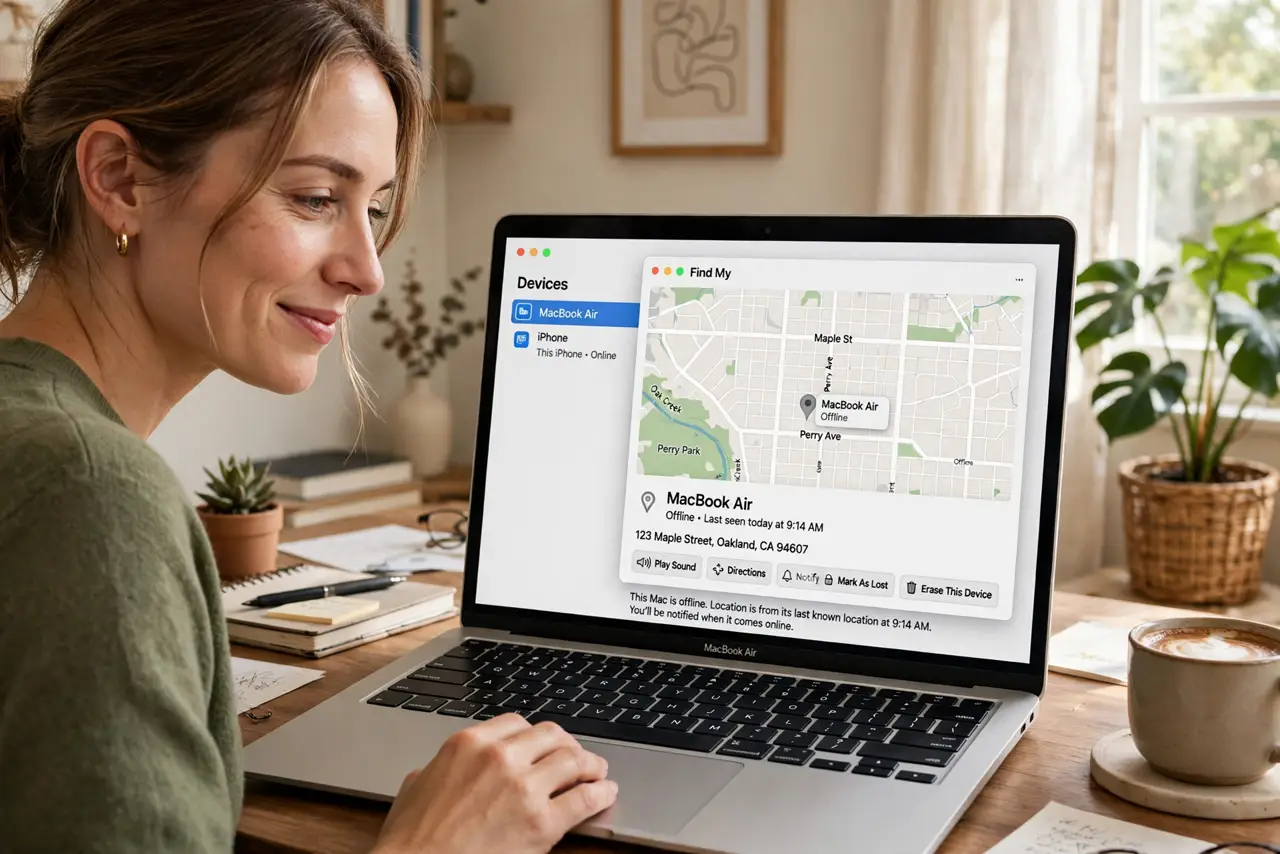
A stolen Mac that is closed or offline feels gone forever — but Apple's Find My network can still locate it. Nearby iPhones and Macs anonymously relay your Mac's Bluetooth signal, so it appears on the map even asleep in a thief's bag. It only works if you set it up before the theft. See Find My Mac and Activation Lock for the full protection picture.
TL;DR / Quick Fix
Quick fix: Find My can locate your Mac even when offline or asleep — nearby Apple devices relay its Bluetooth signal anonymously. Enable Find My Mac and the Find My network now, before you need it. After a theft, mark it lost immediately and never try to recover it yourself.
Follow these steps
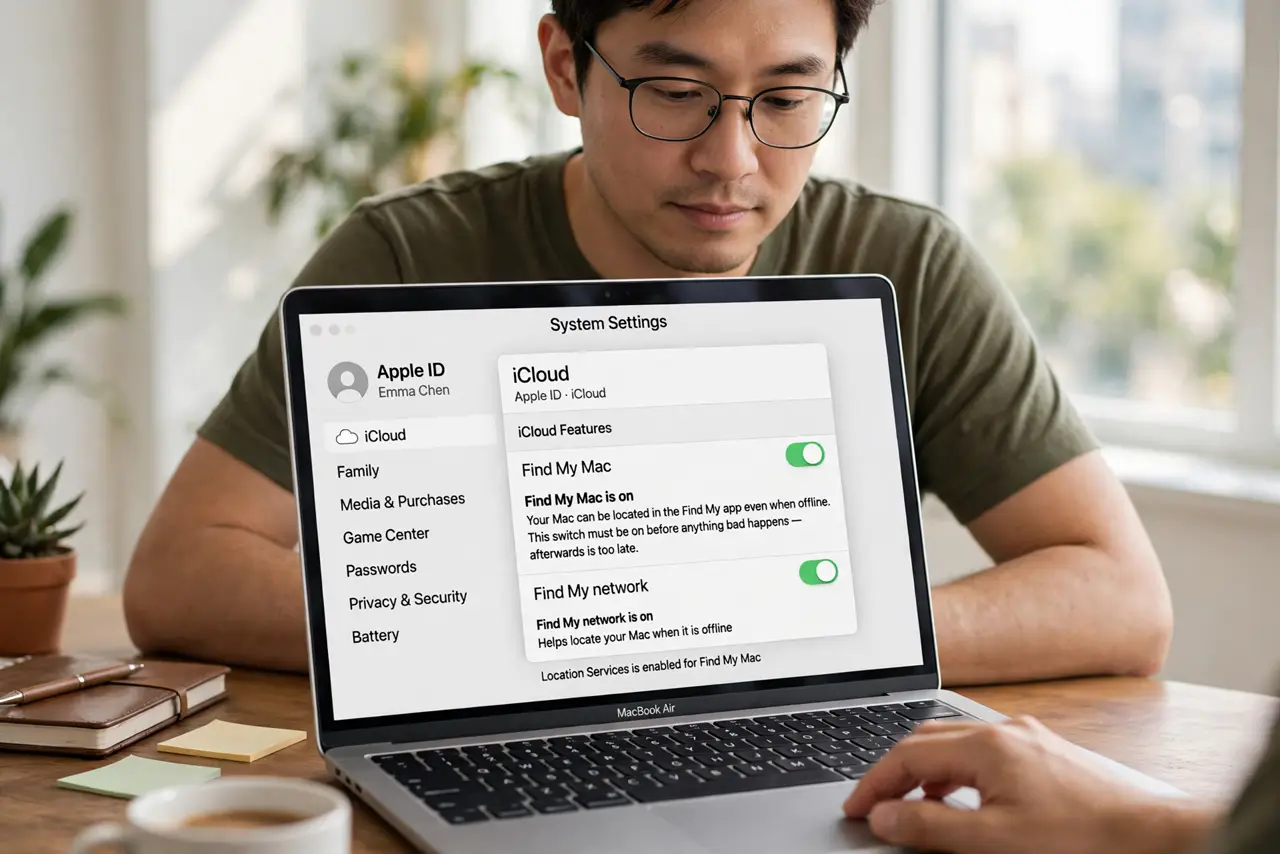
- Enable Find My Mac now. Go to Settings, Apple ID, iCloud, and turn on Find My Mac. This is the switch that must be on before anything bad happens — afterwards is too late.
- Enable the Find My network. In the Find My settings, turn on the Find My network option. This lets nearby Apple devices relay your Mac's location even when it is offline.
- Test it before you need it. Open the Find My app on your iPhone and confirm your Mac appears. A quick test now beats discovering a misconfiguration during a crisis.
- If stolen, mark it lost. In Find My, select the Mac and mark it as lost. This locks it remotely, displays your contact message, and starts tracking its location.
- Use Activation Lock's protection. A Mac with Apple silicon or the T2 chip ties itself to your Apple ID — a thief cannot wipe and reuse it. See what Activation Lock does.
- Never recover it yourself. If the map shows a location, hand it to the police. Confronting a thief over a laptop is never worth the risk.
What NOT to do
- Do not wait until theft to set this up. Find My cannot be enabled remotely after the Mac is gone.
- Do not assume offline means unfindable. The relay network is the whole point — offline Macs still report via nearby devices.
- Do not chase the dot yourself. A location pin is for law enforcement, not for heroics.
- Do not forget the passcode. A strong login password keeps a found Mac's data safe even before you mark it lost.
Frequently asked questions
How does offline finding work?
Your Mac emits a Bluetooth signal that nearby Apple devices pick up and relay anonymously. No pairing, no interaction — it just works in the background.
Will it work if the battery dies?
No — a dead Mac emits nothing. But a sleeping or closed Mac sips power and keeps signaling for a long time.
Can a thief disable it?
Not without your Apple ID password, thanks to Activation Lock. A wiped Mac stays locked to you.