Mail Rules Never Run Automatically? Fix It
Your Mail rules work when you apply them by hand but never fire on their own as messages arrive. Rules need the Mac awake, Mail open, and the conditions exactly right. This guide checks each requirement in order.
TL;DR / Quick Fix
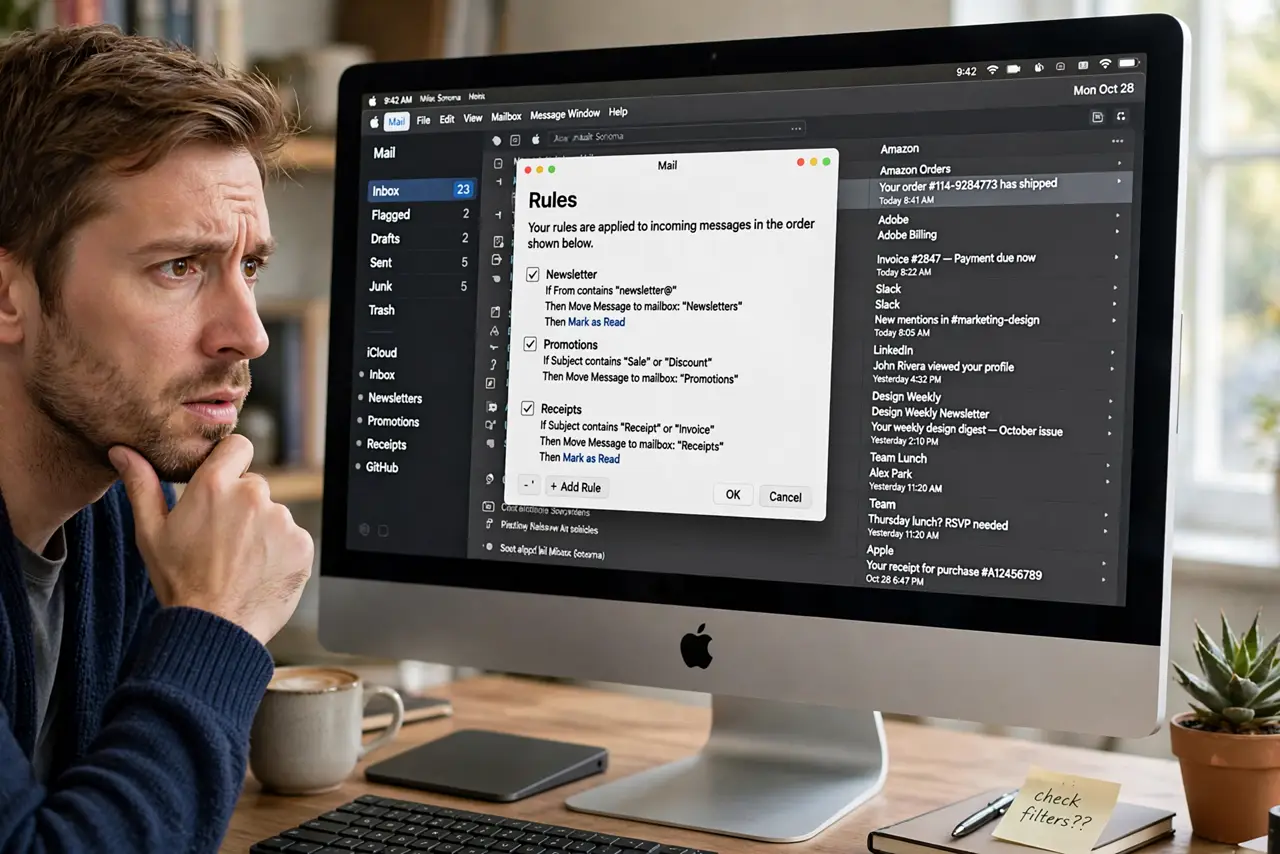
Quick fix: open Mail settings, go to Rules, and confirm each rule is checked as active. Make sure Mail is open when messages arrive, check the rule conditions match the real message headers, and reorder rules so the most specific ones run first.
Follow these steps
- Confirm the rules are active. Open Mail, then Settings, then Rules. Each rule needs its checkbox ticked; an unticked rule only runs when you apply it manually.
- Keep Mail open and the Mac awake. Rules run when Mail fetches new messages. If the Mac sleeps with Mail closed, nothing triggers until you open it, so consider your sleep habits too.
- Check the conditions against a real message. Open a message the rule should have caught and compare every header. One wrong condition, like a slightly different sender address, silences the whole rule.
- Reorder specific rules first. Rules run top to bottom, and a broad rule can grab messages before a specific one sees them. Drag the most specific rules to the top.
- Test with Apply Rules. Select the inbox and choose Message, then Apply Rules. If manual application works, the rule logic is fine and the trigger is the problem.
- Remember rules do not sync. Like text replacements, Mail rules live only on the Mac where you created them. A rule made on another Mac never runs here.
What NOT to do
- Do not create overlapping rules that fight. Two rules moving the same message to different folders cause chaos, so keep conditions distinct.
- Do not use Stop evaluating rules carelessly. That action halts all later rules for the message, which silently disables everything below it.
- Do not expect rules on server-filtered mail. If the provider already sorted the message server-side, the Mac rule may never see it in the inbox.
- Do not delete and recreate rules in frustration. Editing the condition is faster and preserves the rule order you already tuned.
Frequently asked questions
Why do my rules only work manually?
Because the automatic trigger needs Mail open, the Mac awake, and matching conditions at fetch time. Manual application skips the trigger check.
Do Mail rules work when the Mac sleeps?
No. A sleeping Mac with closed Mail fetches nothing, so rules wait until the next fetch.
Can rules sort mail into iCloud folders?
Yes, as long as the folders exist on the Mac and the rule actions point at them.