Save with Reading List
Forty open tabs is not a reading system — it is a cry for help. Safari's Reading List parks articles in a tidy sidebar queue, available offline, so you can close the tabs and read later like a civilized person. One tap saves, the sidebar organizes. Understand Reading List versus bookmarks, and corral the survivors with tab groups.
TL;DR / Quick Fix
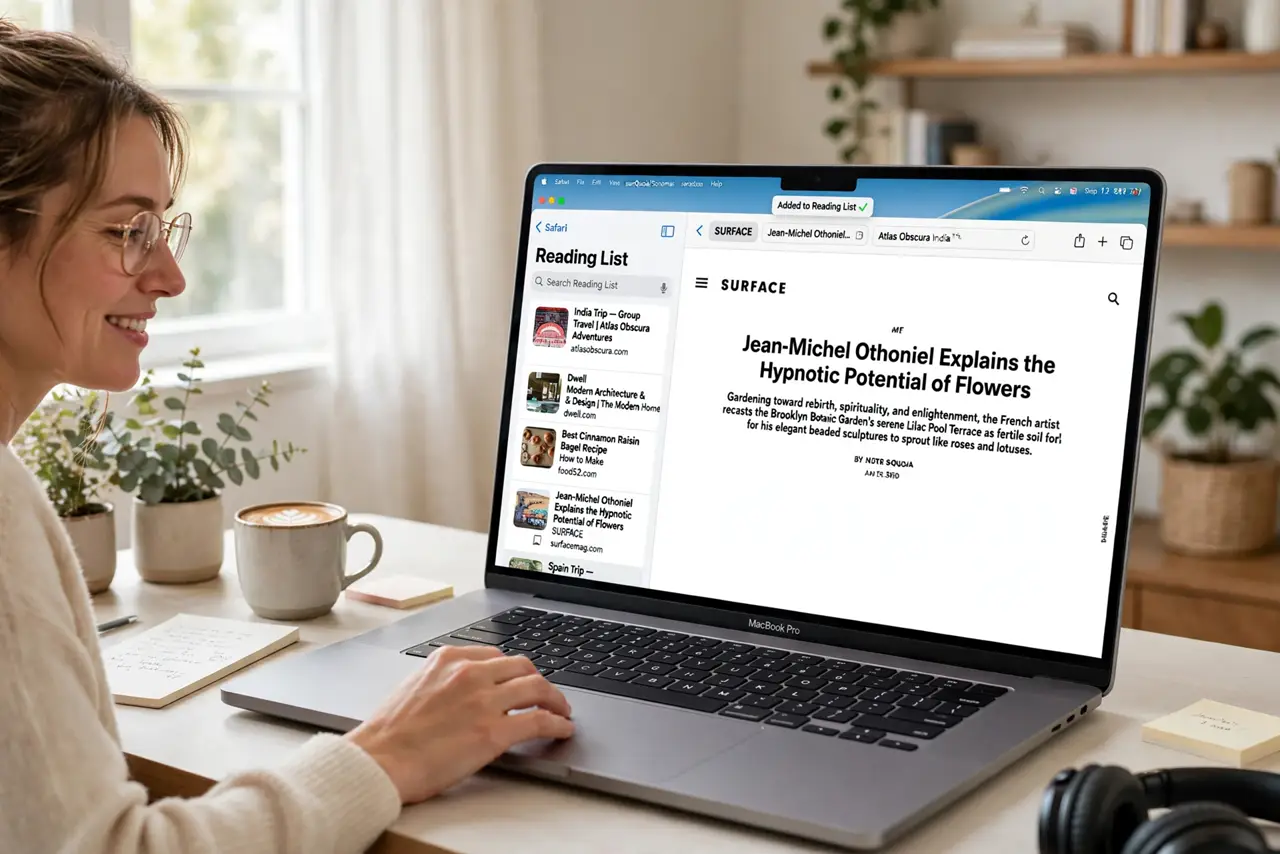
Quick fix: stop saving articles as open tabs — add them to Safari's Reading List with one tap and they wait for you offline, out of the way. Open the sidebar, switch to Reading List, and work through saved pages when you have time. Your tab bar will thank you.
Follow these steps
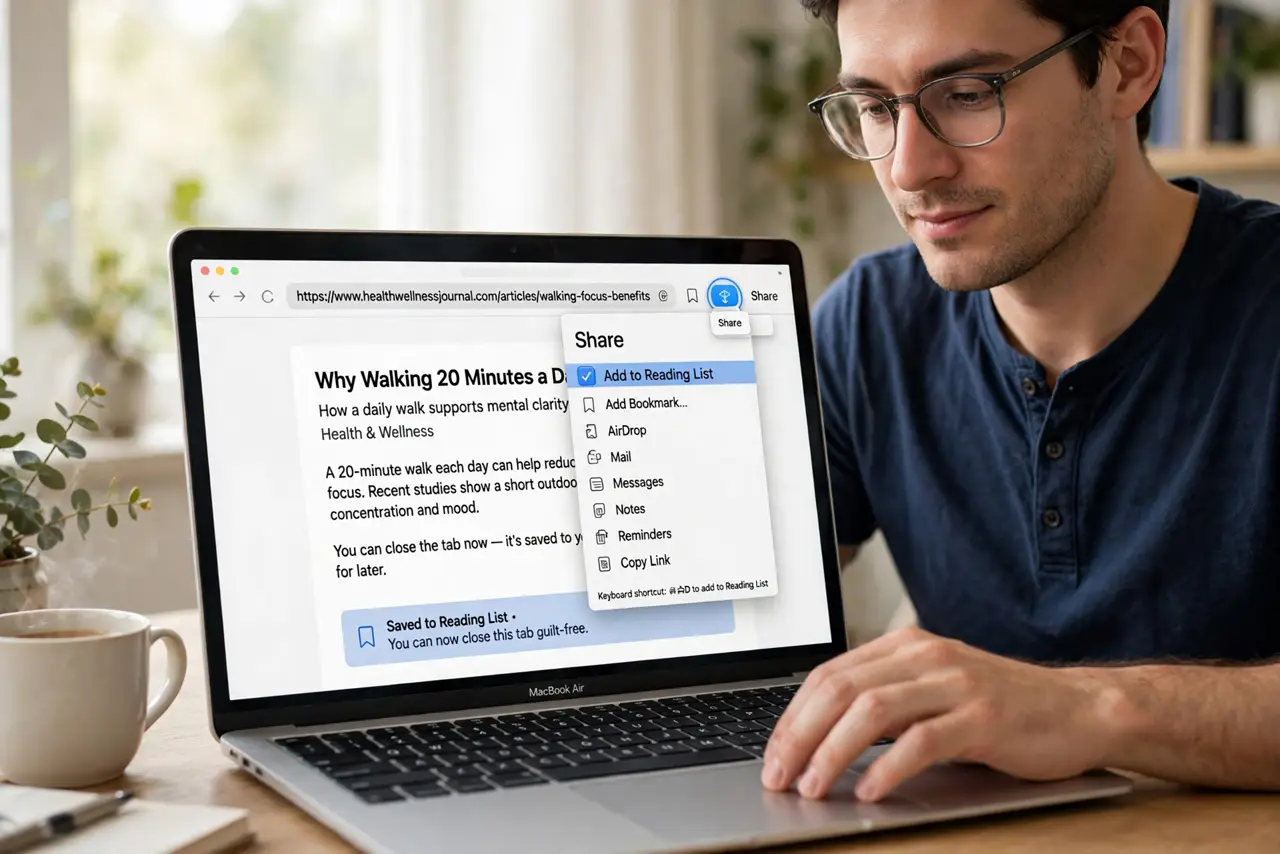
- Save a page in one tap. With the article open, use the share button and choose Add to Reading List — or the keyboard shortcut. The tab can now be closed guilt-free.
- Open the Reading List. Show the sidebar and switch to the Reading List tab. Your saved pages wait here in reading order, newest on top.
- Read offline anytime. Reading List downloads pages for offline reading automatically. Subway, plane, or dead-zone cabin — your queue comes with you.
- Work through the queue. Open a saved article when you have a moment, read it, and swipe to remove it. The list should shrink, not grow forever.
- Prune ruthlessly. An article you have skipped for a month is an article you will never read. Delete it and free the mental shelf space.
- Use it with tab groups. Research projects get a tab group; casual reads get the Reading List. Two systems, each doing what it does best.
What NOT to do
- Do not use open tabs as a reading list. Tabs are fragile — one accidental close-all and your queue is gone.
- Do not let the list grow forever. A thousand saved articles is hoarding, not reading — prune weekly.
- Do not save everything that mildly interests you. If you would not read it on a quiet Sunday, skip it.
- Do not forget it syncs. The same Reading List follows you to iPhone and iPad, which is the point — read anywhere.
Frequently asked questions
How is this different from bookmarks?
Bookmarks are for pages you revisit; Reading List is a to-read queue you work through and clear. Different jobs, different tools.
Can I read saved pages offline?
Yes — Safari downloads Reading List pages automatically so they are available without a connection.
Is there a limit?
No practical one, but a giant list defeats the purpose. Keep it to what you will actually read this week.