Buy with Touch ID
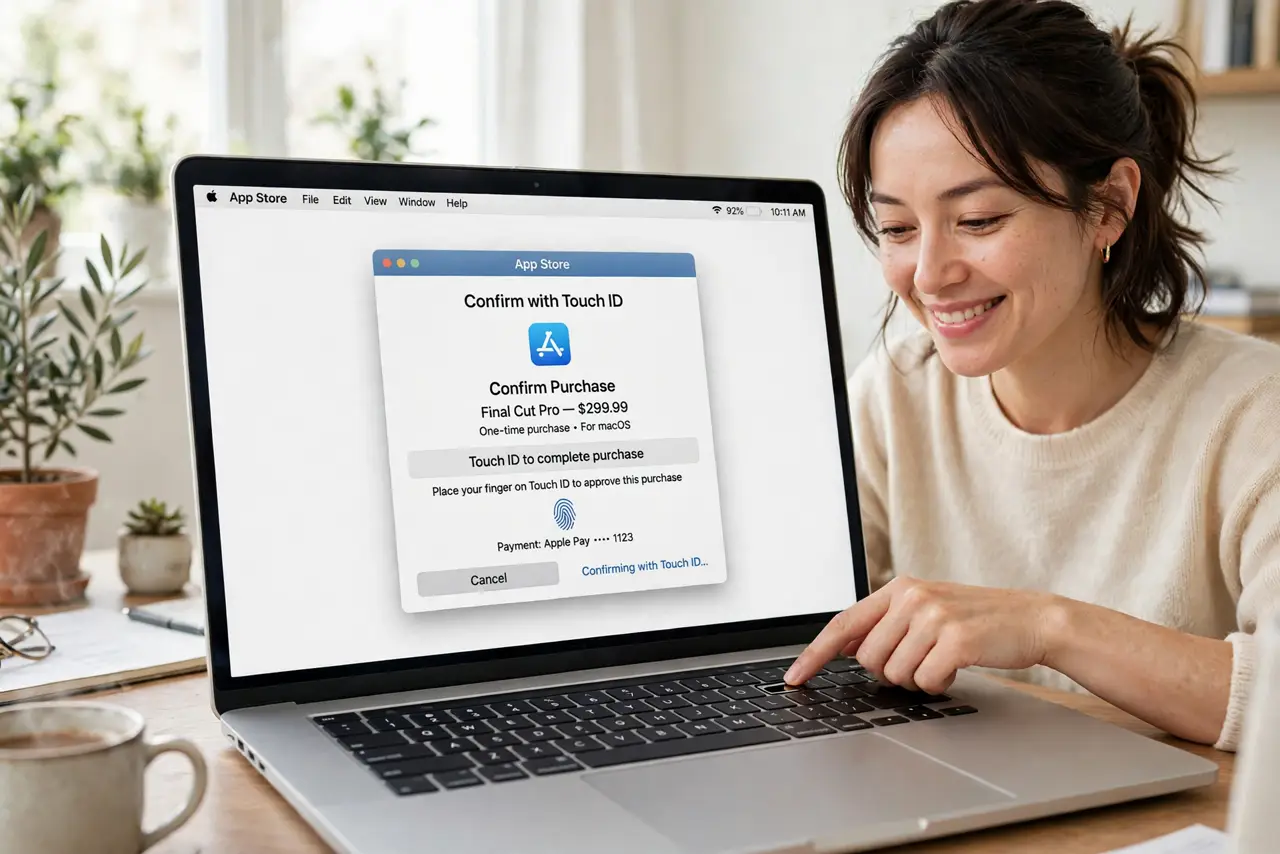
Every App Store purchase stops for your Apple ID password — typed slowly, maybe wrong twice, on a machine with a fingerprint sensor sitting right there. Touch ID can approve App Store purchases with one touch instead. Here is how to enable it and where it works.
TL;DR / Quick Fix
Quick fix: on a Mac with Touch ID, the App Store offers fingerprint confirmation instead of your Apple ID password — just rest your finger on the sensor at checkout. Enable it in System Settings under Touch ID. It works for purchases, not for first-time sign-ins.
Follow these steps
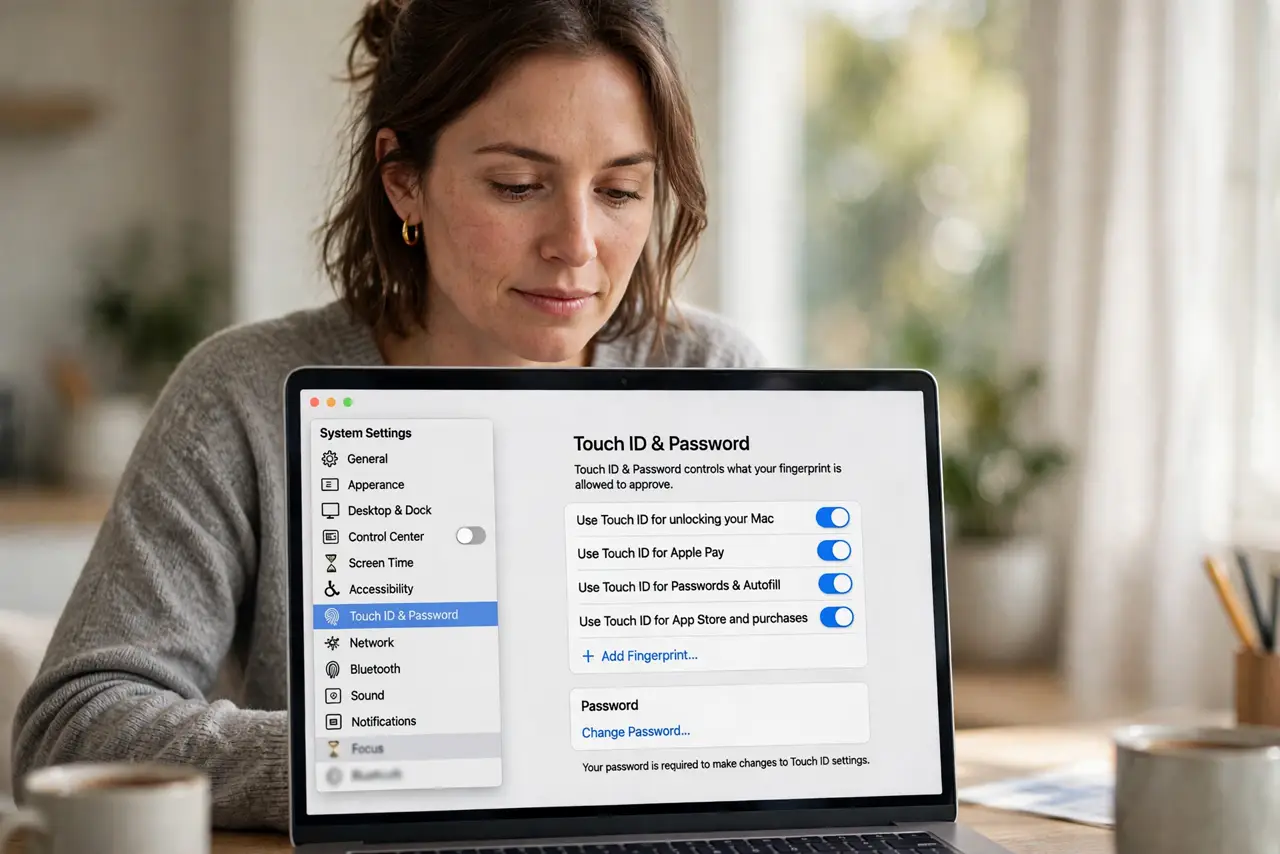
- Open the Touch ID settings. Go to System Settings, Touch ID and Password. This page controls everything the fingerprint sensor is allowed to approve.
- Enable App Store purchases. Turn on the option for using Touch ID for App Store and purchases. The next checkout offers the sensor instead of the password field.
- Buy something small to test. Grab a free app or a small purchase and confirm with your finger. One successful test builds the habit — see the Touch ID on websites for where else the sensor helps.
- Know when the password returns. First sign-ins, password changes, and security-sensitive actions still ask for the password. Touch ID handles routine purchases, not everything.
- Fix failures calmly. If the sensor stops cooperating, see the Touch ID troubleshooting — and note that after a restart macOS always asks for the password once, per the restart behavior.
- Keep the password memorized. Touch ID is convenience; the password is the master key. Do not let fingerprint ease make you forget the actual password.
What NOT to do
- Do not disable the password entirely. Touch ID cannot do first sign-ins or recoveries — the password remains essential.
- Do not enroll a finger you cannot use reliably. Wet, injured, or gloved fingers fail — enroll two fingers for reliability.
- Do not expect it on older Macs. No Touch ID sensor, no fingerprint purchases — the password is the only path there.
- Do not ignore a failing sensor. If Touch ID degrades, fix it rather than reverting to passwords — the convenience compounds daily.
Frequently asked questions
Is Touch ID purchase approval secure?
Yes — the fingerprint unlocks a secure enclave key that approves the purchase. It is as secure as the password, minus the typing.
Why did it ask for my password anyway?
First purchase after setup, after restarts, and for security-sensitive changes always need the password. Routine buys use the finger.
Can family members buy with my Touch ID?
Only with their enrolled finger — which you should not add. Keep purchases to your own biometrics.