Voice Memos Eat Too Much Space? Fix It
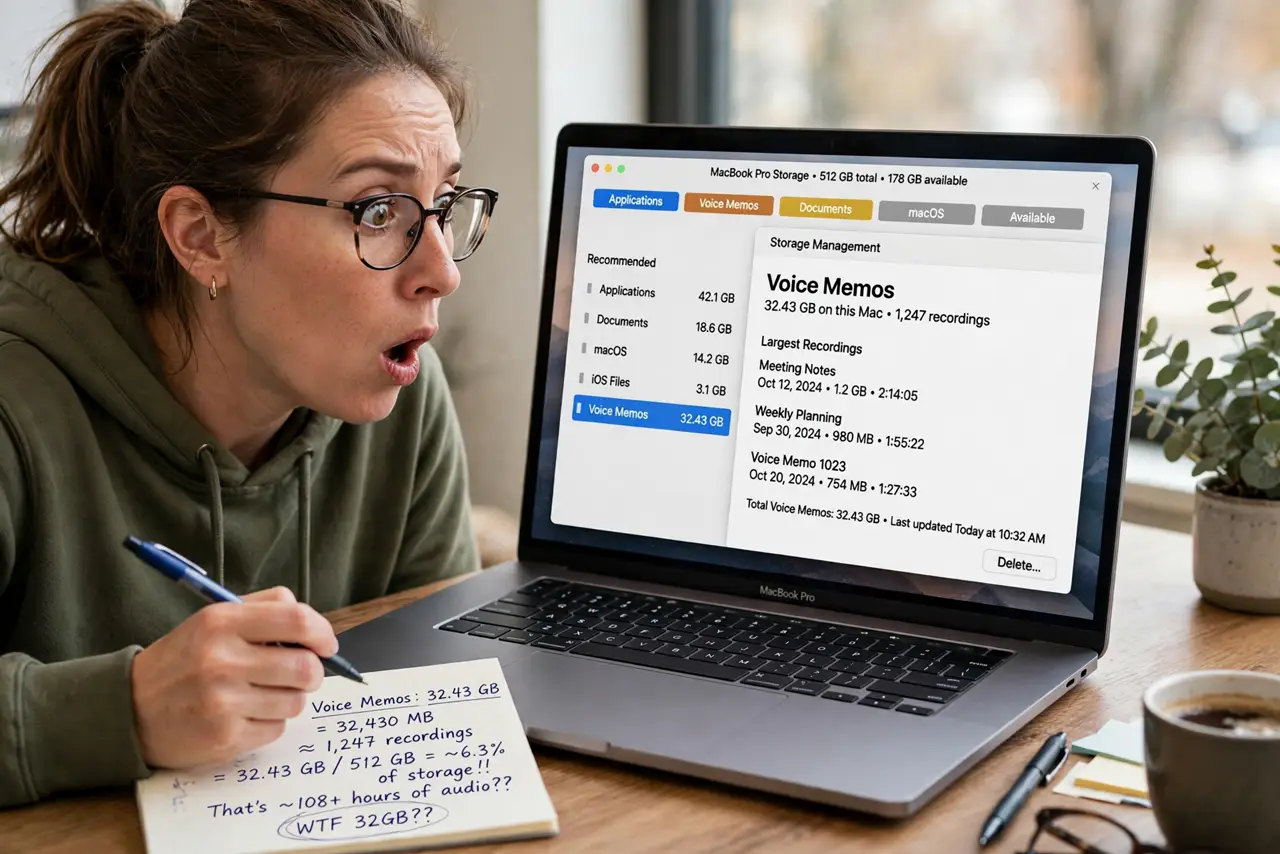
Voice Memos quietly grows into gigabytes of uncompressed audio, and the files hide inside the app where Finder never shows them. The app defaults to full quality, which most voice notes do not need. This guide shrinks future recordings and trims the old ones.
TL;DR / Quick Fix
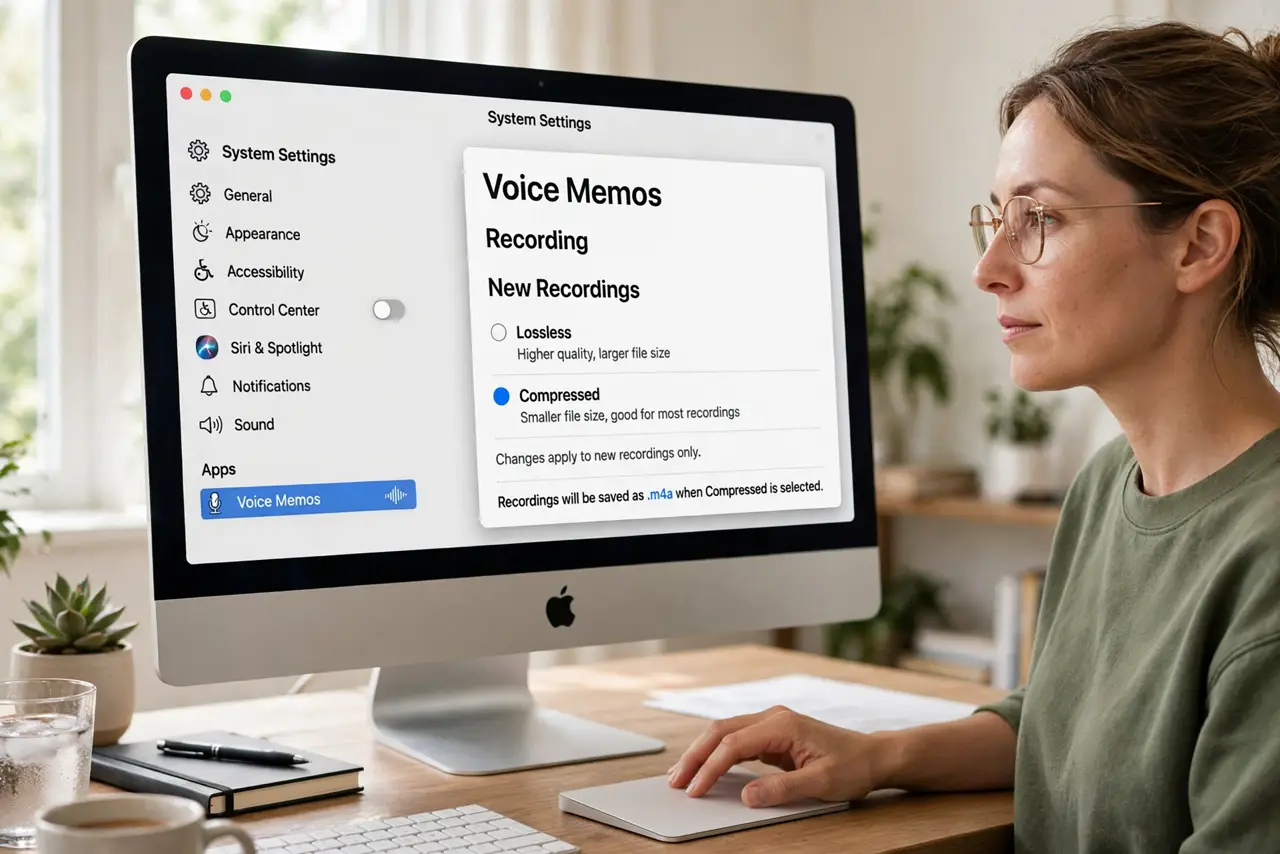
Quick fix: open Voice Memos settings and switch audio quality from Lossless to Compressed to shrink all future recordings. Delete useless memos after a quick listen, empty the Recently Deleted folder inside the app, and export keepers as compressed files before archiving.
Follow these steps
- Switch new recordings to compressed. Open Voice Memos, then Settings, and change audio quality to Compressed. Future memos shrink dramatically, and voice notes still sound perfectly clear.
- Delete the useless memos. Play through old memos and delete the dead air, the accidental pocket recordings, and the duplicates. Be honest; most memos were never going to be replayed.
- Empty Recently Deleted inside the app. Deleted memos sit in a Recently Deleted folder for 30 days, still occupying space. Open it and delete them permanently to reclaim the room now.
- Export keepers before archiving. For memos worth keeping, share or export them out of the app, then delete the in-app copy. An exported file in a folder is easier to back up anyway.
- Apply the same thinking to video. If screen captures also bloat your disk, the same quality-first mindset fixes huge QuickTime recordings too.
- Check the real savings. After the cleanup, revisit the Storage view. Voice Memos should drop from gigabytes to megabytes, confirming the settings took effect.
What NOT to do
- Do not delete memos before listening. A five-second check beats deleting the one recording you actually needed.
- Do not assume compressed means bad. For spoken voice, the compressed setting is transparent to most ears.
- Do not forget the Recently Deleted folder. Skipping it means the cleanup frees zero bytes, the most common disappointment.
- Do not store the only copy inside the app. Export important memos; app libraries are harder to rescue than plain files.
Frequently asked questions
Why are my voice memos so large?
The default lossless quality records far more detail than speech needs. Compressed mode cuts the size hugely with no audible loss for voice.
Where are Voice Memo files stored?
Inside the app's library container, invisible to Finder. That is why exporting matters for real file access.
Do deleted memos free space immediately?
Only after you empty Recently Deleted inside the app. Until then they still count against your disk.