Mesh Node Placement: The Hallway Mistake
The classic mesh mistake is lining nodes up down a long hallway, each one barely hearing the last. Hallways are convenient for people, not for radio — and the chain of weak links shows up as slow, flaky Wi-Fi.

TL;DR / Quick Fix
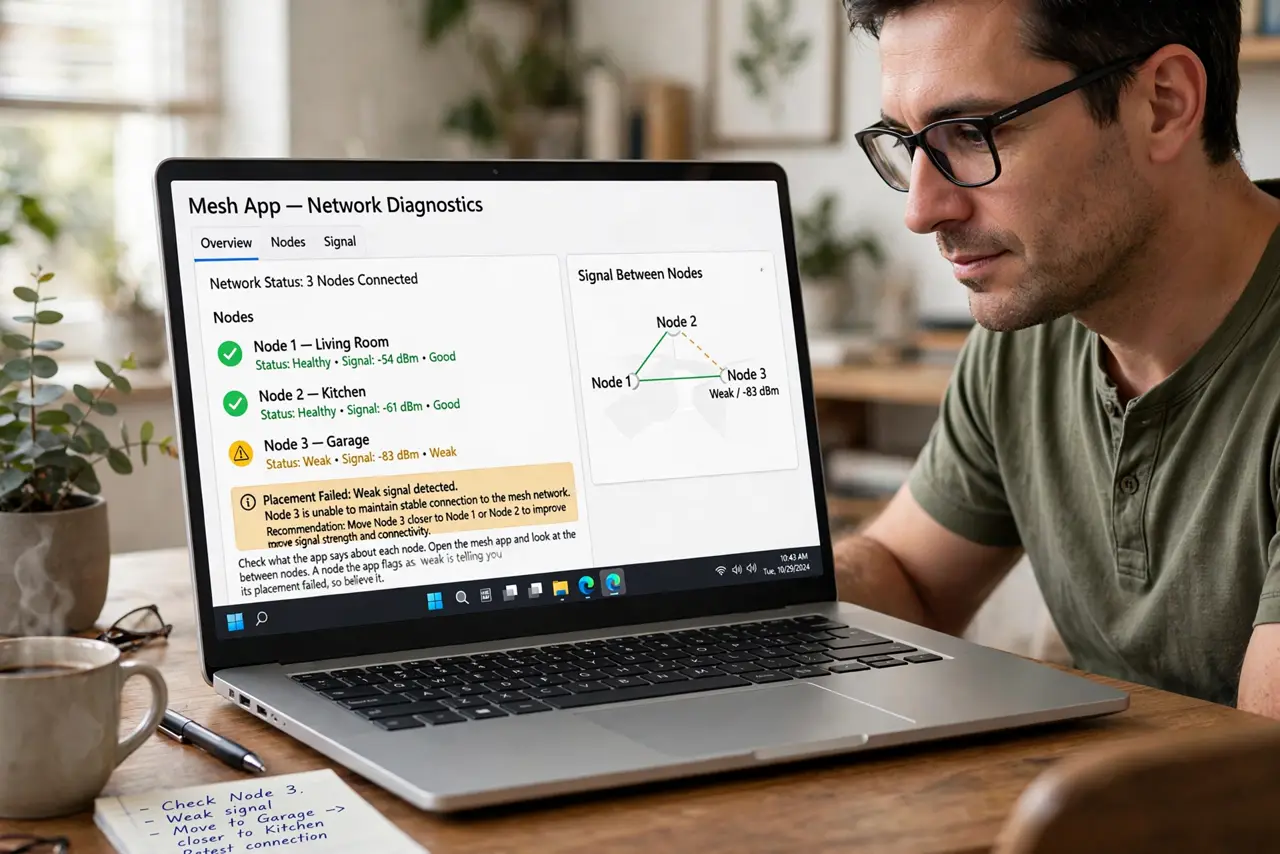
Quick fix: move each node out of the hallway into the rooms it should serve, keeping every node within strong range of the previous one. Check the maker's app for each node's signal, and relocate any node it flags as weak.
Follow these steps
- Check what the app says about each node. Open the mesh app and look at the signal between nodes. A node the app flags as weak is telling you its placement failed, so believe it.
- Move nodes into rooms, not hallways. A node serves the room it sits in. Hallway placement wastes its signal on a corridor nobody uses while the rooms stay weak.
- Keep each hop short and clear. Place each node where it still gets a strong signal from the previous one — roughly halfway to the area it serves, with as few walls between as possible.
- Elevate nodes off the floor. A node on the floor fights furniture. Waist height or higher on a shelf gives its signal a clear path in every direction.
- Avoid the dead-zone trap. Never place a node inside the dead zone hoping it will fix itself. A node needs good signal to share, so it belongs at the edge of good coverage, not past it — just as a metal door creates its own dead zone.
- Recheck after every move. The app needs a few minutes to re-measure after a move. Relocate one node, wait, check, then move the next, instead of shuffling them all at once.
What NOT to do
- Do not line nodes up like hallway dominoes. Each weak hop multiplies the problem, and the last node ends up repeating almost nothing.
- Do not hide nodes behind the TV or in cabinets. A node needs open air in the room it serves, not a cozy hiding spot.
- Do not add more nodes to fix bad placement. Extra nodes cannot fix a chain of weak links — moving the existing ones usually can.
- Do not place a node right next to the main router. Nodes too close add nothing but interference, so give each one real distance to cover.
Frequently asked questions
Why is my mesh slow in the far room?
Likely the far node sits in a weak spot or a hallway, repeating a bad signal instead of a good one.
How far apart should nodes be?
Close enough for a strong link between them — the app's signal reading matters more than any fixed distance.
Can I put a node in the dead zone?
No. Place it where coverage is still decent, at the edge of the good zone, so it has something worth repeating.