Email Templates in Outlook
The weekly status mail, the client onboarding note, the thanks for applying — same bones, new details, every time. Email templates save the reusable skeleton so you fill in the blanks instead of rewriting. Here is the Outlook way.
TL;DR / Quick Fix
Quick fix: in new Outlook use the My Templates add-in to save a draft as a template; in classic Outlook use File > Save As > Outlook Template (.oft). Templates store the skeleton — you personalize the details every time. Keep the library small and current.
Follow these steps
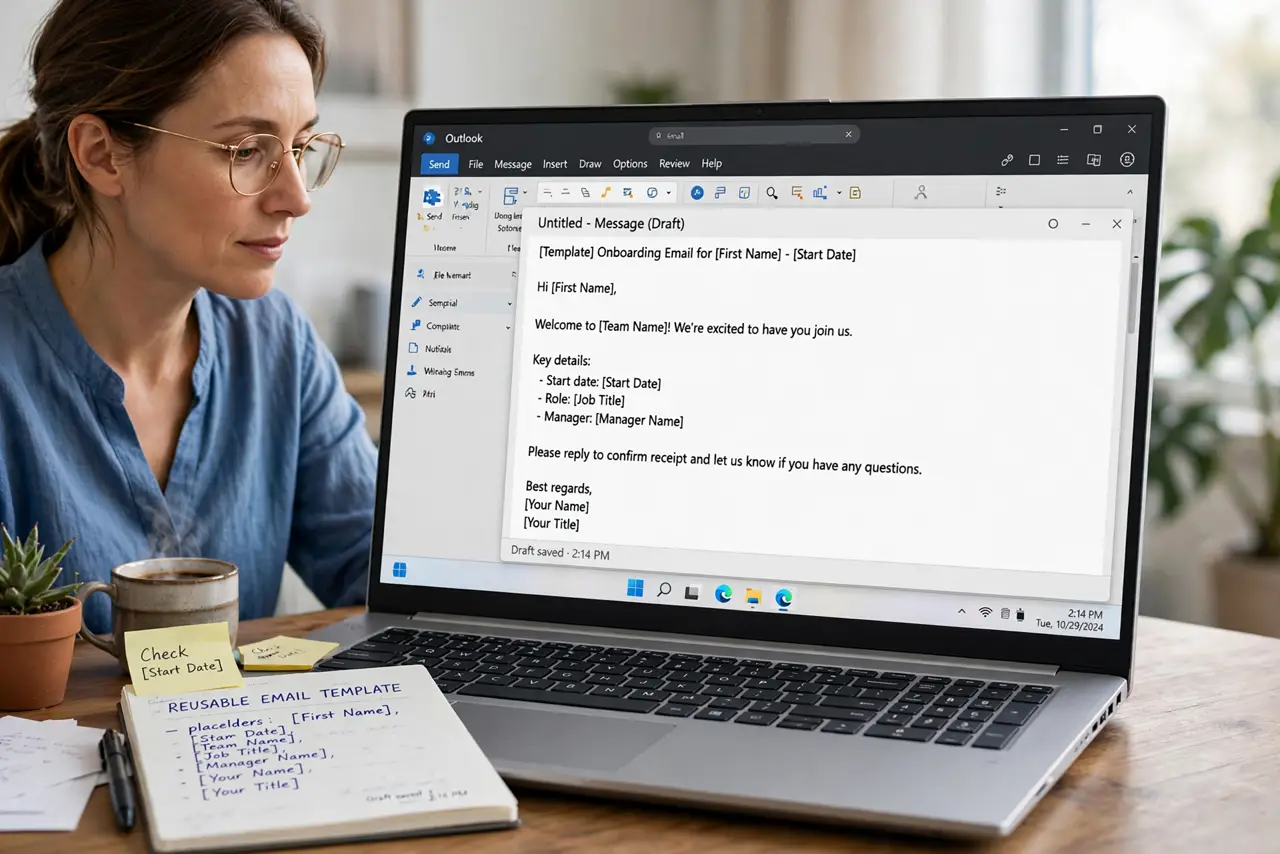
- Draft the skeleton once. Write the reusable structure with bracketed placeholders for names, dates, and details. Good placeholders prevent half-personalized sends.
- Save it as a template. New Outlook: My Templates add-in > + Template, paste and save. Classic: File > Save As > Outlook Template (.oft).
- Name it by purpose. Client onboarding, Weekly status — names that match the moment you will reach for them.
- Insert and personalize. Open the template into a new message, fill every placeholder, and read it once as the recipient. No bracket survives to sending.
- Update when the process changes. Edit the saved template the day the process changes — not after the tenth outdated send.
- Prune dead templates. Quarterly, delete templates for dead processes. A template library is a garden, not an archive.
What NOT to do
- Do not send a template with placeholders still in it. A literal client-name placeholder in a sent email is a trust killer.
- Do not template anything sensitive. Templates get forwarded; keep personal data out of the skeleton.
- Do not keep twenty templates. Five current ones beat twenty stale ones.
- Do not skip the final read-through. Templates breed skimming; skimming breeds errors.
Frequently asked questions
Where are .oft templates stored?
In your Templates folder on that PC — which is why they do not roam. My Templates in the new Outlook syncs better.
Templates vs Quick Parts — which?
Templates save whole messages; Quick Parts save reusable snippets inside messages. Skeleton versus paragraph.
Can I share templates with my team?
Share the .oft files or a shared mailbox draft folder. My Templates sharing depends on your organization setup.