Poll for Meeting Times
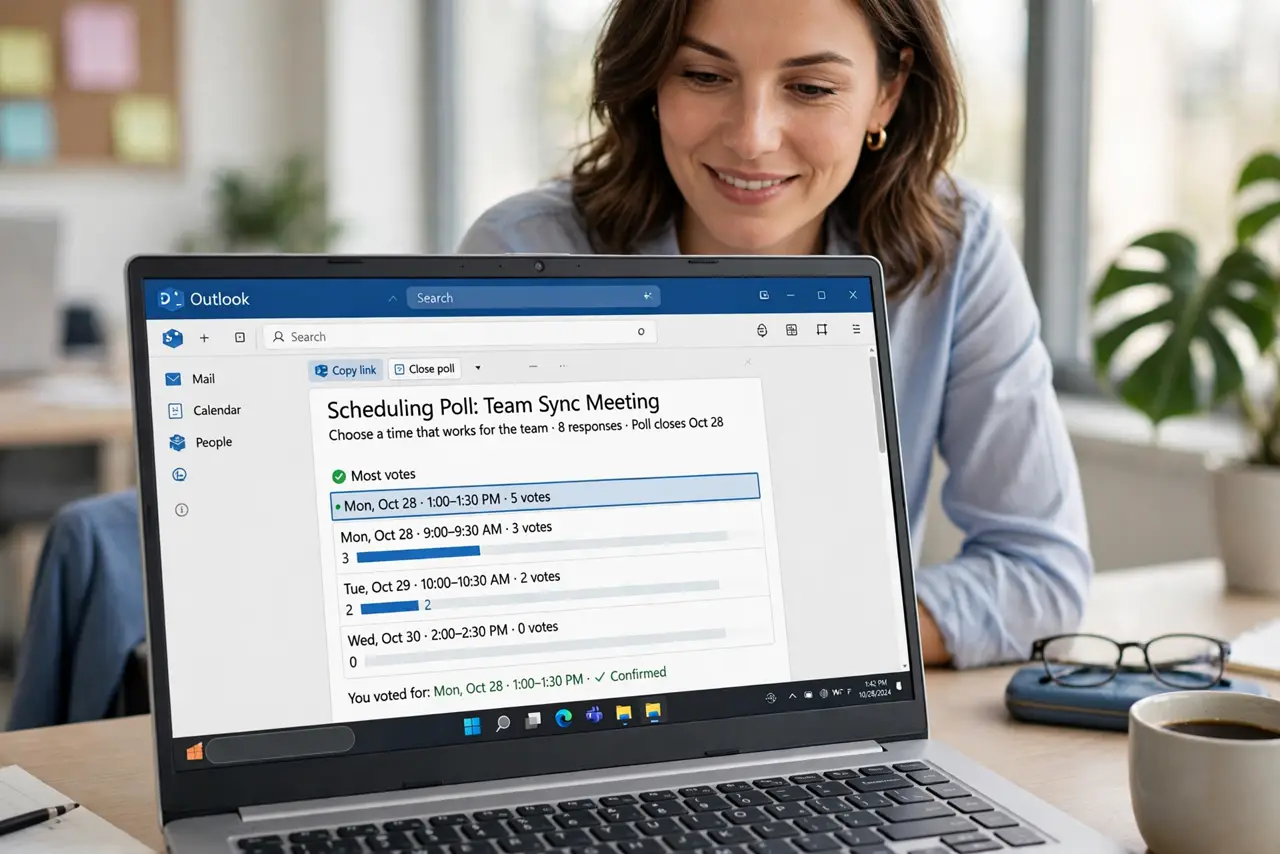
Finding a meeting time by email is a special circle of hell — Tuesday? No. Thursday? Maybe. Friday? The thread grows, nobody commits. A scheduling poll ends it: propose times, everyone votes, the winner becomes the meeting. Here is how to run one in Outlook.
TL;DR / Quick Fix
Quick fix: in Outlook, create the meeting and use the Scheduling Poll to propose several times — attendees vote and you pick the winner. It beats a twenty-email thread every time. Send the poll early; late polls get fewer votes.
Follow these steps
- Start a scheduling poll. In Outlook, new meeting, then the Scheduling Poll option. Propose four to six times across a few days — too many options paralyze, too few exclude.
- Invite the right people. Add required attendees and optional ones separately. Optional people vote without blocking — required people's votes decide.
- Set a voting deadline. Give a day or two, then commit. Open-ended polls linger; a deadline forces the decision the poll exists to make.
- Pick the winner and book it. Choose the time most required people can make, then convert the poll to a real meeting. Announce the choice — silence breeds second-guessing.
- Share calendars to skip polls. If this is a recurring pain, see the share Outlook calendars guide — mutual visibility makes many polls unnecessary.
- Handle the timezone trap. For distributed teams, the poll shows times in each voter's zone. Double-check the final booking — timezone bugs love polls.

What NOT to do
- Do not propose twenty times. Choice overload kills response rates — four to six well-chosen slots beat a wall of options.
- Do not skip the deadline. A poll without an end date is just a slower email thread — time-box it.
- Do not ignore the optional attendees. They were invited for a reason — but do not let one optional no stall the whole meeting.
- Do not re-poll endlessly. Two rounds maximum — after that, the organizer decides. Democracy serves scheduling; it does not rule it.
Frequently asked questions
What if nobody votes?
Nudge once, then decide yourself. A poll is a tool, not a hostage situation — the organizer owns the outcome.
Can external people vote?
Yes — scheduling polls work with external addresses. They vote through the link without needing your system.
Is there a limit to options?
Keep it humane — a handful of slots. More options means fewer votes per option and no clear winner.