Request a Read Receipt? How To
You sent an important email and now you are wondering: did they actually read it? Outlook's read receipt is a small request attached to your message, asking the recipient's email program to confirm when it is opened. It is useful — with limits. Many people decline receipts, and some programs block them silently. Here is how to request one and how much to trust it.
TL;DR / Quick Fix
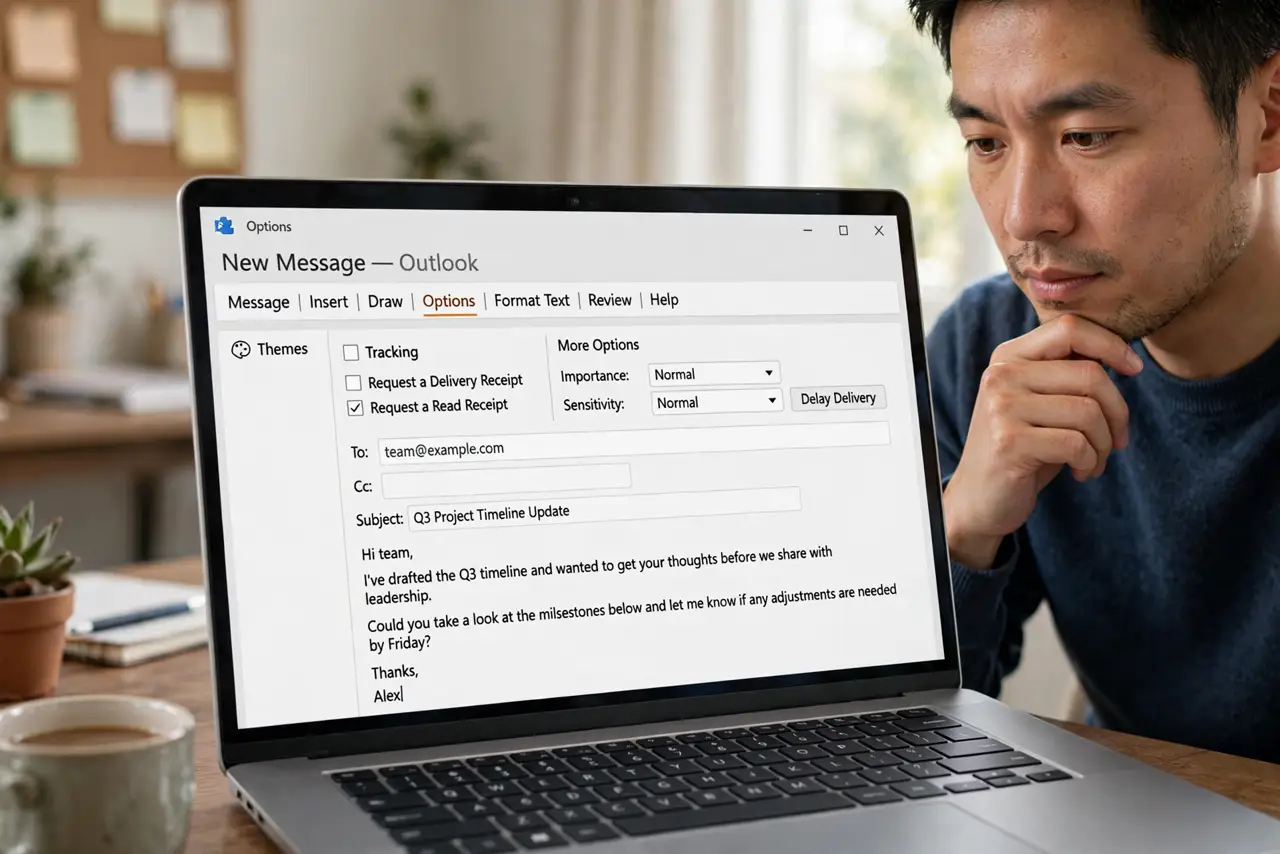
Quick fix: a read receipt asks the recipient's email program to confirm when your message is opened. In a new email, open Options and check Request a Read Receipt before sending. It only works if their program agrees — many decline or block it, so treat receipts as hints.
Follow these steps
- Understand what a receipt proves. A returned receipt means the message was opened in a program that agreed to confirm. No receipt means nothing — it was not necessarily unread.
- Request it per message. In a new email, open the Options tab and check Request a Read Receipt. The request attaches to that message only.
- Set a default for all mail (optional). File > Options > Mail > Tracking lets you request receipts for everything. Most people find this noisy — per-message is calmer.
- Decide how YOU respond to receipts. The same Tracking settings control whether Outlook asks you before sending receipts for mail you receive. 'Ask me' is the polite default.
- Know the limits. Webmail, phones, and privacy-focused setups often ignore or block receipt requests silently. A missing receipt is not evidence of anything.
- Use better tools for critical mail. For truly important messages, a follow-up call or a delivery delay with a read-back request beats relying on receipts.
What NOT to do
- Do not confront someone over a missing read receipt. They may never have seen the request — the absence proves nothing.
- Do not request receipts on every email. Recipients find it intrusive, and many will start declining out of habit.
- Do not confuse read receipts with delivery receipts. Delivery confirms arrival at the server; read confirms opening — different things.
- Do not rely on receipts for legal proof. They are trivially declined and carry no legal weight — use proper channels for anything official.
Frequently asked questions
Why did I get a receipt denial?
The recipient's program asked them and they clicked No — or their settings auto-decline. It tells you nothing about whether they read the message.
Do read receipts work with Gmail recipients?
Sometimes. Gmail generally ignores Outlook-style read receipts, so expect silence rather than confirmation from Gmail addresses.
Can I tell if someone read my email without a receipt?
Not reliably. Read receipts are the built-in mechanism, and they are voluntary — there is no secret tracking in standard email.