Tidy Cables with a Patch Panel
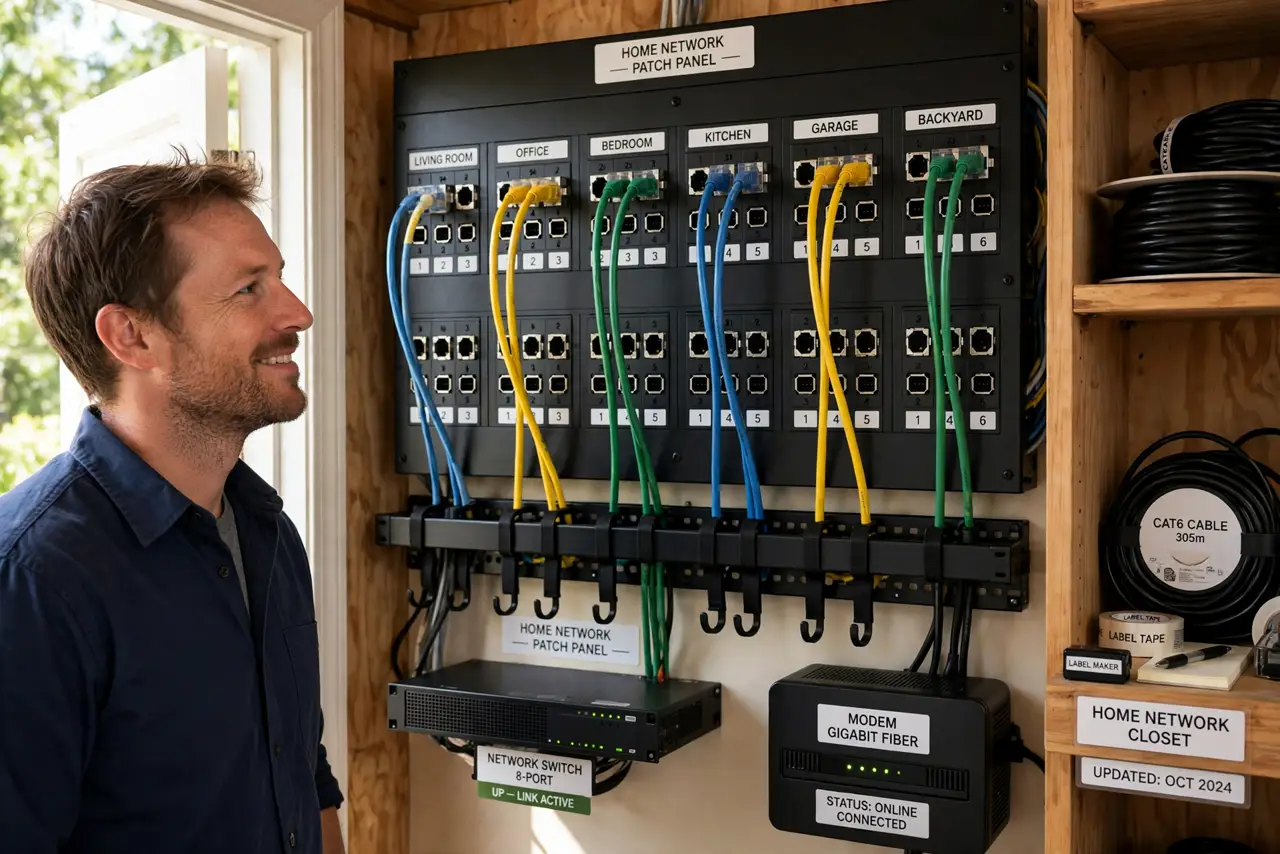
Your home network cables dangle behind the router in a tangled nest, and every troubleshooting session starts with which cable is which. A patch panel — a neat row of labeled jacks mounted on the wall — turns cable chaos into an organized, professional-looking setup.
TL;DR / Quick Fix
Quick fix: mount a small patch panel near your router or switch, run your in-wall or long cables into its back, and use short patch cords from its front to your switch. Label every port. Troubleshooting gets ten times easier when cables are identified.
Follow these steps
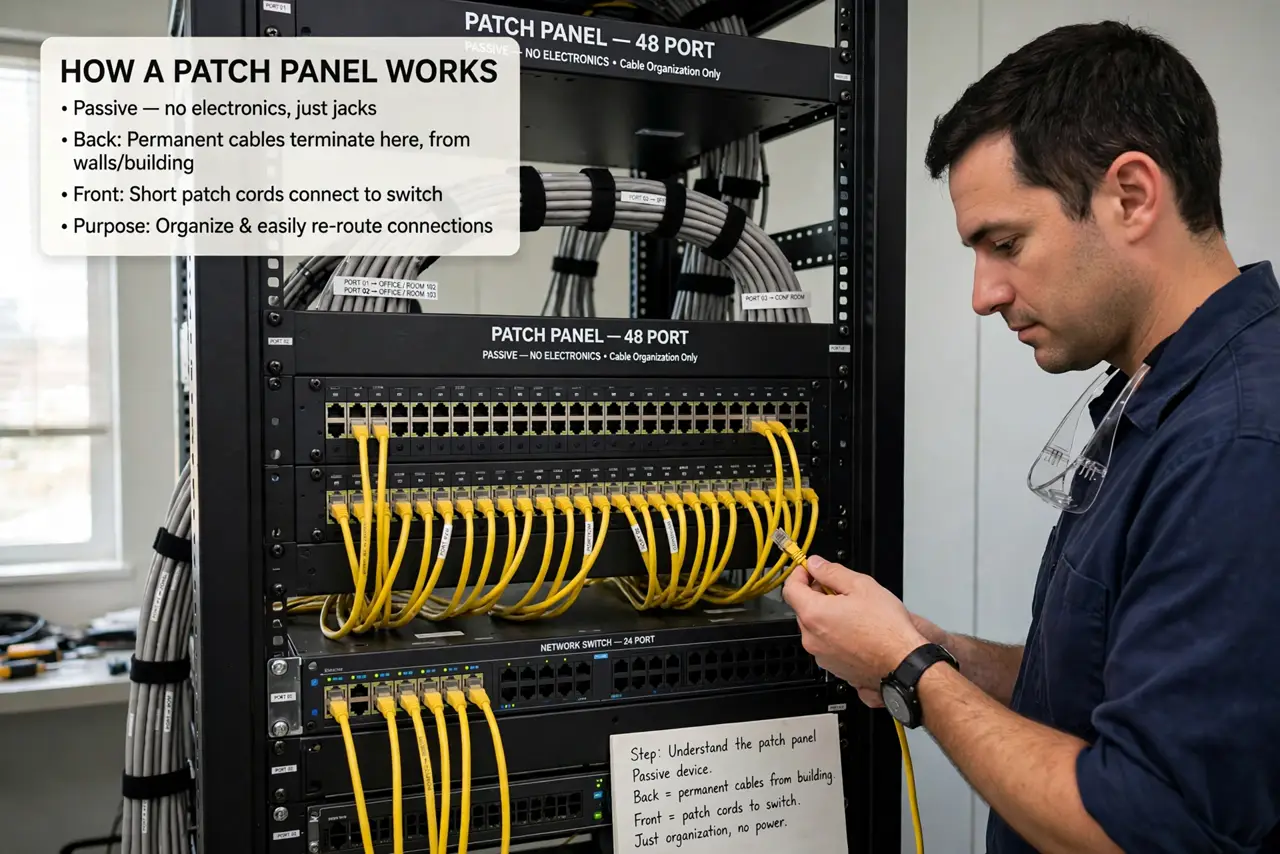
- Understand what a patch panel does. It is a passive row of jacks: permanent cables terminate at the back, short flexible cords connect the front to your switch. Nothing electronic — just organization.
- Choose a small panel. A 12-port panel suits most homes. Wall-mount brackets exist for homes without a rack — you do not need a server cabinet.
- Plan your cable runs. Decide which rooms get drops and route the cables before mounting anything. Measure twice; in-wall cable is annoying to redo.
- Terminate cables at the back. Punch each cable down to its jack following the color code printed on the panel. A cheap punch-down tool makes this easy — or crimp your own cables for custom lengths.
- Connect the front to your switch. Use short patch cords from the panel's front jacks to your ethernet switch. Now every room's cable has a labeled home.
- Label everything. Label each port with its room. Future-you, troubleshooting at midnight, will be grateful.
What NOT to do
- Do not skip labeling. An unlabeled patch panel is just a tidier mystery.
- Do not kink cables during runs. Sharp bends degrade performance — gentle curves only.
- Do not mount it somewhere inaccessible. You will need to reach it for troubleshooting.
- Do not mix cable grades blindly. Keep the panel, cable, and jacks at the same category for consistent performance.
Frequently asked questions
Do I need a patch panel at home?
Not for two cables. For five or more runs, it turns chaos into order and makes troubleshooting dramatically easier.
Is a patch panel hard to install?
The punch-down part takes practice but is straightforward. The cable routing through walls is the real work.
Patch panel vs. just plugging into the switch?
Direct-to-switch works for a few cables. The panel shines when cables are permanent in-wall runs you rarely touch.