Let Google Hold for You
Calling customer service means twenty minutes of tinny hold music with your phone glued to your ear. Hold for Me on Pixel phones flips that: Google's assistant waits on hold for you and pings you the moment a human picks up. You get your ears — and your afternoon — back.
TL;DR / Quick Fix
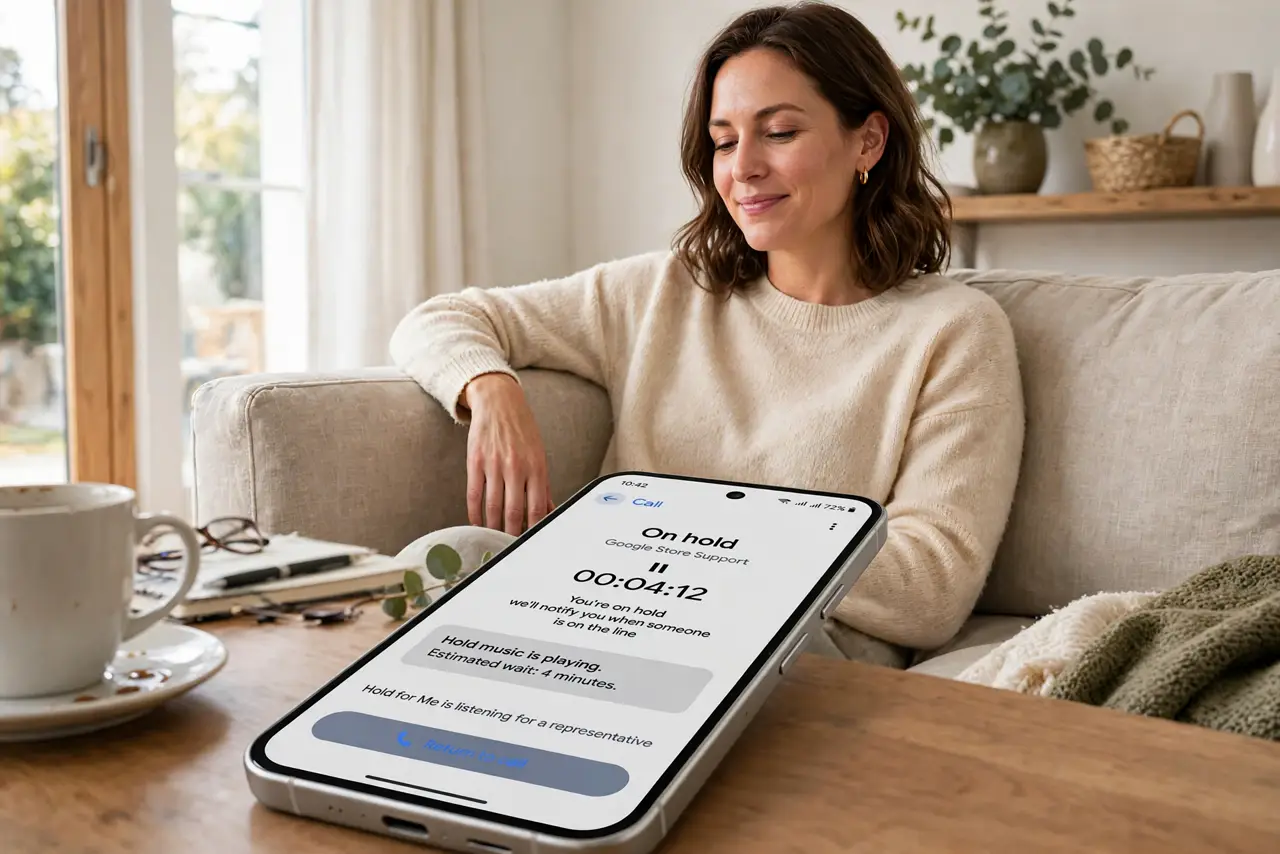
Quick fix: on Pixel phones, open the Phone app settings and turn on Hold for Me — when a call puts you on hold, Google waits through the music and alerts you when a human returns. You get a notification instead of enduring the hold music yourself.
Follow these steps
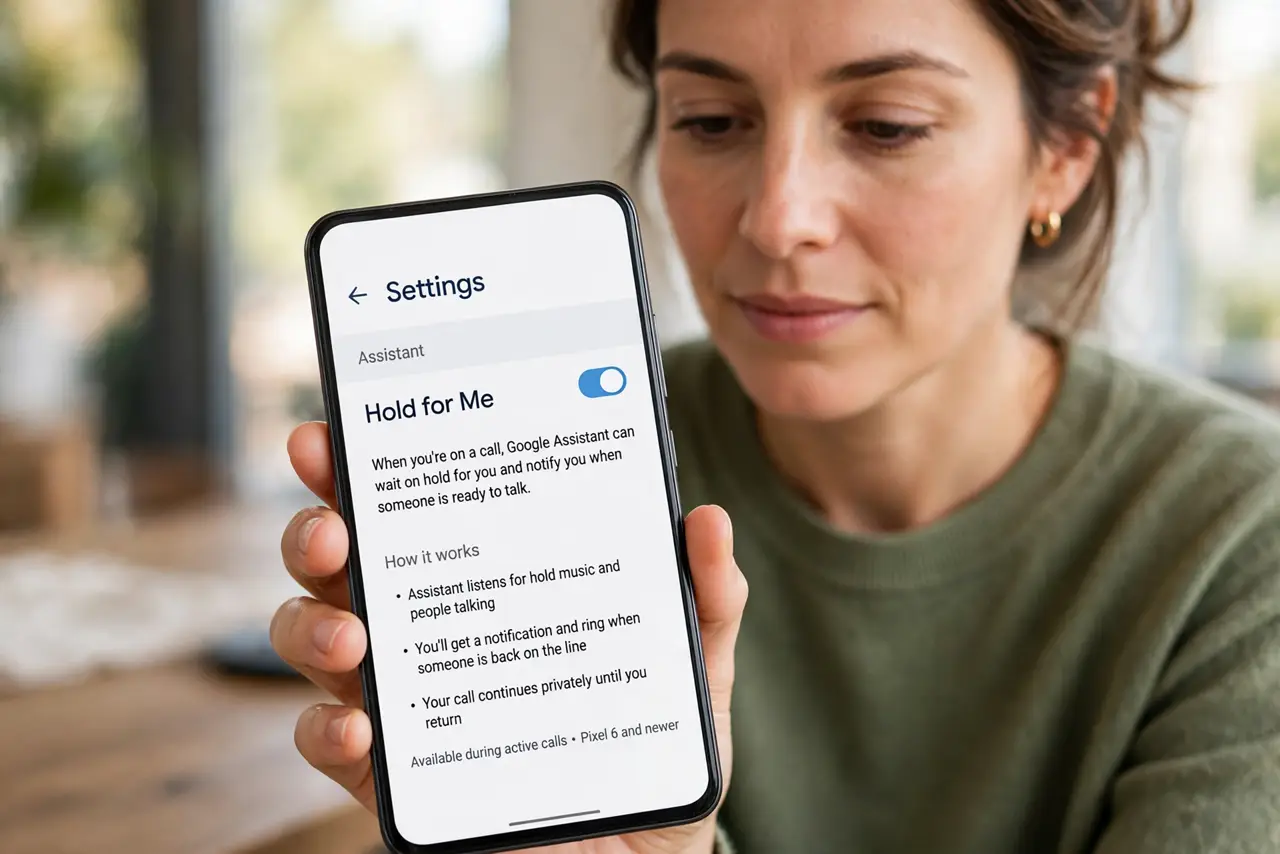
- Turn on Hold for Me. Open the Phone app, tap the menu, go to Settings, and enable Hold for Me (under the Assistant or Labs section on some models).
- Start a call as normal. Dial customer service and navigate the menus yourself — Hold for Me kicks in once the hold music starts, not before.
- Tap 'Hold for me' when offered. A button appears once hold is detected. Tap it, and Google's assistant takes over the line — you can put the phone down.
- Wait for the alert. When a real human answers, your phone rings, vibrates, and announces it. You pick up mid-conversation — the agent hears a brief notice that you are returning.
- Review the hold transcript. After the call, check what the assistant heard while waiting. It is useful if you need to reference what was said before the handoff.
- Pair it with Direct My Call. For the menu maze before the hold, Direct My Call shows the phone tree as tappable buttons — and live translation helps if the agent speaks another language.
What NOT to do
- Do not use it for emergency calls. Hold for Me is for customer service queues — emergencies need you on the line immediately.
- Do not assume it works on every call. Some business phone systems confuse the assistant — if it never triggers, that system is likely the reason.
- Do not walk too far from the phone. When the human answers you have moments to pick up before they hang up on silence.
- Do not forget it is a Google feature. The assistant hears the hold audio — fine for support queues, not for sensitive calls.
Frequently asked questions
Does the company know I'm using it?
Yes — the assistant announces itself when the agent answers, so there is no deception involved.
Is Hold for Me available on Samsung?
No, it is Pixel-exclusive. Samsung phones have their own call-assist features, but not this one.
Can it navigate the menu for me too?
No — that is Direct My Call's job. Hold for Me only handles the waiting portion after you reach the queue.