Public Wi-Fi Auto-Connects by Itself? Stop It
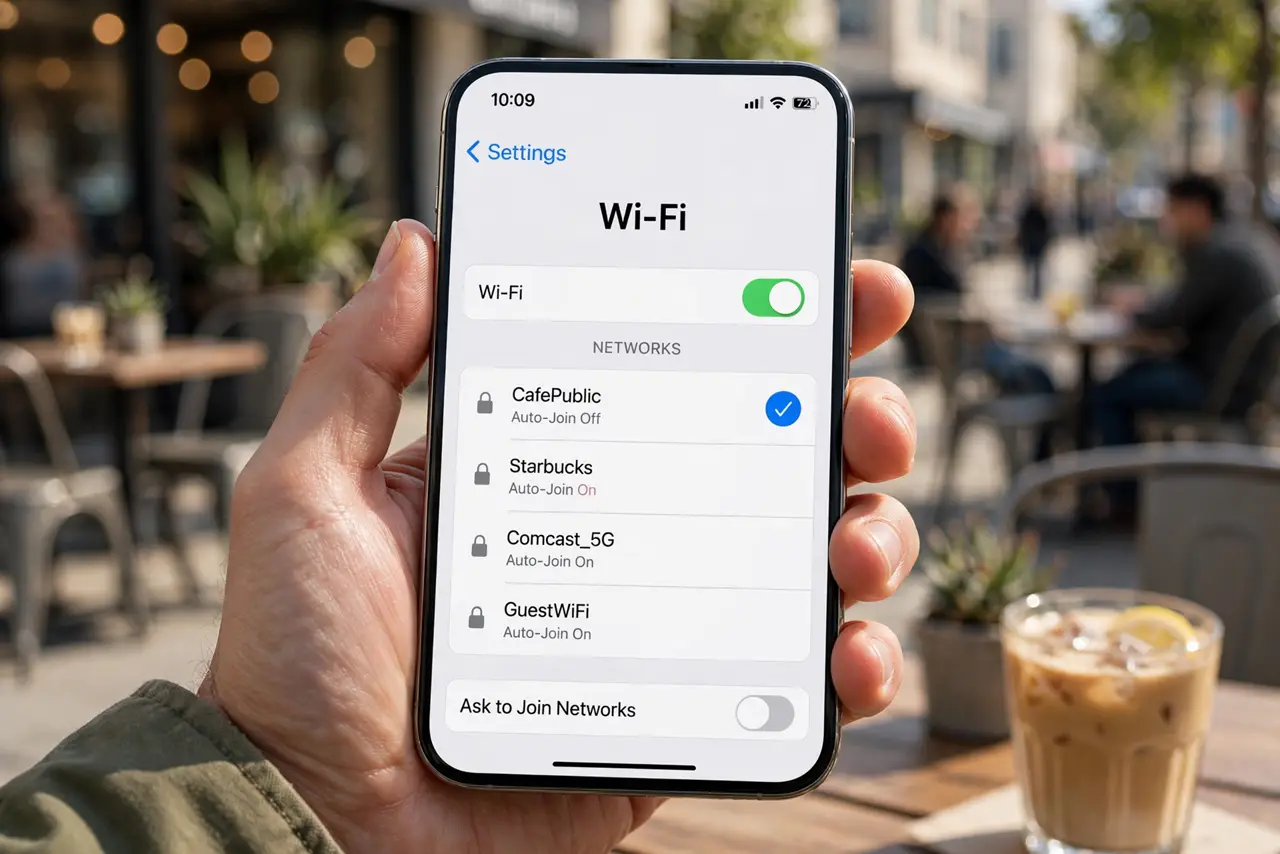
Phones remember networks and reconnect when they see the same name again. That is convenient at home, but risky in public, because anyone can broadcast a familiar network name. Turn off auto-join for public networks and forget ones you no longer need.
TL;DR / Quick Fix
Quick fix: open saved networks in Wi-Fi settings, turn off auto-join for every public network, and forget networks you will not use again. Turn Wi-Fi off when you are out if you do not need it, so nothing connects silently.
Follow these steps
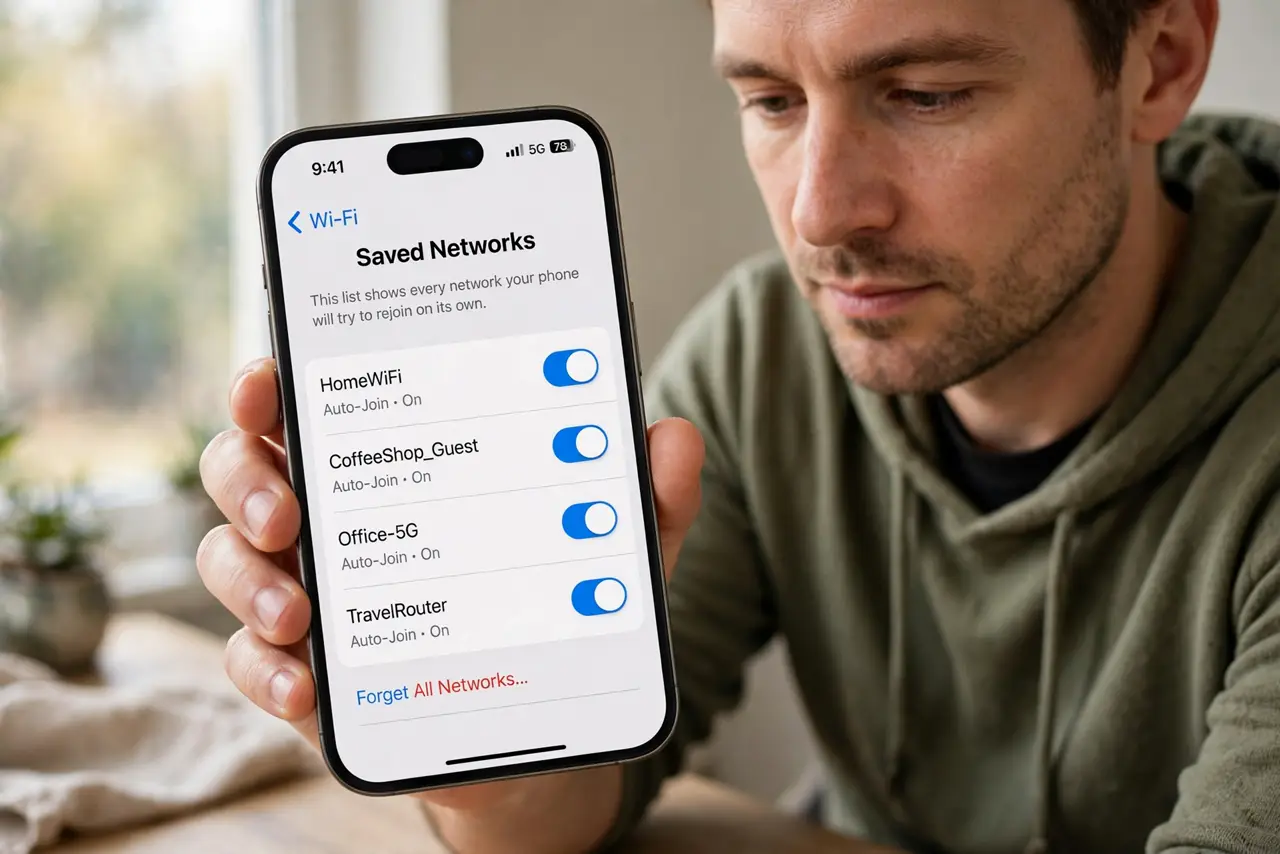
- Open your saved networks list. In Wi-Fi settings, open saved or known networks. This list shows every network your phone will try to rejoin on its own.
- Turn off auto-join for public networks. For each cafe, airport, hotel, or shop network, turn off auto-join or auto-connect. Your phone will then only join when you choose it manually.
- Forget networks you will not use again. Delete one-time networks from the list entirely. A forgotten network cannot reconnect, even if a fake network later uses the same name.
- Keep auto-join on only for home and work. Leave auto-join on only for networks you trust and control, such as home. Public networks should always be a manual choice.
- Turn Wi-Fi off when you do not need it. When you are out and not using Wi-Fi, turn it off. This stops background joining entirely and also saves battery.
- Ask staff before joining in a new place. In a new venue, ask staff for the exact network name. A similarly named network nearby may be a fake run by someone else.
What NOT to do
- Do not leave auto-join on for every network you ever used. Each saved public network is a future automatic connection.
- Do not join a network just because its name matches a famous cafe or airport. Names are easy to copy.
- Do not do banking on a public network you joined automatically. Check the network name first, and prefer mobile data for sensitive tasks.
- Do not forget to recheck after a phone reset or update. Saved network settings can return to defaults.
Frequently asked questions
Why is auto-join risky if the network name matches?
Anyone can broadcast the same name. Your phone cannot tell a genuine cafe network from a copycat with the same name.
Will turning off auto-join break home Wi-Fi?
No, if you leave auto-join on for home. Only public networks need the manual setting.
What if my phone already joined a suspicious network?
Forget the network, turn Wi-Fi off and on, and avoid entering passwords until you are on a trusted connection.