Audit Old Social Posts for Privacy Leaks
Your old posts can reveal where you live, when you travel, and who your family is. An occasional audit of old posts closes privacy leaks you forgot about, and it takes less time than you think.
TL;DR / Quick Fix
Quick fix: open each social profile, review old posts for addresses, vacation plans, and personal details, and delete or hide the risky ones. Then tighten who can see future posts, remove old tags, and repeat the audit once a year.
Follow these steps
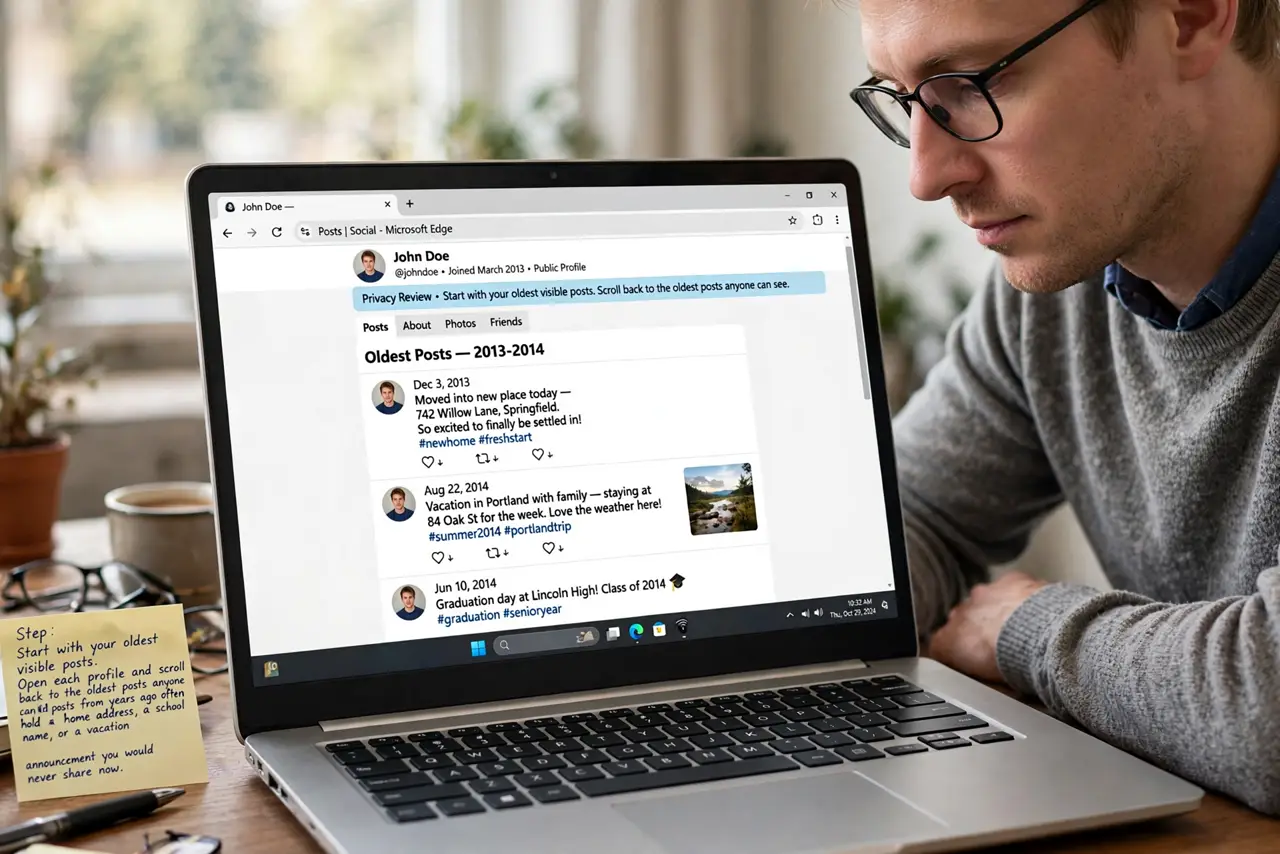
- Start with your oldest visible posts. Open each profile and scroll back to the oldest posts anyone can see. Old posts from years ago often hold a home address, a school name, or a vacation announcement you would never share today.
- Delete or hide posts that reveal too much. Remove posts with your address, license plate, travel plans, or kids' school details. Hiding keeps the memory; deleting removes the detail that is too sensitive to keep online.
- Review tagged photos and mentions. Check tagged photos others tagged you in, since a friend's post can leak your location as easily as your own. Untag yourself or ask the friend to remove anything that exposes your home or routine.
- Tighten who can see future posts. Change your default audience to friends only instead of public. Future posts then reach people you chose, while the old public posts get the audit described above.
- Lock down profile fields and contact info. Remove your phone number, email, and birth year from public view, as part of a full privacy lockdown. Scammers harvest those fields to guess passwords and impersonate you.
- Repeat the audit once a year. Set a yearly reminder to repeat the scan. One audit a year keeps leaks from piling up again unnoticed.
What NOT to do
- Do not delete your whole account in a panic. A careful audit keeps the memories you love while removing only the posts that leak private details.
- Do not assume a private post is invisible. Screenshots and reshares can carry it beyond your audience, so treat every post as potentially public.
- Do not leave old public posts alone because they are old. Strangers and search engines find old posts easily, and age does not make them safe.
- Do not announce trips while you are away. A vacation post plus a quiet house tells burglars exactly when to visit.
Frequently asked questions
What counts as a privacy leak in old posts?
Any post that reveals your address, routine, travel plans, kids' schools, or contact details to people you did not intend to tell.
Is hiding a post as good as deleting it?
Deleting removes the data; hiding keeps it on your profile but out of view. For sensitive details, deleting is the safer choice.
How often should I audit my posts?
Once a year works for most people, plus a quick check before any big trip or life change.