Spot Fake Invoices
The email looks exactly like your supplier's invoice — same logo, same tone — except the bank details changed, and they need this one paid urgently. That is the invoice scam: criminals impersonate a real supplier (sometimes from a hacked real account) and redirect your payment to their own account. Once a wire transfer leaves, it is nearly impossible to pull back. Verification before payment is everything.
TL;DR / Quick Fix
Quick fix: a 'supplier' email with new bank details is a classic scam — never pay the new account on the word alone. Call the supplier on a number you already have to verify. Inspect the sender address, hover over links, and confirm every bank change through a second channel.
Follow these steps
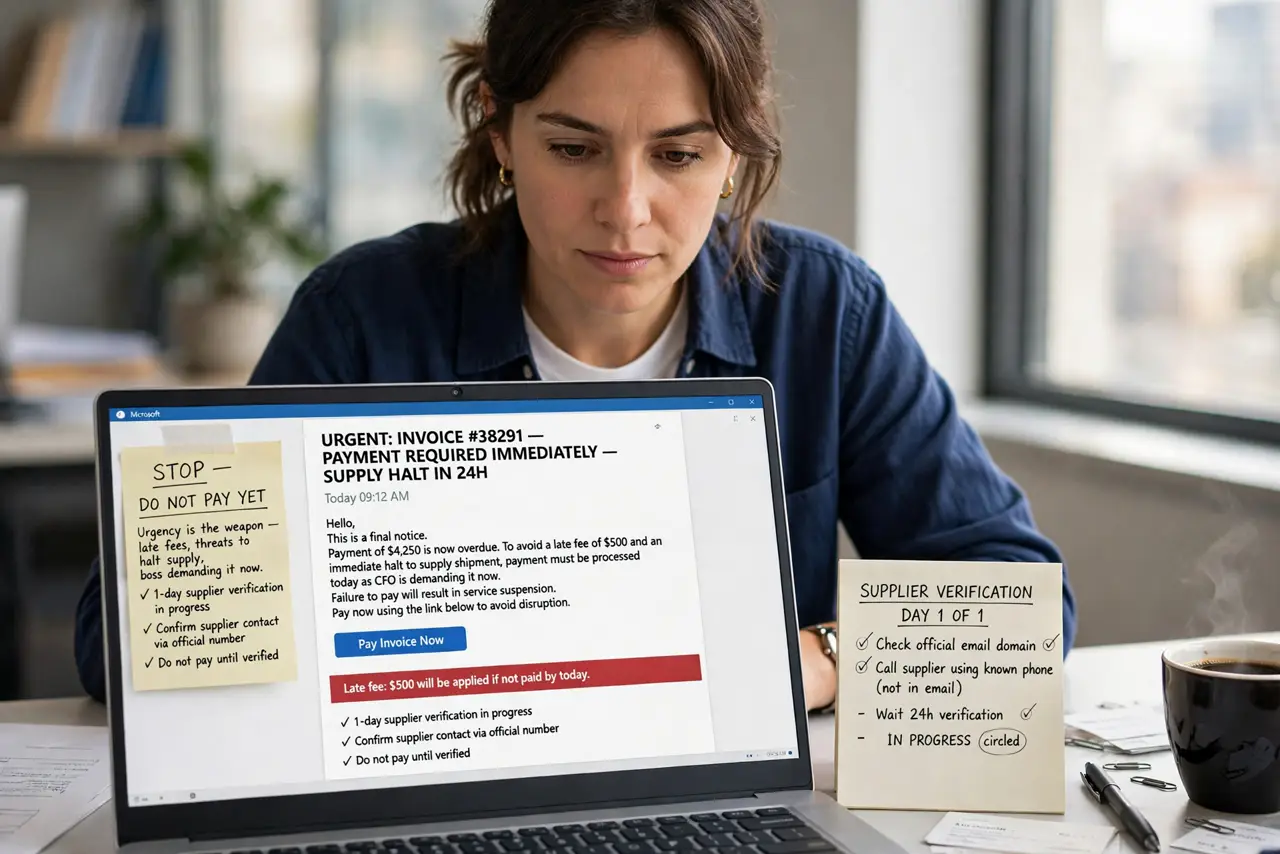
- Stop and do not pay yet. Urgency is the weapon — late fees, threats to halt supply, a boss supposedly demanding it now. A real supplier survives a one-day verification delay; a scammer does not. Pause the payment first, investigate second.
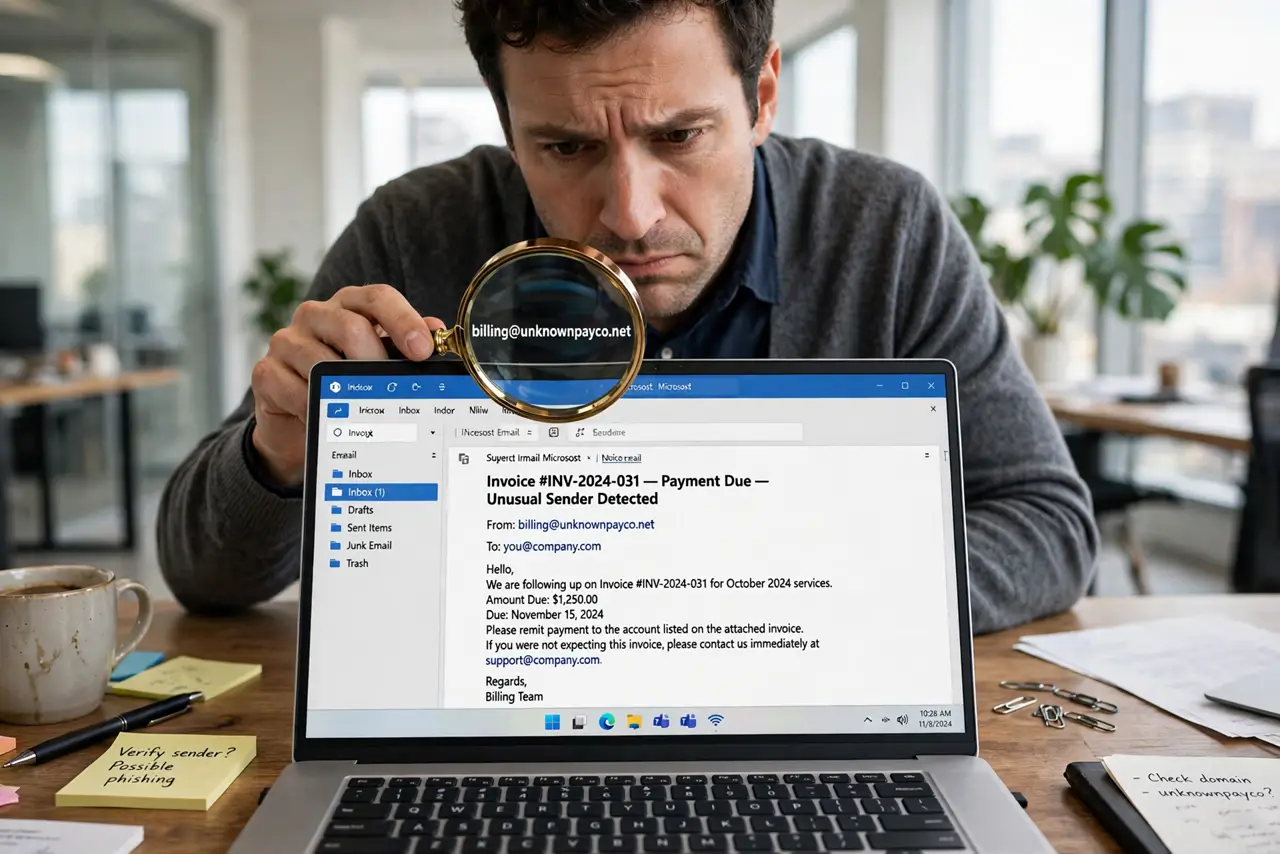
- Inspect the sender address closely. Look past the display name at the actual email domain: micros0ft-billing.com is not your supplier. Watch for letter swaps, extra words, and lookalike domains — this is the same trick behind CEO fraud attacks.
- Hover over every link before clicking. On a computer, hover to see the real destination URL. Scam invoices link to credential-harvesting pages or malware — never download unexpected attachments from an invoice email, however routine it looks.
- Call the supplier on a number you already have. Not the number in the email — the one in your contacts, on their website (typed by you), or on a past invoice. Ask directly: did your bank details change? This one call defeats the entire scam.
- Confirm through a second channel. For big payments, confirm the change in two independent ways — a call plus a message to a known contact, for example. Scammers can spoof one channel; two is much harder. Learn the phishing red flags so the next attempt is obvious faster.
- Report it and keep the evidence. Forward the email to your IT or security team, and report it to your country's fraud reporting service. Do not delete it until the incident is closed — headers help investigators.
What NOT to do
- Do not reply asking if the email is legitimate. Any reply confirms your address is active and monitored — verify through a separate channel instead.
- Do not use the phone number printed in the suspicious email. Scam emails include scammer-staffed phone numbers; use one you already trust.
- Do not let urgency override procedure. Every invoice scam leans on hurry — the rush is manufactured, and slowing down is the defense.
- Do not wire first and verify later. Wire transfers are effectively irreversible; verification must happen before the money moves, not after.
Frequently asked questions
I already paid — is the money gone?
Act immediately: call your bank's fraud line now and ask about recall options, then call the real supplier and the police. Speed is everything — the first hours matter most.
What if it came from the supplier's real email address?
Their account may be compromised — which makes the phone verification even more important. Tell them their email may be hacked so they can secure it.
How do small businesses protect themselves?
One simple rule covers most cases: no bank-detail change is ever accepted from an email alone. Write it into your payment procedure and train everyone who pays invoices.