Stop Constant Context Switching
You start writing the report, check a Slack message, answer an email, remember the invoice, and forty minutes later the report has one new sentence. Context switching — bouncing between tasks — carries a restart cost every single time, and the bill adds up to hours. You can't eliminate switches, but you can cut most of them. Here's the practical system.

TL;DR / Quick Fix
Quick fix: constant context switching shreds focus because every switch carries a restart cost. Batch similar tasks together, close everything unrelated to the current one, and check messages on a schedule — not on every ping. Single-tasking in 25-minute sprints beats juggling all day.
Follow these steps
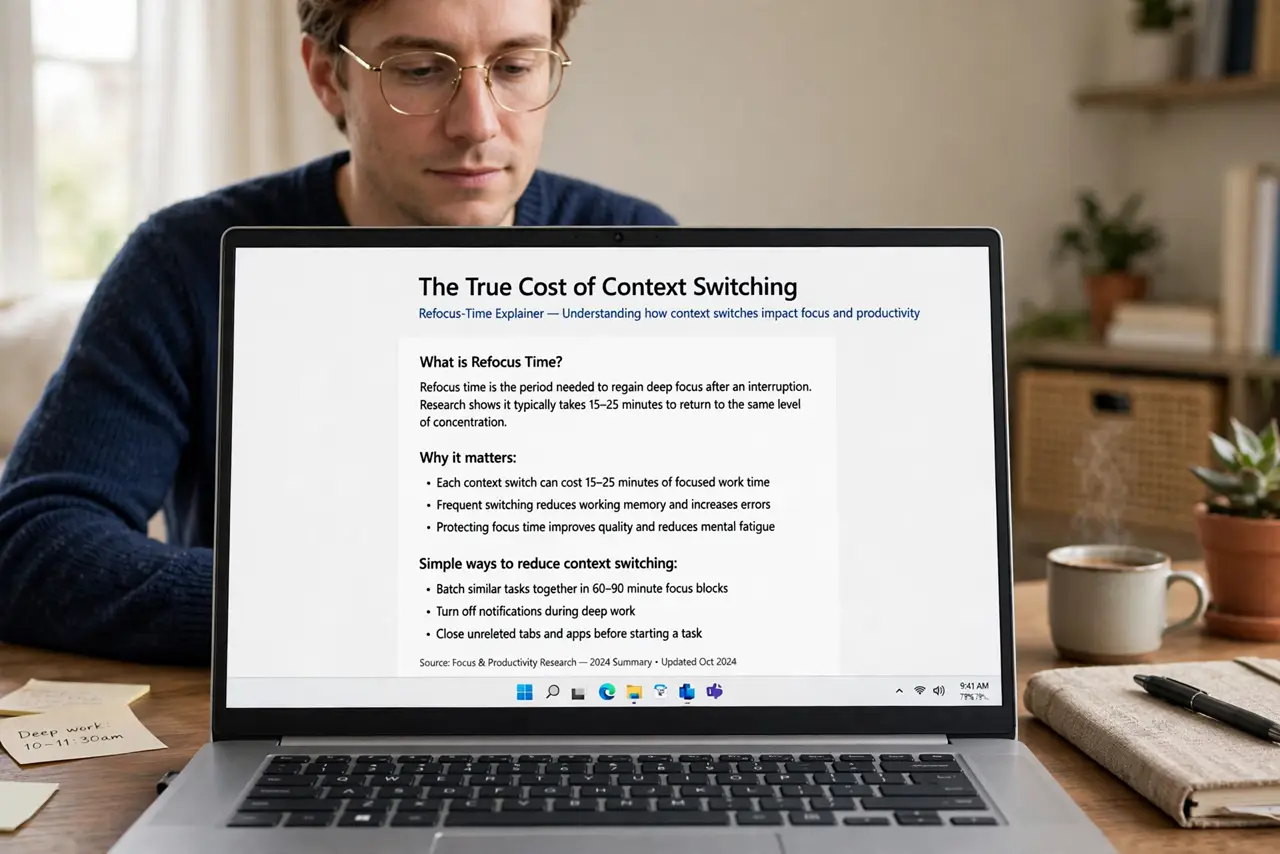
- See the true cost first. Every switch — even a 'quick check' — costs 10 to 20 minutes of refocus time as your brain reloads context. Five checks a day can eat over an hour invisibly. Knowing the price makes the fixes feel worth it.
- Batch similar tasks together. Answer all emails in one block, make all calls in another, do admin in a third. Batching pays the switching cost once per batch instead of once per task — the single highest-leverage change on this list.
- Single-task in timed sprints. Set a 25-minute timer, work on one thing, then take a five-minute break. The timer gives your brain permission to ignore everything else 'until the bell' — and most urges to switch fade within minutes.
- Check messages on a schedule. Three inbox checks a day beats thirty. Turn off the badges and banners, and check at set times — morning, midday, late afternoon. Urgent things have phones; everything else waits. A notification detox makes this dramatically easier.
- Close what you're not using. Tabs, apps, and documents for other tasks are switch invitations. One task on screen, everything else closed or minimized. Out of sight genuinely helps — willpower is weaker than environment.
- End the day with tomorrow's first task. Write down the single task you'll start with tomorrow. Mornings without a plan dissolve into inbox triage — a written start preserves single-tasking from the first minute.
What NOT to do
- Do not try to quit switching by willpower alone. Environment beats intention — close the apps, silence the pings, batch the tasks.
- Do not batch without telling people. Colleagues who expect instant replies will escalate; set expectations about your check-in times first.
- Do not confuse busy with productive. Ten half-finished tasks feel industrious and accomplish little — one finished task beats five started ones.
- Do not schedule sprints back-to-back all day. The breaks are part of the system; sprinting for eight hours straight just builds a new kind of burnout.
Frequently asked questions
Is multitasking ever okay?
For automatic tasks — folding laundry while on a call — sure. For anything requiring thought, no: the research is consistent that task-switching degrades both tasks.
What if my boss expects instant replies?
Negotiate explicit check-in times rather than constant availability. Most 'urgent' messages survive an hour; propose the schedule and watch how few truly can't wait.
How long until single-tasking feels normal?
About two weeks of consistent practice. The first days feel slow and itchy — that's withdrawal from the switching habit, not lost productivity.