Try a Monitor Light Bar
Your desk lamp lights the keyboard nicely — and throws a bright glare stripe right across your monitor. A monitor light bar fixes the geometry: it perches on top of the screen and throws light down onto the desk, lighting your work without touching the screen. No glare, no desk space lost, no lamp arm in the way.
TL;DR / Quick Fix
Quick fix: a monitor light bar sits on top of your display and shines down on your desk — lighting your keyboard and papers with zero screen glare, unlike a desk lamp behind you. Pick one with adjustable color temperature and brightness, and check it fits your monitor's thickness.
Follow these steps
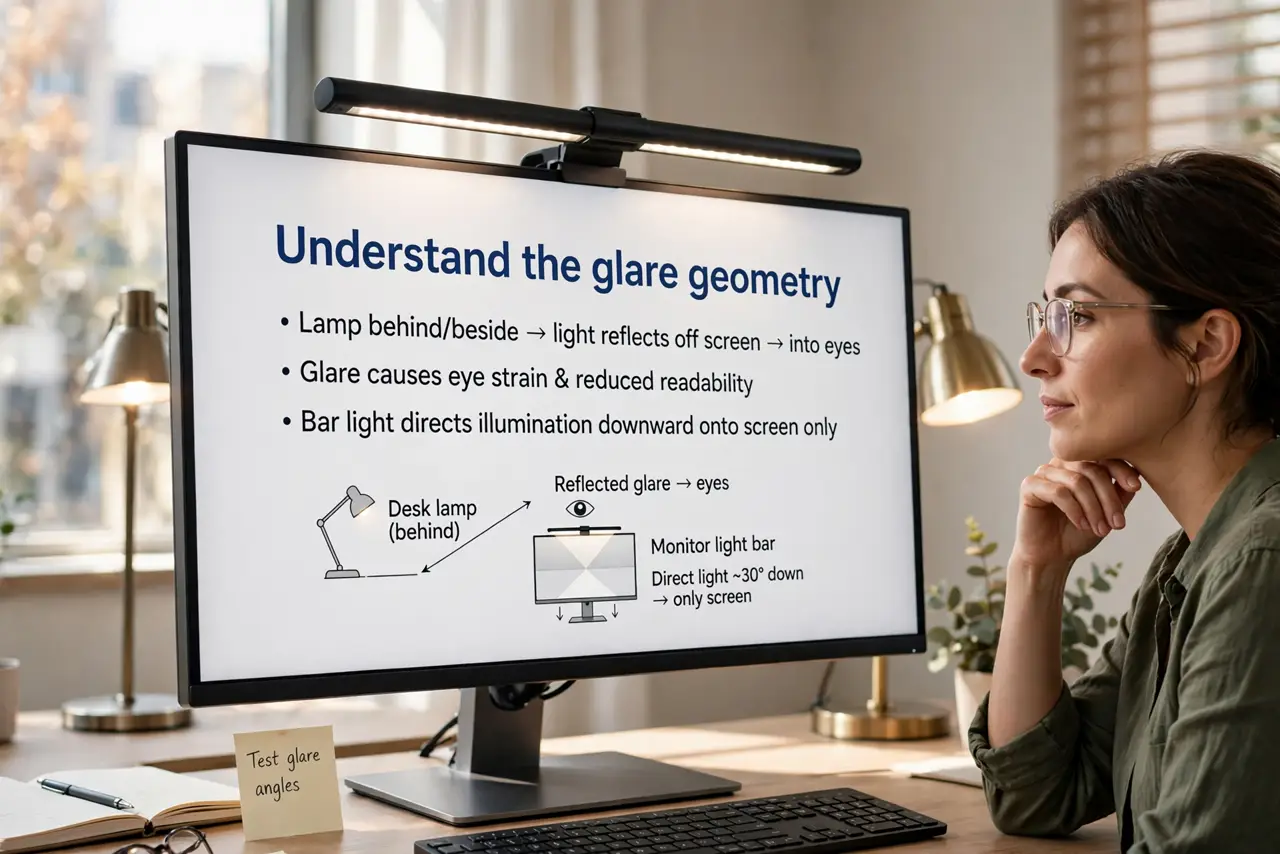
- Understand the glare geometry. Desk lamps behind or beside you reflect off the screen into your eyes. A bar on top of the monitor aims light downward only — the screen stays dark while the desk glows. Geometry, not brightness, is the fix.
- Check the fit. Light bars clip over the top bezel — verify your monitor's thickness and bezel shape fit the clip. Curved and very thin monitors need a compatible model; check before buying.
- Pick adjustable temperature. Warm light for evenings, neutral for daytime work. A bar stuck at one harsh white is a downgrade from a decent lamp — adjustability is worth paying for.
- Power it sensibly. Most bars run on USB — plug into the monitor's USB port or a hub so it turns on and off with the setup. A bar with its own wall wart adds cable clutter for no reason.
- Aim it at the work, not the wall. Angle the bar so the pool of light lands on keyboard and papers. Light spilling past the desk edge is wasted — and in a dark room it wrecks your night vision for the screen.
- Pair it with bias lighting for late nights. A soft glow behind the monitor plus the bar on the desk is the eye-strain dream team. For video calls, add a light facing you — the bar lights the desk, not your face.
What NOT to do
- Do not put a regular lamp behind your monitor. The reflection lands dead-center on your screen — the exact glare you are trying to kill.
- Do not buy without checking bezel fit. An incompatible clip wobbles, slips, or blocks the webcam — measure first.
- Do not run it at full blast in a dark room. Overly bright desk light against a dim screen strains eyes; match the bar to the screen.
- Do not expect it to light your face for calls. It lights downward — video calls need a separate front light.
Frequently asked questions
Do light bars work on curved monitors?
Many do, with models shaped for curves — but check compatibility explicitly. A flat-bar clip on a curved screen sits crooked.
Will it block my webcam?
A well-designed bar sits above or around the camera. Check reviews with your monitor model if the webcam position worries you.
Bar or bias lighting — which first?
The bar, if your complaint is desk glare and dark keyboards. Bias lighting (behind the monitor) if the complaint is eye strain from screen-to-room contrast. They solve different problems.