Video Doorbell Privacy
Your video doorbell watches your porch — and, with a wide lens, half the street. It records neighbors, delivery drivers, and passersby, stores clips in the cloud, and in some cases shares with police on request. A few settings make it watch your door instead of the neighborhood. Same thinking applies to baby monitors.
TL;DR / Quick Fix
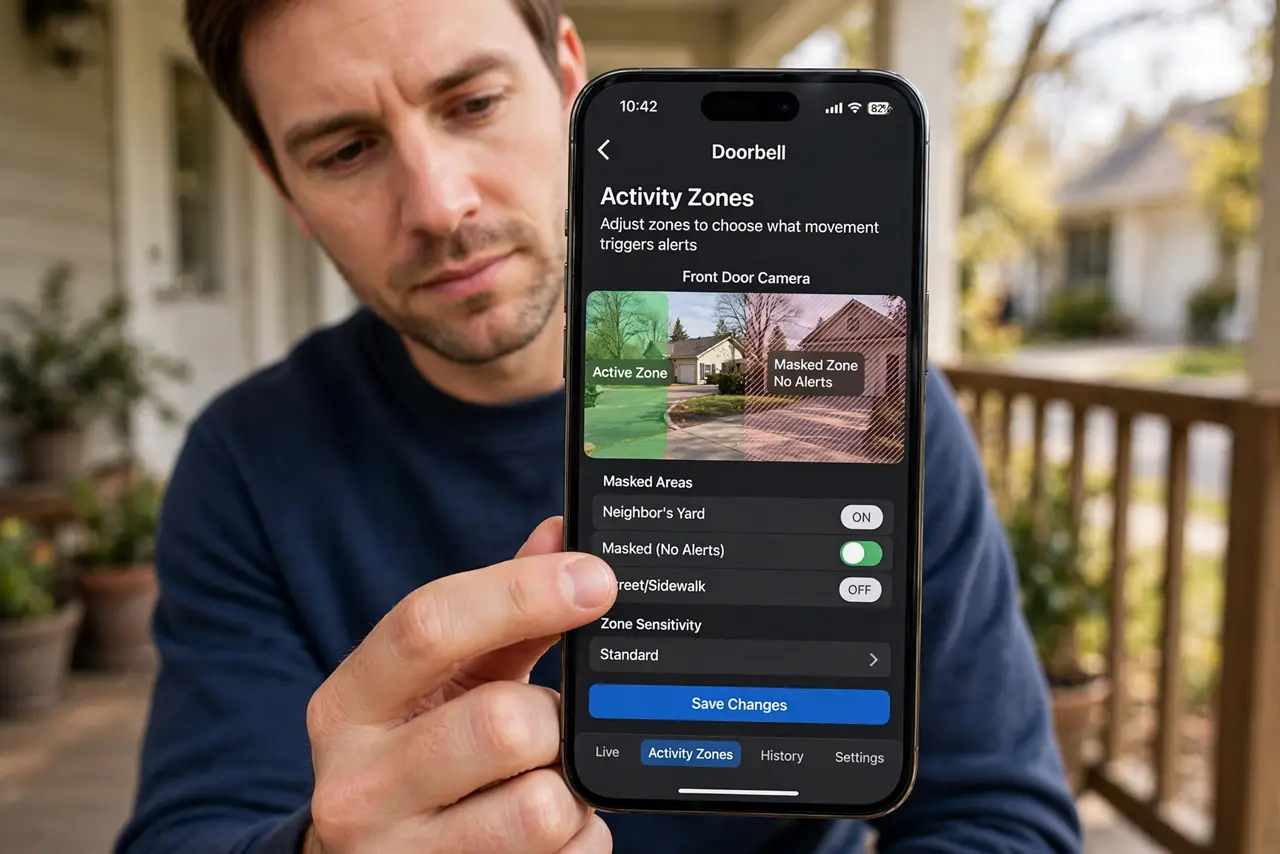
Quick fix: open your doorbell's app and shrink activity zones to your property, shorten clip storage to a few days, and switch off audio recording if it captures neighbors' conversations. Use two-factor authentication on the account. Your doorbell should watch your door — not the whole street.
Follow these steps
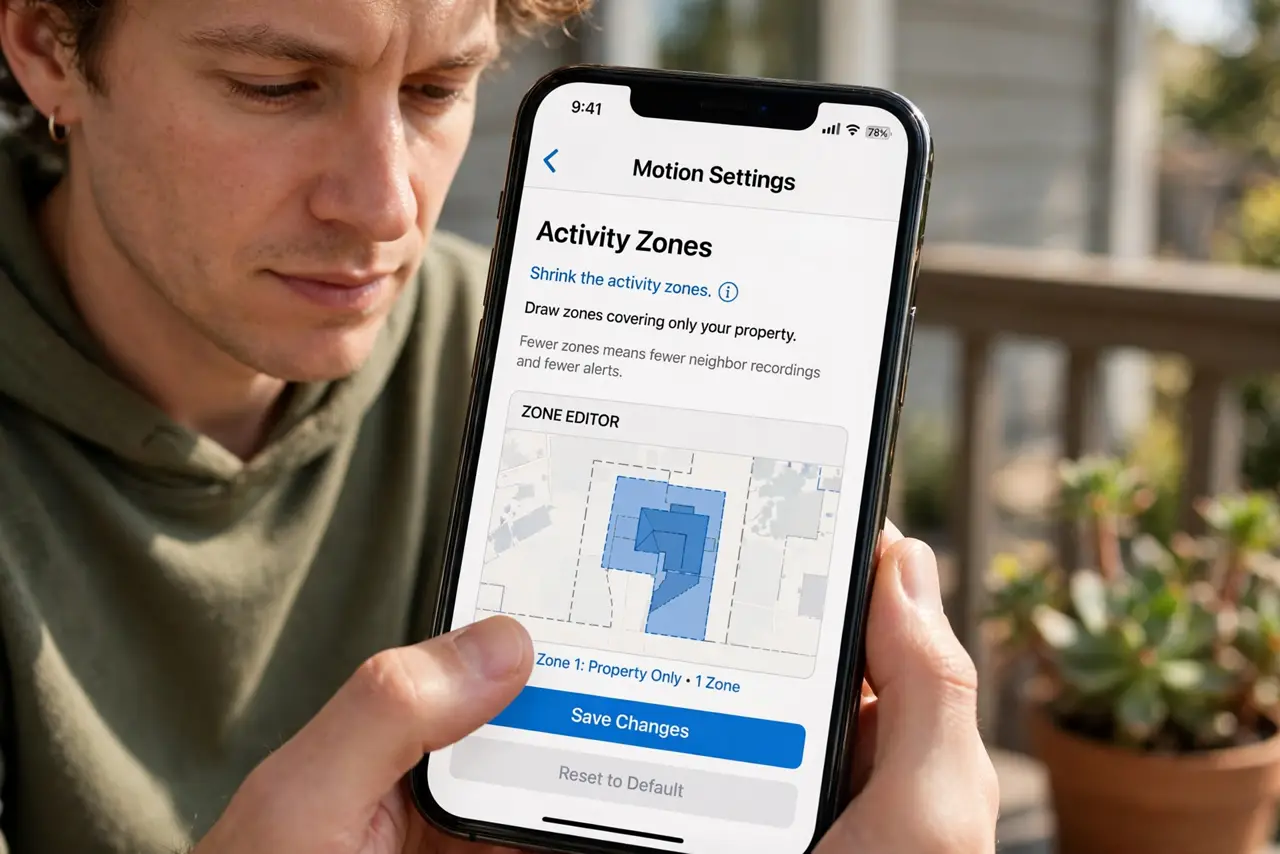
- Shrink the activity zones. Open the doorbell app's motion settings and draw zones covering only your property. Fewer zones means fewer neighbor recordings and fewer pointless alerts.
- Shorten clip retention. Set cloud storage to the shortest period you need — days, not months. Old clips of the street serve no purpose and are breach fodder.
- Reconsider audio recording. Video of a porch is one thing; audio of neighbors' conversations is another. If your doorbell records sound beyond your property, consider switching audio off.
- Secure the account. Strong unique password plus two-factor authentication. A hijacked doorbell account hands strangers your comings and goings.
- Know the sharing policies. Some makers share footage with law enforcement on request or run request programs. Read your brand's policy so the sharing is your choice, not a surprise.
- Talk to the neighbors. A quick heads-up — “hey, my doorbell sees the sidewalk” — defuses most tension. People accept cameras they know about; they resent ones they discover.
What NOT to do
- Do not aim the camera at a neighbor's windows or yard. Point it at your door — the wide lens already sees plenty.
- Do not keep months of cloud clips. Retention beyond your needs is liability, not security.
- Do not share clips publicly to shame strangers. Posting identifiable neighbors invites legal trouble in many places.
- Do not ignore audio laws. Recording conversations you are not part of is restricted in many jurisdictions — check yours.
Frequently asked questions
Is my doorbell recording legal?
Generally yes for your own property in most places, but audio recording and pointing at neighbors have stricter rules — check local law.
Can police get my footage?
Depending on brand and jurisdiction, via request or warrant. Some makers have formal sharing programs — read the policy.
Wired or battery doorbell — privacy difference?
None meaningful. The privacy questions are zones, retention, audio, and account security — identical for both.