'Why Am I Seeing This Ad?'? Find Out
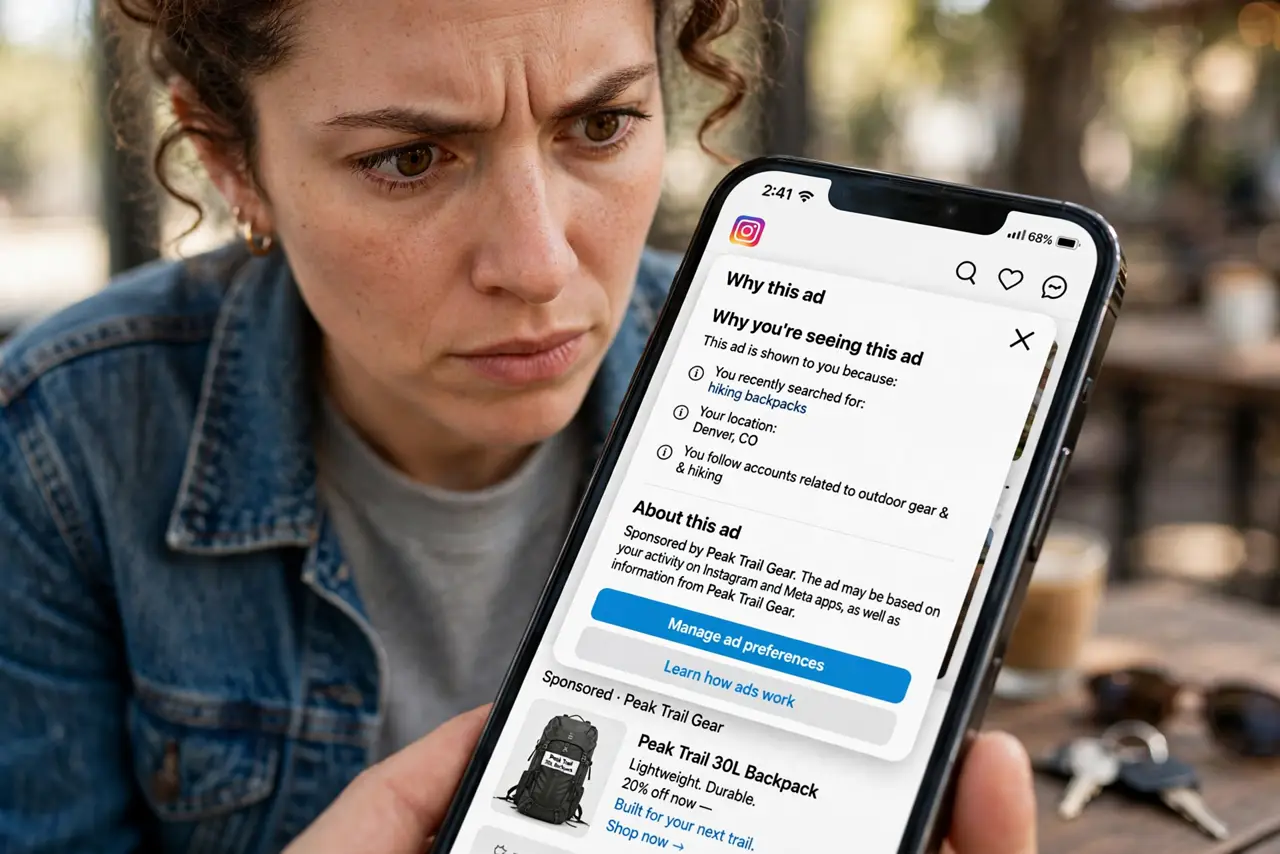
An ad feels a little too relevant and you wonder how they knew. Every major platform now has a 'Why am I seeing this ad?' button that shows the targeting behind it. This guide shows how to read it.
TL;DR / Quick Fix
Quick fix: tap the three dots on any ad and open 'Why am I seeing this ad' to see the targeting reasons — your interests, visited sites, or uploaded contact lists. If something looks wrong, use the controls there to hide the ad or adjust your ad preferences.
Follow these steps
- Find the ad menu. On Google, Facebook, and Instagram ads, tap the three dots or the info icon on the ad. The transparency option lives there.
- Read the reasons. You will see things like 'you visited this site,' 'you are in this age group,' or 'an advertiser uploaded your email.' Each reason is a clue about your data trail.
- Check the advertiser. The panel names who is running the ad. An unfamiliar company targeting you by uploaded contact list deserves a closer look.
- Hide what you do not want. Use Hide ad or Report to tune what you see. Enough hides on a topic teach the system to show it less.
- Follow through to ad settings. The panel links to your ad preferences. Open them and prune the interests the platform assigned you.
- Repeat on each platform. Google, Meta, TikTok, and Amazon each keep separate profiles. Checking one does not fix the others.

What NOT to do
- Do not assume the explanation is the whole story. Platforms disclose the main targeting factors, not every signal they used.
- Do not ignore 'advertiser uploaded your contact info.' It means a business gave the platform your email or phone — consider where they got it.
- Do not think hiding one ad fixes targeting. It tunes the feed; the underlying profile needs the settings-level opt-out.
- Do not click the ad to investigate the advertiser. Clicking tells the system you are interested and invites more of the same.
Frequently asked questions
I talked about something and then saw an ad — were they listening?
Almost certainly not — see the truth about the phone listening myth. Coincidence plus powerful targeting explains nearly all of it.
Can I see all the interests assigned to me?
Yes. Google, Facebook, and others show your full ad-interest list in settings — and most people are surprised by how long it is.
Why do I see ads for things I already bought?
Retargeting lists update slowly. Hide those ads and the campaign will eventually stop chasing you.