What Is CGNAT?
Port forwarding used to just work, and now nothing you forward ever connects. The culprit is often CGNAT — your ISP sharing one public IP among many customers, which makes inbound connections impossible. It is not your router's fault; it is the network architecture.
TL;DR / Quick Fix
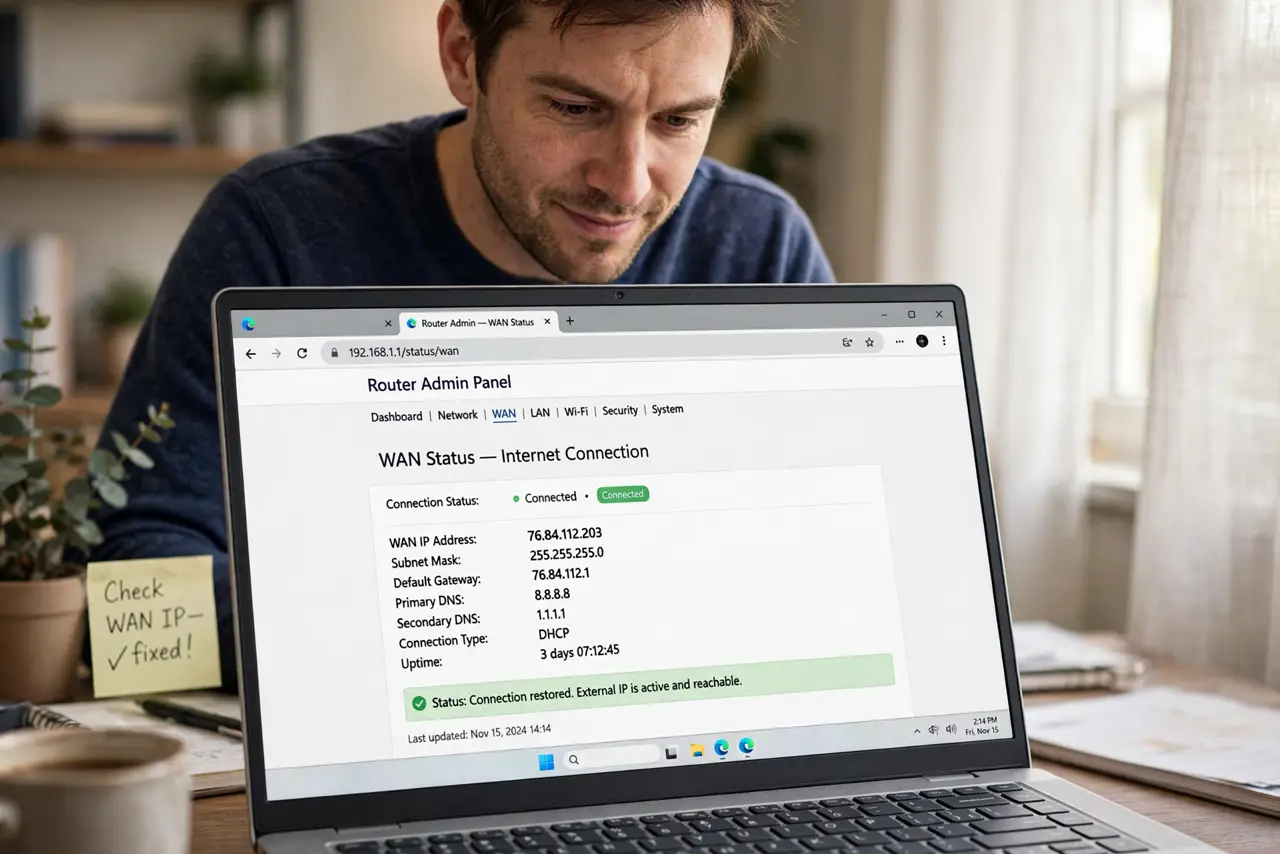
Quick fix: CGNAT means your ISP shares one public address across many homes, so inbound connections cannot reach you. Compare the router WAN IP to a checker — differing addresses mean CGNAT. Fixes: ask your ISP for a public IP, use IPv6, or use a relay service instead of forwarding.
Follow these steps
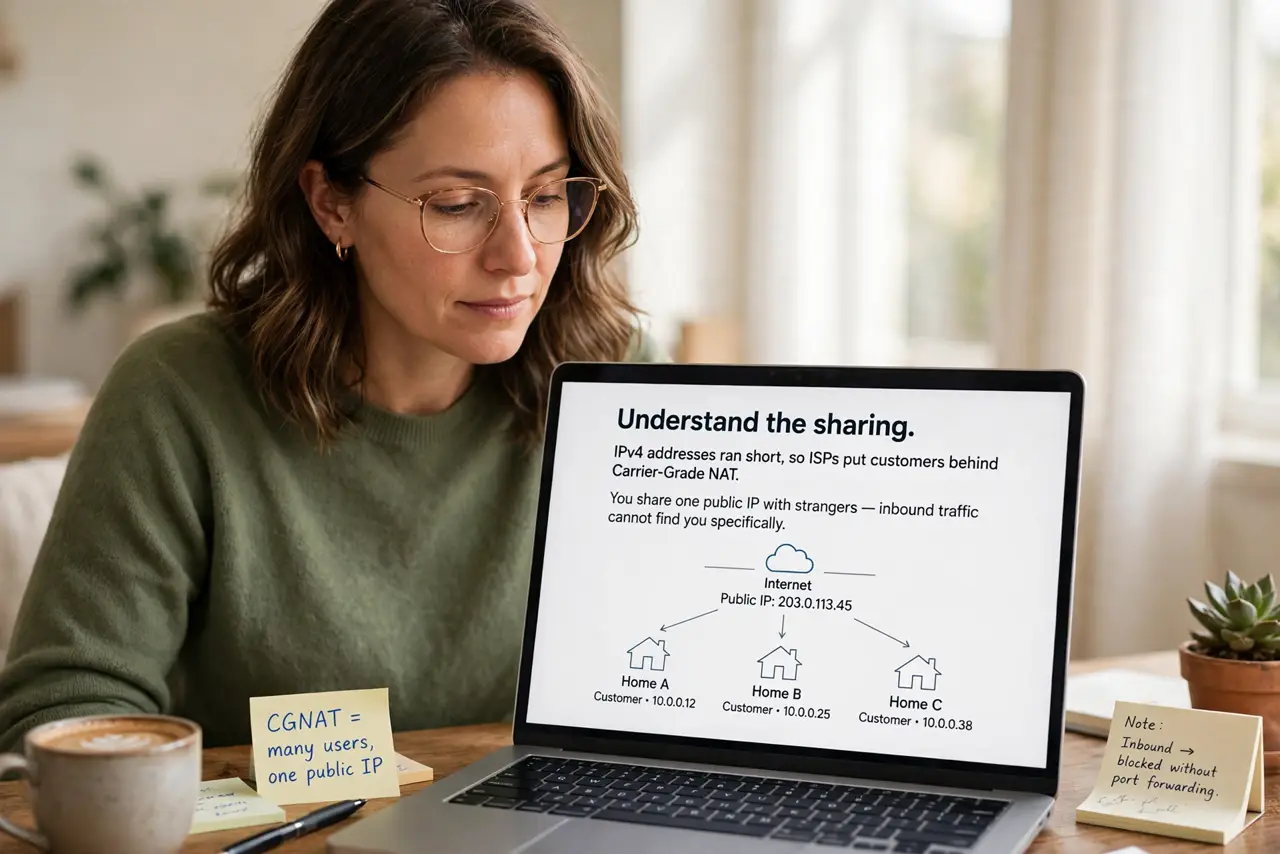
- Understand the sharing. IPv4 addresses ran short, so ISPs put customers behind Carrier-Grade NAT. You share one public IP with strangers — inbound traffic cannot find you specifically.
- Confirm you are behind it. Compare the WAN IP in your router settings to a public IP checker. Different addresses mean CGNAT. The CGNAT basics detail the mechanics.
- Know what breaks. Port forwarding, self-hosted servers, some games' hosting, and direct remote access all fail behind CGNAT. Outbound browsing works fine — it is inbound that dies.
- Ask your ISP for a public IP. Many ISPs offer a real public IP on request, sometimes free, sometimes paid. A phone call can fix what no router setting can.
- Try IPv6 instead. IPv6 gives every device a real address with no NAT. If your ISP offers it, port forwarding over IPv6 sidesteps CGNAT entirely.
- Use relay services as fallback. When the ISP will not budge, relay or tunneling services reach your home without inbound ports. Slower, but working beats perfect.
What NOT to do
- Do not factory-reset the router over this. No setting defeats CGNAT — it is upstream of your router.
- Do not pay for static IP before asking. Many ISPs hand out public dynamic IPs free on request — ask first.
- Do not assume it is your firewall. Disabling firewalls for CGNAT issues just weakens security without fixing anything.
- Do not confuse it with double NAT. Your own double NAT is fixable; CGNAT is your ISP's architecture — different problem.
Frequently asked questions
Will CGNAT affect my gaming?
Joining games works fine; hosting servers does not. Most players never notice.
Can I still use remote desktop?
Direct inbound no — use a relay-based remote tool or ask the ISP for a public IP.
Is CGNAT going away?
Slowly, as IPv6 spreads. Until then it is the default for many mobile and budget ISPs.