Is Your ISP Throttling You? Tests
Video buffers every evening but speed tests look fine — is your ISP slowing specific traffic on purpose? Throttling is real, but so are a dozen innocent lookalikes. Before accusing anyone, run the tests that actually distinguish deliberate throttling from ordinary congestion.
TL;DR / Quick Fix
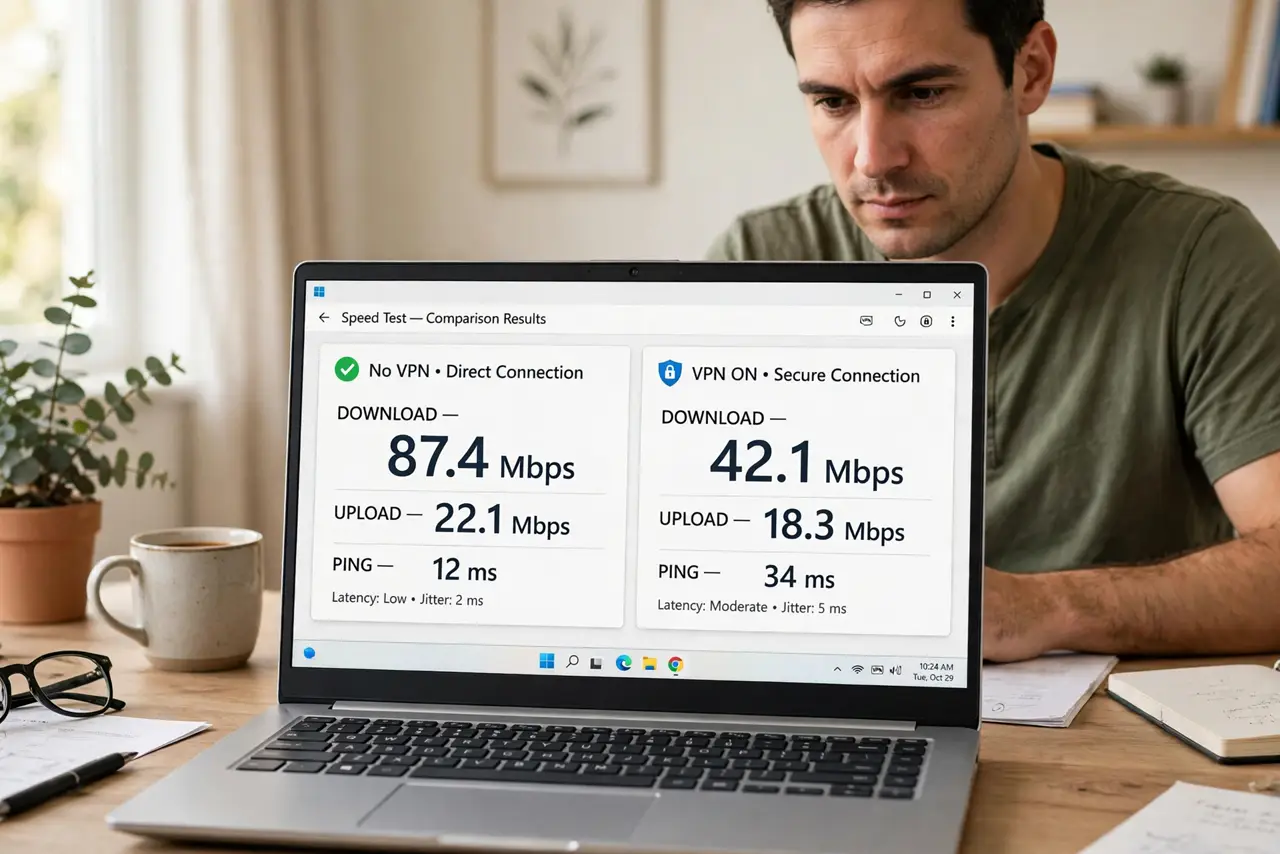
Quick fix: run a speed test on a VPN and the same test without it — if speeds jump with the VPN on, your ISP is likely throttling that traffic. Test at different times of day and compare with your plan's advertised speed. Document the results before calling to complain.
Follow these steps
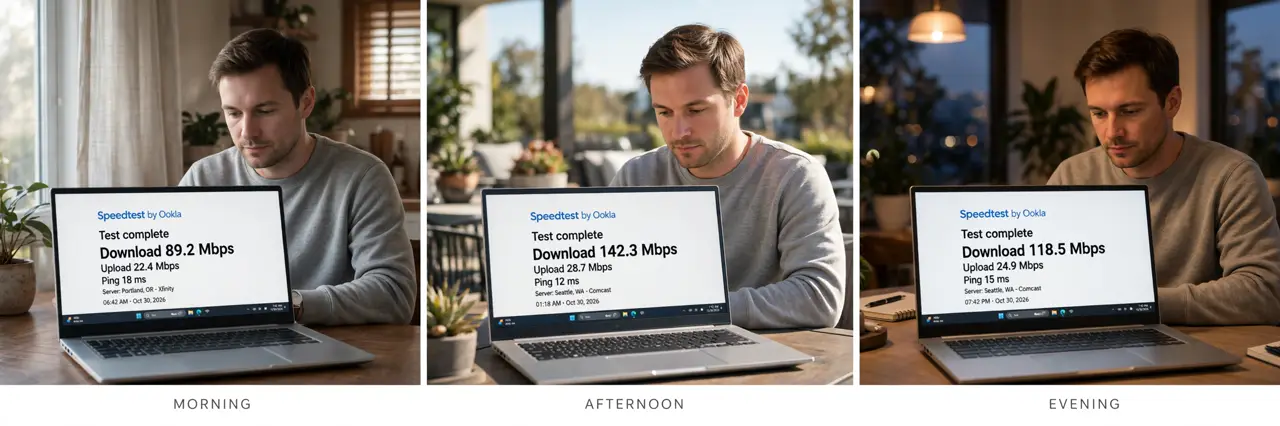
- Test at different times of day. Run speed tests morning, afternoon, and evening. Slowdowns that appear only at peak hours point to congestion; slowdowns that are constant and specific point toward throttling.
- Compare against your plan's advertised speed. Note what you pay for, then test wired, directly to the modem. If you're far below the advertised rate at all hours, that's an under-delivery problem regardless of cause.
- Run the VPN comparison test. Test a throttled suspect — video streaming speed, say — with the VPN off, then on. If the VPN dramatically improves it, the ISP was likely shaping that traffic type; see the VPN-vs-throttling breakdown for what this proves.
- Use a proper speed test methodology. Test wired, close other apps, and run each test three times. Compare the same test sites each round — consistency matters more than any single number.
- Check for the usual innocent causes first. A struggling router, Wi-Fi interference, or one device hogging bandwidth mimics throttling perfectly. Rule out your own network before blaming the ISP.
- Document everything before calling. Screenshots with timestamps: speeds by hour, VPN on versus off, wired versus Wi-Fi. Support takes documented patterns seriously and dismisses vague 'it's slow' complaints.
What NOT to do
- Do not rely on a single speed test. One bad test is noise; a pattern across days and conditions is evidence — collect the pattern first.
- Do not test over Wi-Fi and blame the ISP. Wi-Fi adds its own variability — always confirm wired before accusing anyone upstream.
- Do not confuse throttling with congestion. Evening slowdowns affecting everything are usually a crowded neighborhood node, not a targeted throttle.
- Do not skip the documentation. 'My internet feels slow' gets you a script; timestamped test logs get you an engineer.
Frequently asked questions
Is ISP throttling legal?
It depends on your country and the type — some forms of traffic management are allowed, others aren't. The tests here establish what's happening; the legality question belongs to your regulator.
Why would an ISP throttle video specifically?
Video is the biggest bandwidth consumer, so shaping it protects the network during peaks. Whether that's reasonable management or unfair discrimination is the ongoing debate.
My VPN test shows no difference — now what?
Then the slowdown isn't traffic-specific shaping. Look at congestion, your own Wi-Fi, or an underperforming line — the speed test comparison guide helps isolate it.