Reserve an IP With DHCP
A DHCP reservation is the best of both worlds: the device keeps getting its address automatically, but it is always the same one. Set it once on the router and never think about it again — perfect for consoles, printers, and anything you port-forward to.
TL;DR / Quick Fix
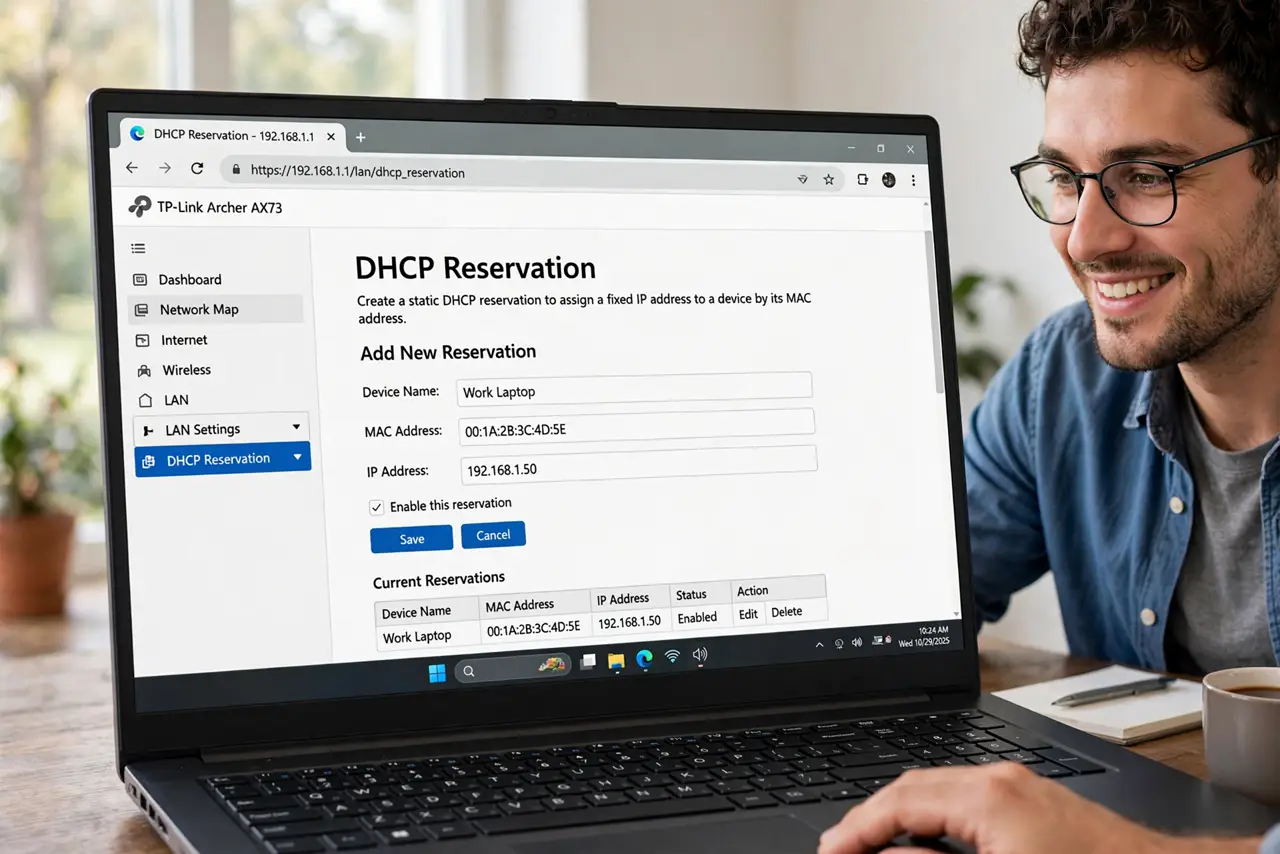
Quick fix: in your router's LAN/DHCP settings, add a reservation tying the device's MAC address to your chosen IP. The device keeps getting the same address automatically, with no manual config. Reboot the device to pick it up. Label the reservation clearly.
Follow these steps
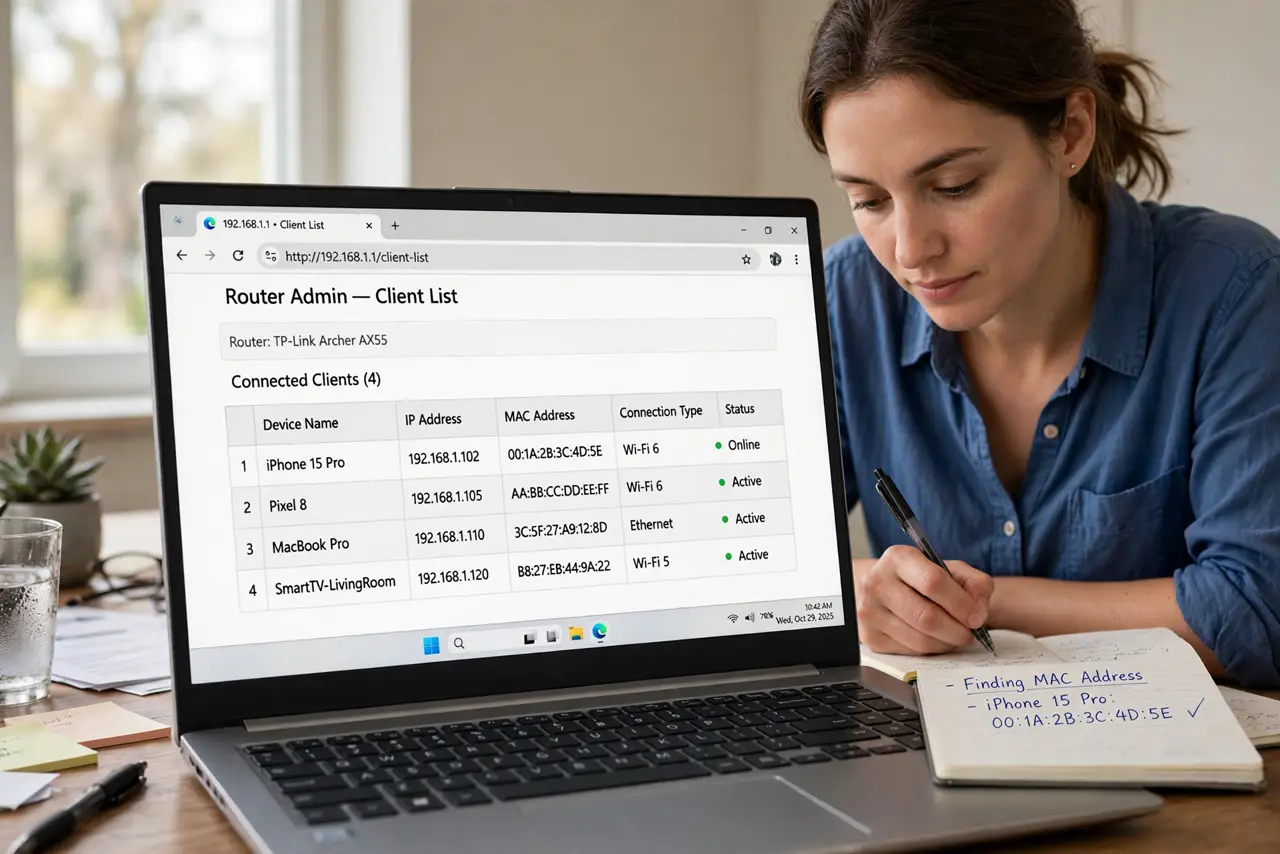
- Find the device's MAC address. In the router's client list, find the device and note its MAC — or check the device's own network settings. Copy it exactly.
- Open the DHCP reservation page. Look under LAN > DHCP Server > Address Reservation (wording varies). This is the router's ‘always give this device that IP’ list.
- Add the reservation. Enter the MAC address and your chosen IP (outside the dynamic pool if possible, e.g. 192.168.1.50). Add a label like ‘Living-room console’.
- Reboot the device. The device picks up the reserved address on its next DHCP request — a reboot is the reliable trigger. Verify the new IP afterward.
- Confirm it stuck. Check the router's client list: the device should show your reserved IP. If not, the MAC was mistyped — the classic cause.
- Use it before [[port forwarding|wifi-port-forward-games]]. Forwarded ports aim at an IP. A reservation keeps that aim true forever; without one, rules rot silently.
What NOT to do
- Do not reserve an address inside the active DHCP pool without checking. Some routers allow it, some then hand it out twice — outside the pool is safest.
- Do not mistype the MAC address. One wrong digit reserves an IP for a device that does not exist, and the real device gets a random one.
- Do not forget the reservation when replacing the device. New hardware means a new MAC — update the reservation.
- Do not create reservations for every phone in the house. Reserve for infrastructure; let visitors and phones float.
Frequently asked questions
How is this different from a static IP?
Same outcome — a stable address — but managed centrally on the router instead of configured on each device. Easier to audit and change.
Will the device get the reserved IP immediately?
On its next DHCP renewal, which a reboot forces. Until then it may keep its old address for a while.
Can two devices share one reservation?
No — one MAC per reservation. Two devices with the same reserved IP cause a conflict.