DoH vs DoT?
Encrypted DNS comes in two flavors — DoH and DoT — and every guide assumes you know the difference. Both hide your DNS lookups from snoops; they differ in how they travel and where they are supported. The practical difference is smaller than the acronym war suggests.
TL;DR / Quick Fix
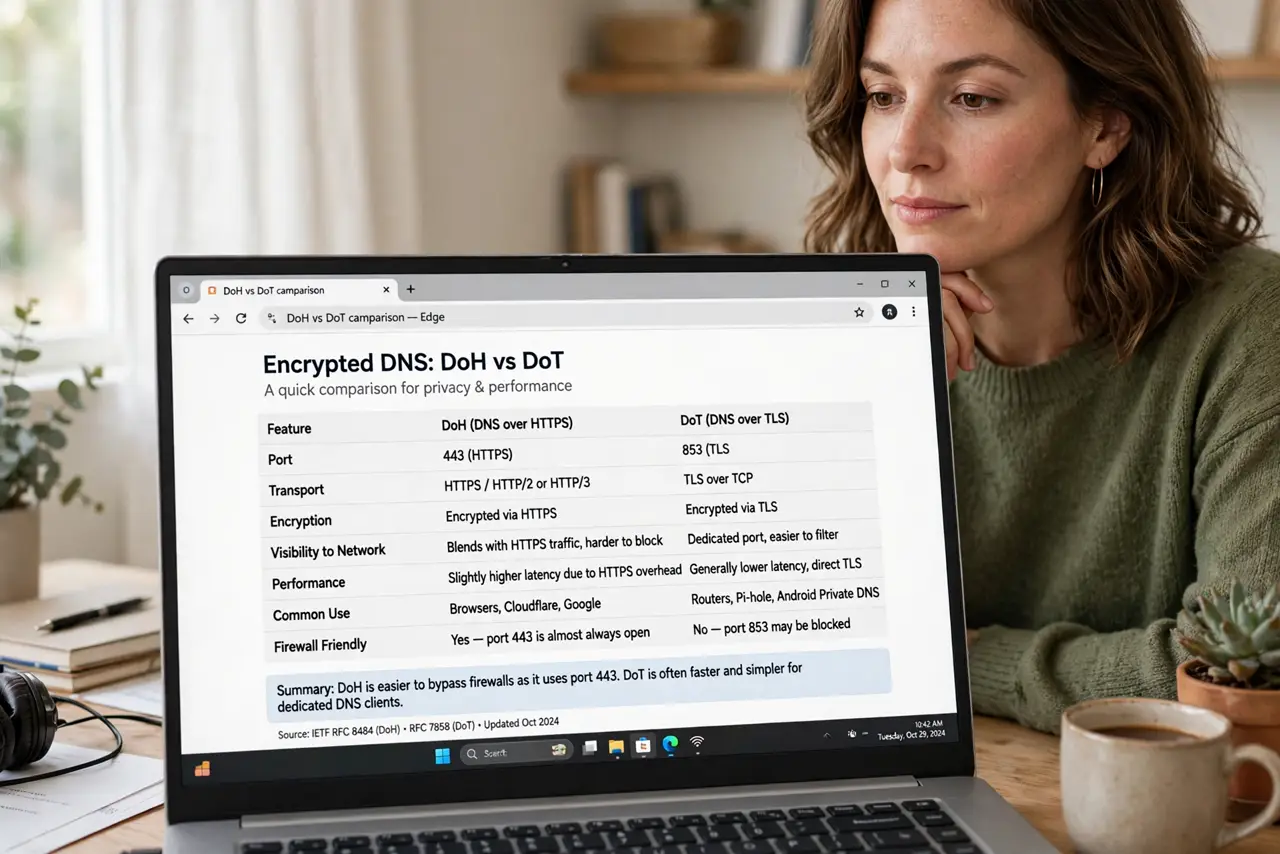
Quick fix: DoH (DNS over HTTPS) blends with web traffic on port 443, making it hard to block — browsers love it. DoT (DNS over TLS) uses port 853, which networks can filter — Android's Private DNS uses it. Use whichever your device supports; both encrypt lookups equally well.
Follow these steps
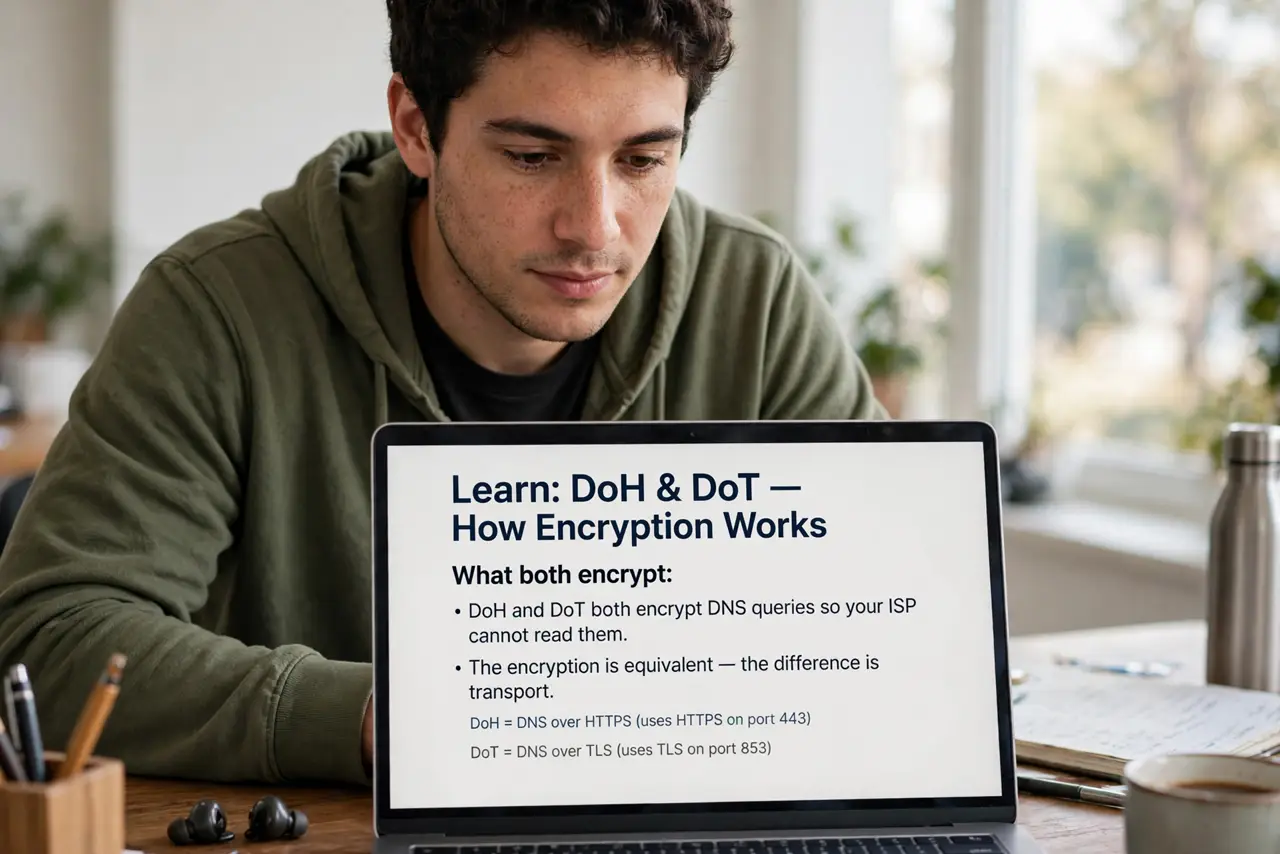
- Learn what both encrypt. DoH and DoT both encrypt DNS queries so your ISP cannot read them. The encryption is equivalent — the difference is transport.
- Understand DoH's trick. DoH rides inside HTTPS on port 443, indistinguishable from web traffic. Censors and filters struggle to block it without breaking the web — browsers adopted it for this reason.
- Understand DoT's approach. DoT uses its own port 853 with TLS. Cleaner separation, but networks can block the port outright. Android's Private DNS uses DoT.
- Pick by device support. iPhone profiles and browsers usually offer DoH; Android system-wide uses DoT. Use what your device offers — do not fight it.
- Remember the basics. Either flavor beats plaintext DNS — the encrypted DNS explainer covers why. The upgrade that matters is encrypted vs not.
- Pair with phone DNS settings. Encrypted DNS shines on mobile networks where the carrier sees everything. Set it on the phone first — the phone DNS guide walks through it.
What NOT to do
- Do not obsess over the flavor. Encrypted vs plaintext is the decision that matters; DoH vs DoT is fine-tuning.
- Do not assume it hides everything. IPs and traffic patterns still leak — DNS encryption is one layer, not invisibility.
- Do not mix providers accidentally. Your DoH browser setting and system DoT can point at different providers — check both.
- Do not forget parental controls. Encrypted DNS can bypass DNS-based filtering — families should know the tradeoff.
Frequently asked questions
Which is faster?
Negligibly different. Provider quality matters far more than the protocol letter.
Can my ISP block DoH?
Blocking port 443 breaks the whole web, so no, not practically. That is DoH's superpower.
Should I use both?
No need — one encrypted DNS path is enough. Two just adds confusion.