Encrypted DNS Explained
Every site you visit starts with a DNS lookup — and traditionally that lookup flies across the network in plain text, readable by your provider and anyone snooping locally. Encrypted DNS (DoH and DoT) wraps those queries in encryption. Here's what it protects, what it doesn't, and how to turn it on.
TL;DR / Quick Fix
Quick fix: encrypted DNS (DoH or DoT) scrambles your DNS queries so your provider and local snoopers can't see which sites you look up. Turn it on in your browser settings or OS network options. It hides the lookup, not the visit — the site itself still sees you.
Follow these steps
- Understand the plain-text problem. Normal DNS is unencrypted: your ISP sees every domain you look up, and so does anyone on the local network. It's a full browsing-intent log — see the privacy angle.
- Learn DoH vs DoT. DNS over HTTPS (DoH) hides queries inside normal web traffic — hard to block, browser-friendly. DNS over TLS (DoT) uses a dedicated encrypted channel — cleaner, OS-level. Either beats plain DNS.
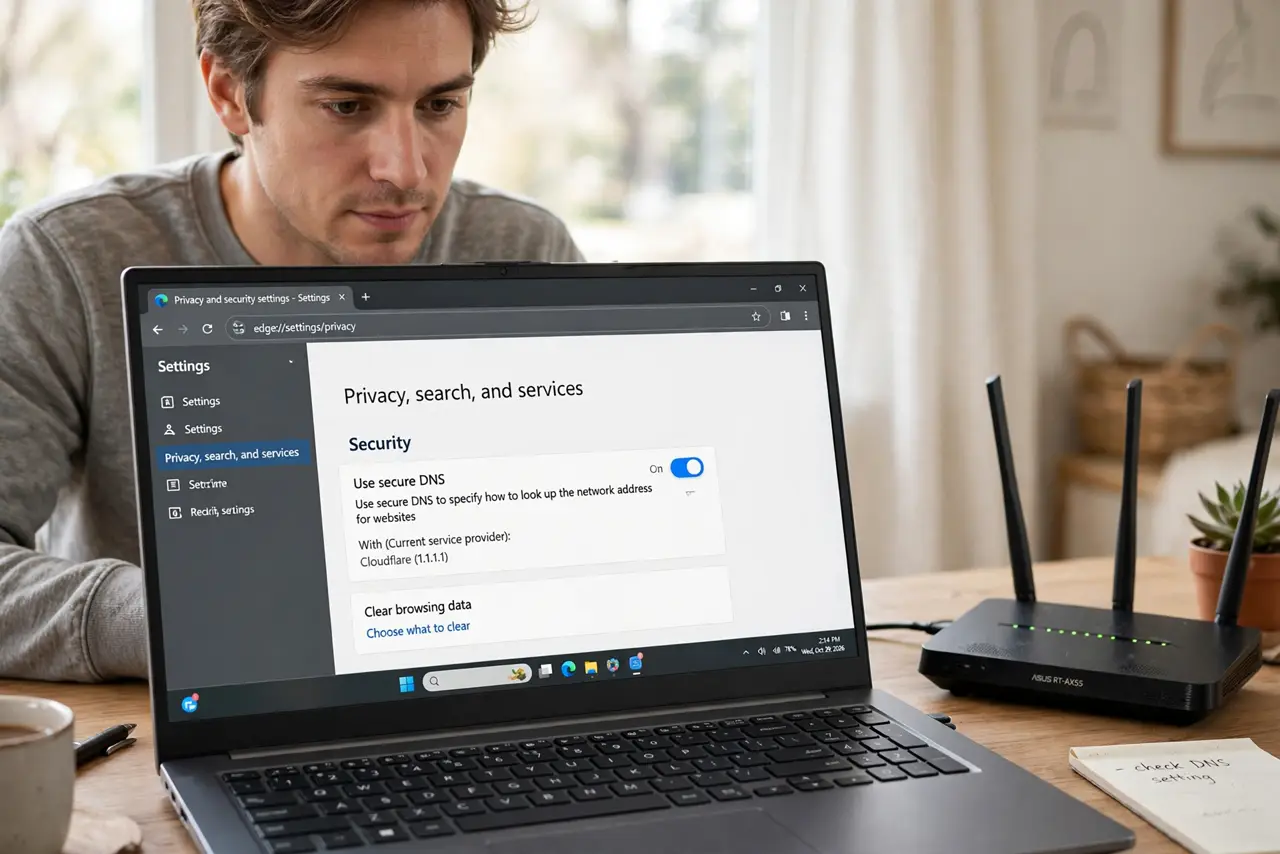
- Turn it on in your browser. Chrome, Firefox, Edge, and Brave all offer Secure DNS in settings — pick a provider or use the default. This covers browsing; other apps still use system DNS.
- Turn it on system-wide. Modern operating systems support encrypted DNS at the OS level, covering every app. On Wi-Fi networks you control, see DNS over HTTPS on Wi-Fi for the router angle.
- Pick a trustworthy resolver. Your encrypted queries go to the resolver you choose — pick one with a clear no-logging policy, not a random IP. See choosing safely.
- Know what it doesn't hide. The destination site still sees your visit, and your ISP sees the connection's IP (just not the name lookup). For full concealment you need a VPN — DNS encryption is one layer, and you can benchmark resolvers for speed too.

What NOT to do
- Do not assume encrypted DNS means invisible browsing. It hides the lookup only — IPs, traffic patterns, and the sites themselves still reveal plenty.
- Do not enable it and forget your threat model. Against ISP logging it's excellent; against malware or trackers, it's one piece of a bigger setup.
- Do not use a shady resolver. Encryption to an untrustworthy party just moves the snooping — resolver choice matters as much as the encryption.
- Do not expect it to bypass all blocks. Some networks and parental controls rely on DNS filtering; encrypted DNS can conflict — that's sometimes the point, sometimes a problem.
Frequently asked questions
What's the difference between DoH and DoT?
Both encrypt DNS. DoH runs over HTTPS port 443 (blends with web traffic); DoT runs over a dedicated TLS port 853 (cleaner, easier to manage network-wide).
Will it slow my browsing?
Negligibly — often it's faster, since big encrypted resolvers are well-provisioned. Benchmark if you care; see the speed question.
Does my VPN already do this?
Usually yes — VPNs typically route DNS through their encrypted tunnel. Encrypted DNS matters most when you're *not* on a VPN.