Hiding Your SSID Doesn't Help
Hiding your Wi-Fi network name feels stealthy — if they cannot see it, they cannot hack it. Except every device that knows the network constantly shouts its name looking for it, and free tools display hidden networks anyway. Hiding the SSID buys nothing and costs convenience.
TL;DR / Quick Fix
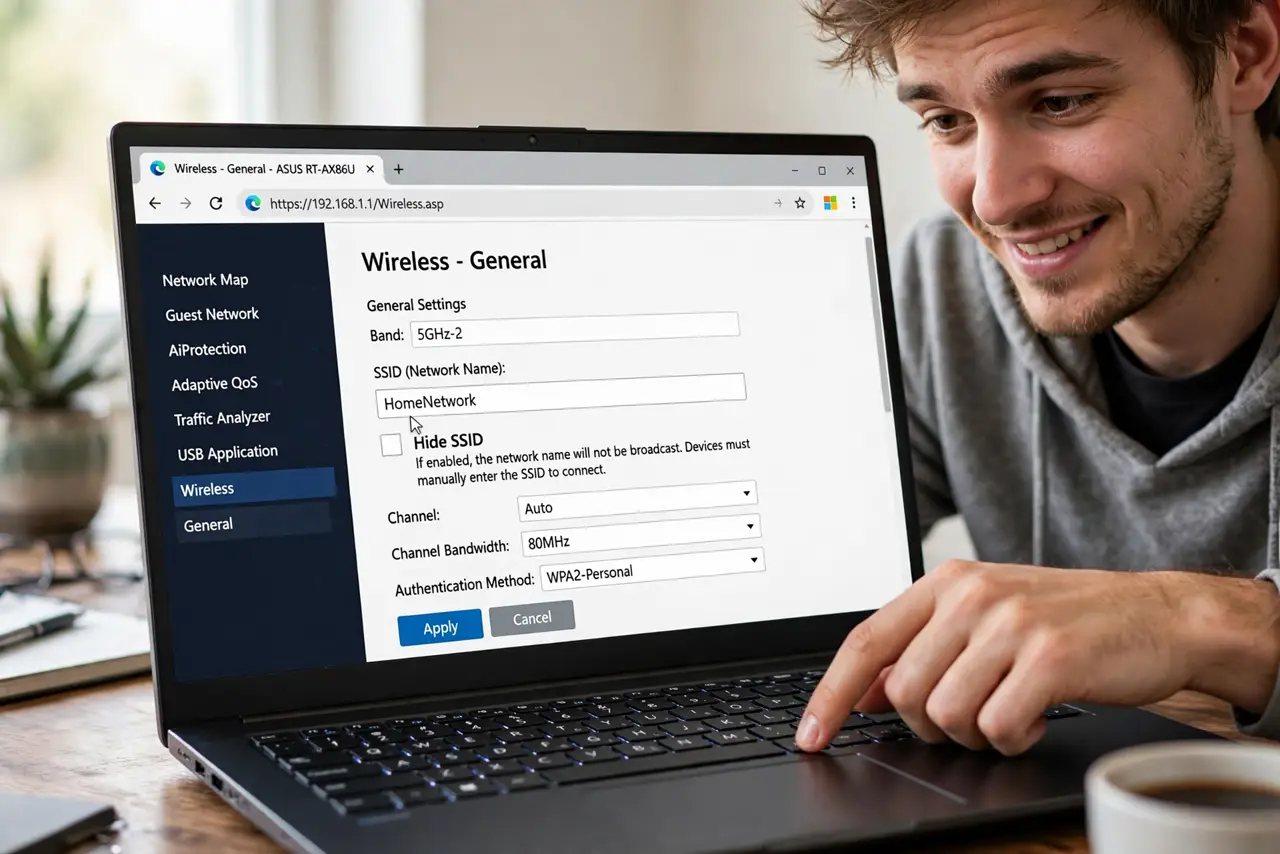
Quick fix: do not hide your SSID for security — the network name is still broadcast in probe traffic, so hiding stops nobody. It only makes connecting harder for your own devices. Use a strong password and WPA3 instead. Leave broadcasting on.
Follow these steps
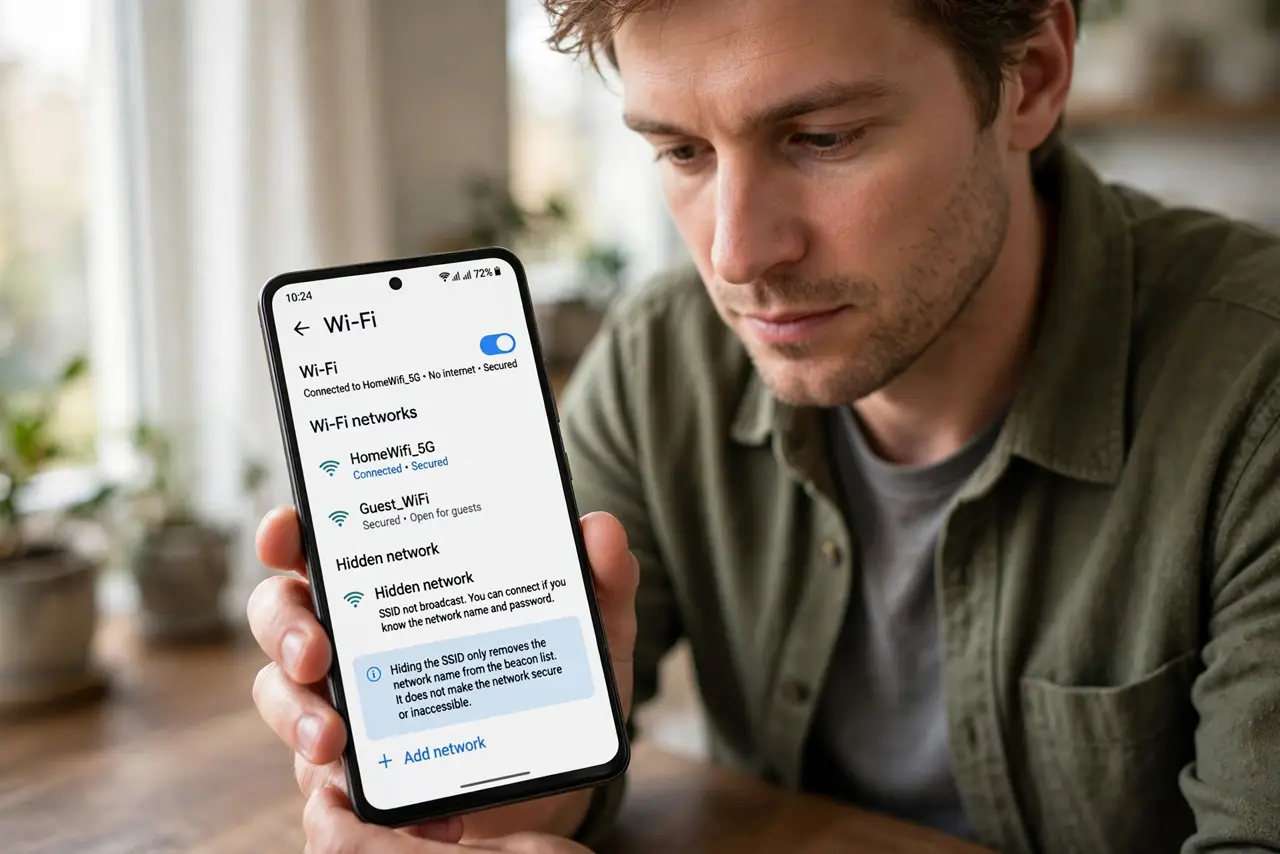
- Understand what hiding does. It merely removes the name from the broadcast beacon list. The network still exists, still transmits, and still answers probes.
- Learn why it fails. Your own devices probe for the hidden name constantly — anyone listening sees the name in plain text. Scanner apps list hidden networks in one tap.
- See who it punishes. You: every new device needs manual SSID entry, some gadgets cannot connect to hidden networks at all, and roaming gets worse.
- Uncheck Hide SSID. In the router's wireless settings, make sure SSID broadcast is enabled. Your network rejoins the visible list immediately.
- Secure it properly instead. WPA3 (or WPA2) with a long unique password is real security. A hidden name with a weak password is a locked screen door.
- Drop the twin myth too. MAC filtering is the other classic feel-safe setting. Neither protects anything; both waste your time.
What NOT to do
- Do not hide the SSID ‘for privacy’. Your devices broadcast the name anyway — louder, in some ways, than the router did.
- Do not believe ‘hackers can't see hidden networks’. Every wardriving tool made in the last 15 years lists them.
- Do not hide it and then complain devices won't connect. Some smart home gadgets simply refuse hidden SSIDs.
- Do not treat invisibility as a layer. Security through obscurity is not security — encryption is.
Frequently asked questions
Does hiding the SSID at least reduce attacks?
No measurable amount. Automated attack tools do not care whether the name was in the beacon.
Will my neighbors still see my network?
With a scanner, yes. In their normal Wi-Fi list, no — which is the only ‘benefit’, and it is cosmetic.
What actually keeps my Wi-Fi safe?
WPA2/WPA3 encryption with a strong password, plus keeping the router firmware updated. That is the complete list.