A Separate Network for Smart Gadgets
Smart bulbs, cameras, plugs, and doorbells are computers you never patch — and they sit on the same network as your laptop and banking. A separate IoT network quarantines them: if a cheap camera gets compromised, your main devices stay untouched. Setup takes ten minutes.
TL;DR / Quick Fix
Quick fix: in your router's wireless settings, enable the guest or IoT network and connect smart bulbs, cameras, and plugs to it instead of your main Wi-Fi. Keep the main network for phones and laptops. Use a different password. Isolate it if possible.
Follow these steps
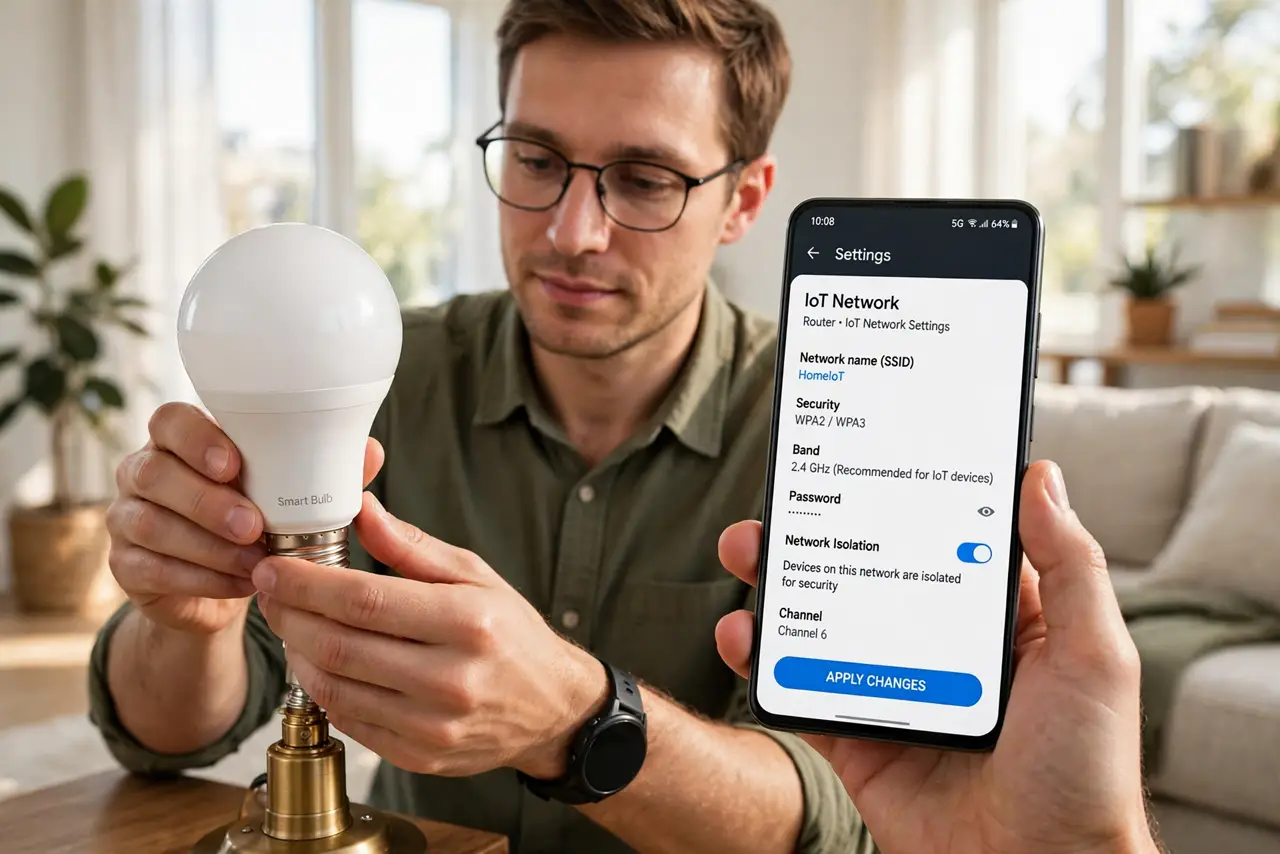
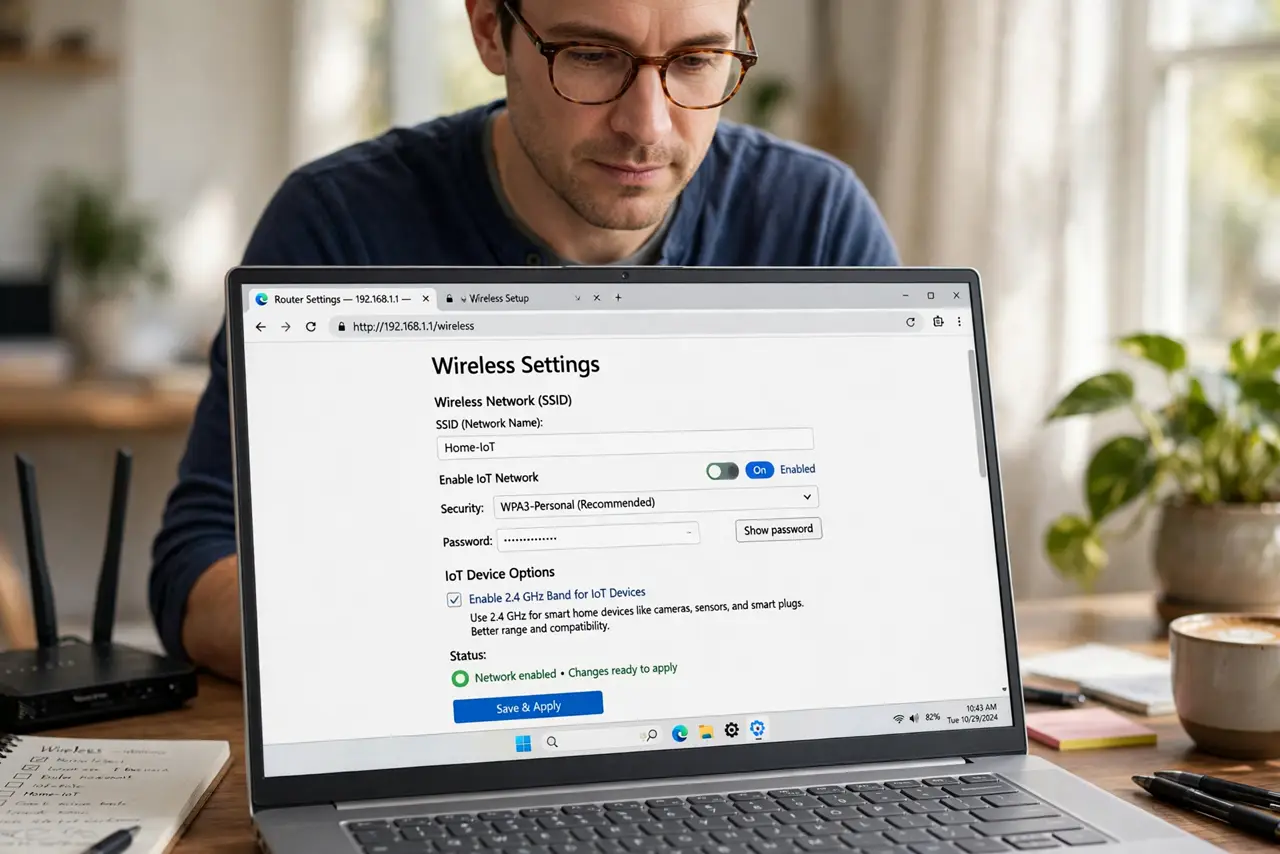
- Enable the guest or IoT network. In the router's wireless settings, turn on the guest network — many routers now label one ‘IoT’. Give it a clear name like Home-IoT.
- Use a different password. The IoT network gets its own strong password, different from your main Wi-Fi. If a gadget leaks it, your main network stays safe.
- Move the gadgets over. Reconnect each smart device to the IoT network through its app. Tedious once, then done — do it room by room.
- Turn on isolation if offered. Enable guest/AP isolation on the IoT network so gadgets cannot see each other either — a compromised bulb then cannot probe your camera.
- Keep 2.4 GHz for the gadgets. Most IoT devices only speak 2.4 GHz. A 2.4 GHz-only IoT network avoids the band-steering fights cheap gadgets always lose.
- Test control from your phone. Open each gadget's app on your main network and confirm it still controls the device. Some setups need a firewall rule allowing phone-to-IoT traffic.
What NOT to do
- Do not put your laptop on the IoT network ‘for simplicity’. That defeats the entire quarantine.
- Do not reuse the main Wi-Fi password. One shared password means one leak compromises both networks.
- Do not skip isolation because setup is fiddly. An unisolated IoT network is barely better than no separation.
- Do not forget new gadgets later. Every new smart device goes on the IoT network — make it a habit, not a project.
Frequently asked questions
Can a hacked smart bulb really attack my laptop?
On one flat network, yes — compromised IoT devices routinely scan for computers to attack next. Separation breaks that path.
Will my phone still control IoT devices on another network?
Usually yes, through the cloud or local discovery rules. Test each app after moving its gadget.
Do I need a fancy router for this?
No. Almost every router from the last decade has a guest network — that is all this takes.