A Mirror Kills Your Wi-Fi?
That gorgeous floor-to-ceiling mirror might be the reason your home office has one bar. Mirrors aren't just glass — the reflective backing is a thin sheet of metal, and metal reflects Wi-Fi the same way it reflects your face. The result is a signal shadow exactly where the mirror stands between you and the router.

TL;DR / Quick Fix
Quick fix: yes — the metal backing on mirrors reflects Wi-Fi like it reflects light, creating a dead zone behind them. Don't face a router or mesh node at a mirror, or put a mirror between the router and your desk. Moving either a few feet usually fixes the shadow.
Follow these steps
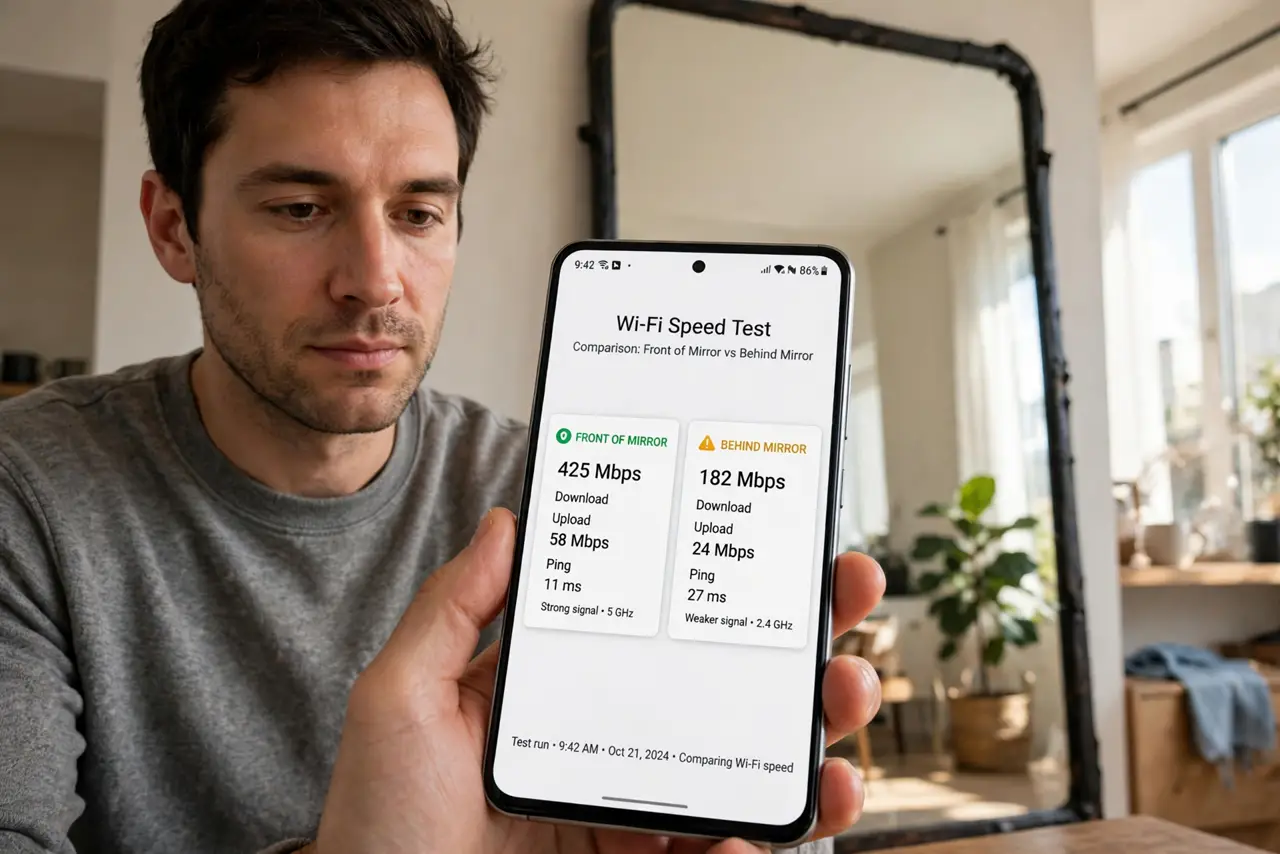
- Confirm the mirror is the culprit. Test speed standing in front of the mirror versus directly behind it. A sharp drop behind it — with the router on the other side — is the mirror's shadow, the same physics behind any metal-door dead zone.
- Move the router or node off the mirror's axis. You don't need a new room — shifting the router a few feet sideways so the mirror no longer sits between it and your devices usually clears the shadow.
- Don't mount gear facing a mirrored wall. Gym rooms and mirrored closets are the classic traps. A node staring into a wall of mirror wastes half its signal bouncing back at itself.
- Angle the mirror if you can't move it. Tilting a standing mirror slightly redirects the reflection away from your devices. It's a partial fix, but free and instant.
- Check for mirrored furniture too. Mirrored wardrobes, medicine cabinets, and glass-top metal tables all carry reflective backing. The bigger the metal area, the deeper the shadow.
- Re-test the shadowed room. After moving things, run a speed test from the previously dead spot. If the mirror was the cause, the numbers jump immediately — no settings changed.
What NOT to do
- Do not 'boost' through a mirror with more power. Reflected is reflected — extra power just makes a stronger reflection, not a stronger signal behind it.
- Do not hang the router on the mirror. It's tempting for cable-hiding, but it's the single worst mounting surface in the house.
- Do not blame the provider for a mirror shadow. One room mysteriously dead while the rest flies is a local obstacle, not a line problem.
- Do not forget the bathroom mirror. A big bathroom mirror between the router and a bedroom is a surprisingly common shadow-maker.
Frequently asked questions
Do all mirrors block Wi-Fi, or only big ones?
Any mirror with metal backing reflects signal; bigger mirrors cast bigger shadows. Small vanity mirrors barely matter; wall-sized ones absolutely do.
What about windows — do they block Wi-Fi too?
Plain glass barely affects Wi-Fi, but energy-efficient low-E windows have a metallic coating that reflects signal much like a mirror.
My office is behind a mirrored closet — now what?
Move the router's signal path around it, or put a mesh node on the office side of the mirror so devices connect locally.