Port Forwarding for Games? How To
Strict NAT, can't join friends' lobbies, voice chat cutting out — the fix is often port forwarding: telling your router exactly which doors to open for your console or PC. It sounds technical, but it is just a short list of numbers typed into the right page.
TL;DR / Quick Fix
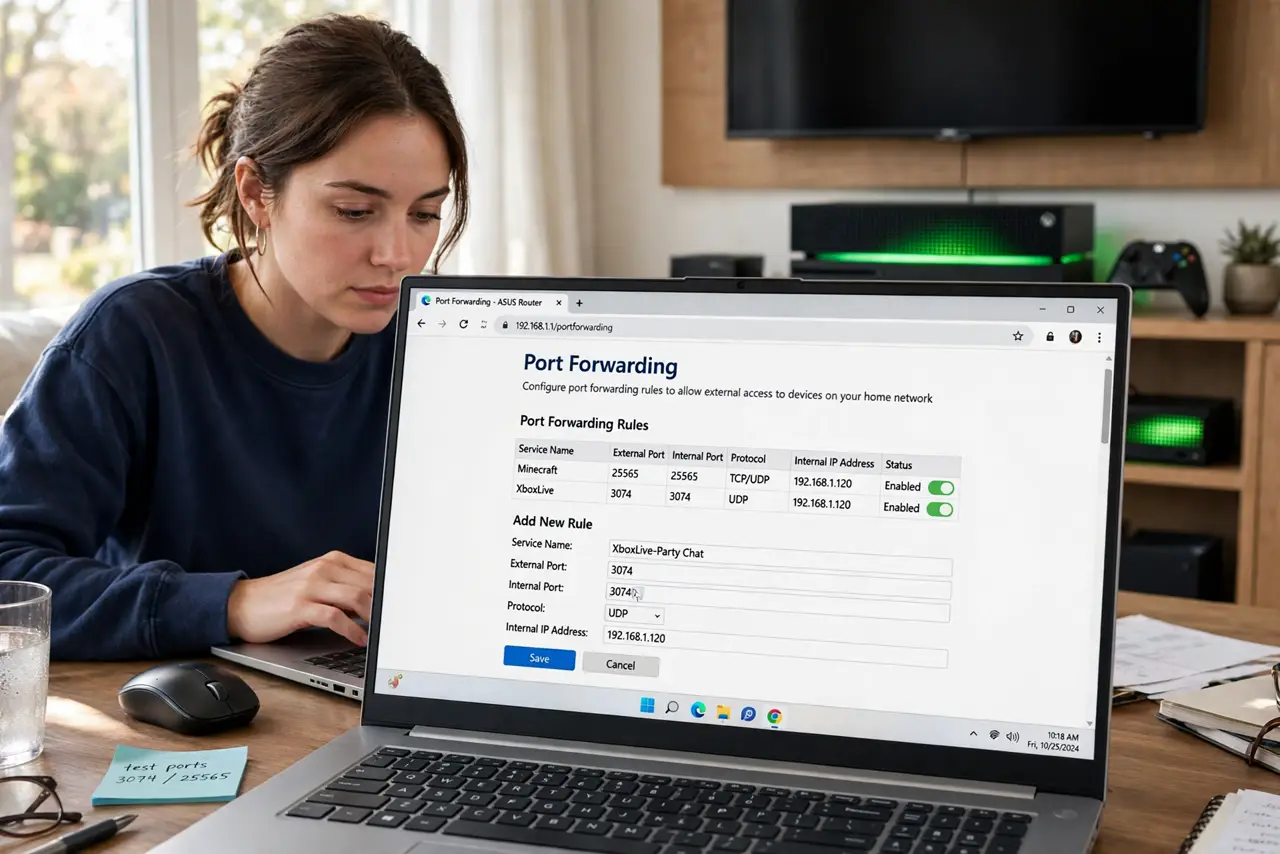
Quick fix: in your router's port forwarding section, forward the game's required ports (TCP/UDP as listed by the publisher) to your console or PC's local IP. Use a DHCP reservation so the IP never changes. Test NAT type afterward. Forward only needed ports.
Follow these steps
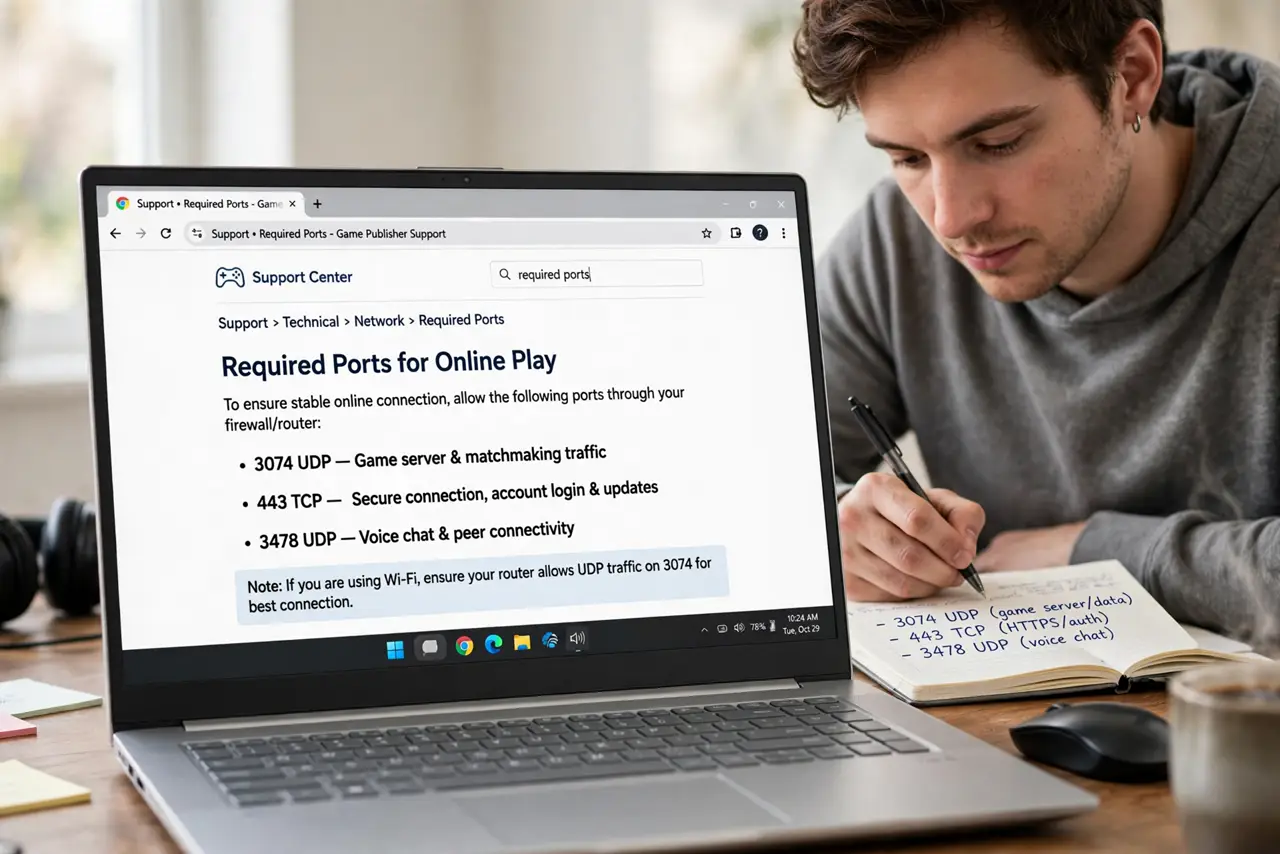
- Find the game's required ports. Search the publisher's support page for your game plus ‘ports’. You will get a short list like 3074 UDP — write them down exactly.
- Give the console a stable IP. In the router's DHCP settings, create a reservation tying the console's MAC to a fixed local IP. Forwarding to a moving target breaks.
- Open the port forwarding page. Look under Advanced > Port Forwarding or NAT. Create one rule per port or range: external port, internal port, protocol, and the console's reserved IP.
- Enter the ports carefully. TCP and UDP matter — a rule on the wrong protocol does nothing. Double-check each number before saving.
- Test the NAT type. On the console, run the network/NAT test. Open or Moderate means success; Strict means a port is wrong or missing.
- Consider UPnP as the alternative. If manual forwarding fights you, UPnP automates the same job with less control — a fair trade for many gamers.
What NOT to do
- Do not forward ports to the wrong device. A typo in the IP opens doors on someone else's computer.
- Do not forward huge ranges ‘1-65535’. That is DMZ with extra steps — forward only the listed ports.
- Do not skip the DHCP reservation. Without it, the console's IP changes and your rules silently point at nothing.
- Do not forward ports you do not understand from random forum posts. Stale advice for old games opens doors for no benefit.
Frequently asked questions
Is port forwarding safe?
Forwarding a game's specific ports to a console is low-risk. The danger is forwarding everything, or forwarding to a full PC with vulnerable services.
Why is my NAT still strict after forwarding?
Usually a wrong IP, wrong protocol, or double NAT from two routers. Verify each, in that order.
Do I need port forwarding with UPnP on?
No — UPnP already opened them automatically. Manual forwarding is for when UPnP is off or unreliable.