SQM Fixes Lag? Router Setting
SQM — Smart Queue Management — is the closest thing networking has to a magic fix for lag: it stops any single download from hogging the connection, keeping game ping flat even during a household download frenzy. If your router offers it, this is the setting to enable.
TL;DR / Quick Fix
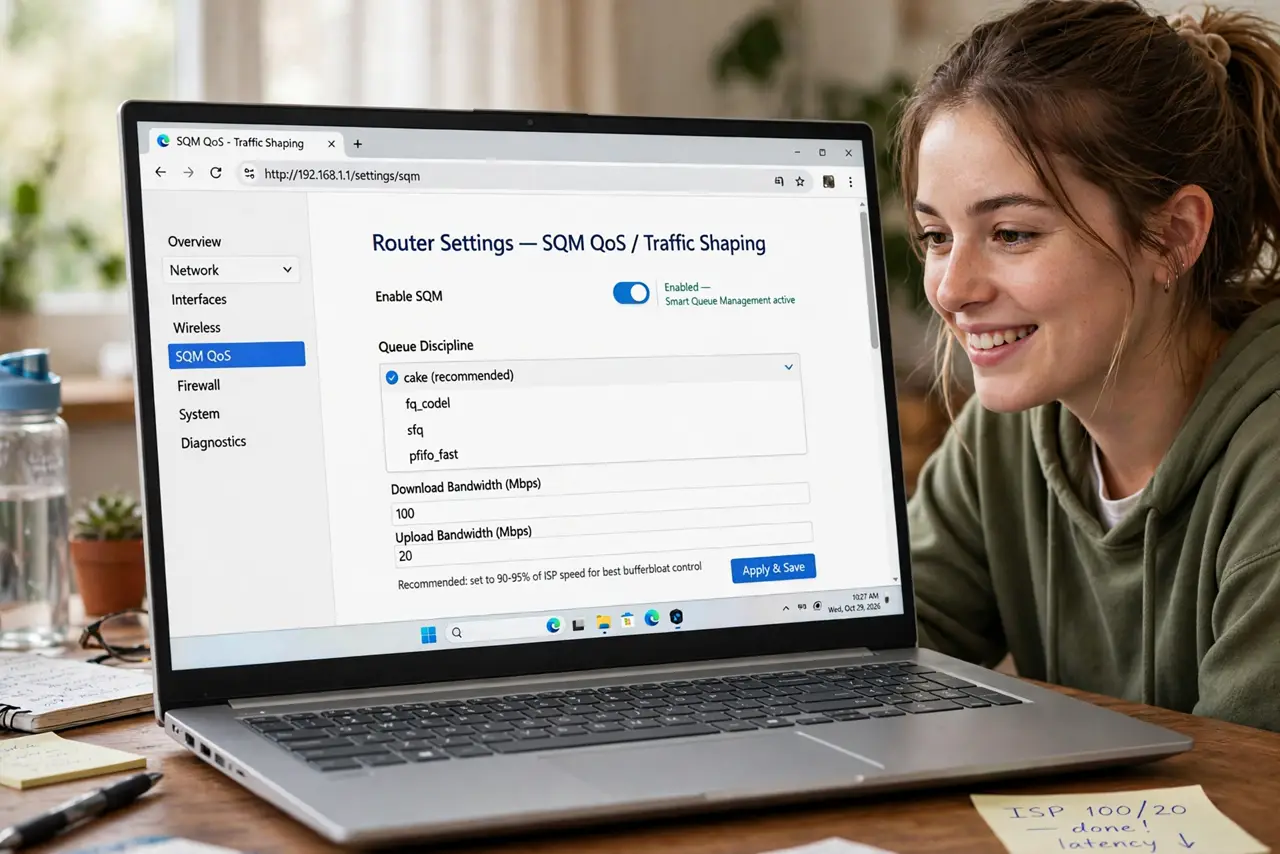
Quick fix: if your router offers SQM (Smart Queue Management, often cake or fq_codel), enable it and set download/upload to 90-95% of your plan speeds. It keeps gaming ping stable during downloads. Reboot and test with a speed test running.
Follow these steps
- Check if your router has SQM. Look under QoS or advanced settings for ‘SQM’, ‘Smart Queue Management’, ‘cake’, or ‘fq_codel’. OpenWrt, Ubiquiti, and many gaming routers include it.
- Measure your real speeds first. Run three speed tests at a quiet time and average them. SQM needs honest numbers — not the plan's marketing figure.
- Enter 90–95% of measured speed. Set the SQM download and upload limits just below your real speeds. This makes your router the queue manager instead of the ISP's black box.
- Pick cake if offered. Cake is the modern, auto-tuning queue discipline — set and forget. fq_codel is the older, also excellent, option.
- Reboot and test under load. Restart the router, then game while someone runs a speed test. Ping should barely move — the signature SQM result.
- Treat the [[bufferbloat test|wifi-bufferbloat-router-fix]] as proof. Run a bufferbloat test before and after. Watching the grade jump from D to A is the most satisfying minute in home networking.

What NOT to do
- Do not enable SQM at 100% of plan speed. Like classic QoS, it needs headroom below the real bottleneck to work.
- Do not expect it on ISP-locked routers. Most ISP boxes hide advanced queueing; this is a reason people buy their own router.
- Do not run SQM and aggressive QoS rules together blindly. They can fight; SQM alone is usually the cleaner setup.
- Do not skip the before/after test. Without measuring, you will never know whether it helped — or whether speeds changed for another reason.
Frequently asked questions
What do cake and fq_codel mean?
They are queue algorithms: smart ways to share bandwidth fairly instead of first-come-first-served. Cake is newer and more automatic; both crush bufferbloat.
Will SQM reduce my top speed?
By the 5–10% headroom you configure — a deliberate trade. You lose a little peak speed and gain consistent low latency.
Is SQM better than gaming QoS?
For most households, yes. QoS prioritizes chosen devices; SQM makes everything fair, which fixes lag for gamers and video-callers simultaneously.