Subnets? The Plain Basics
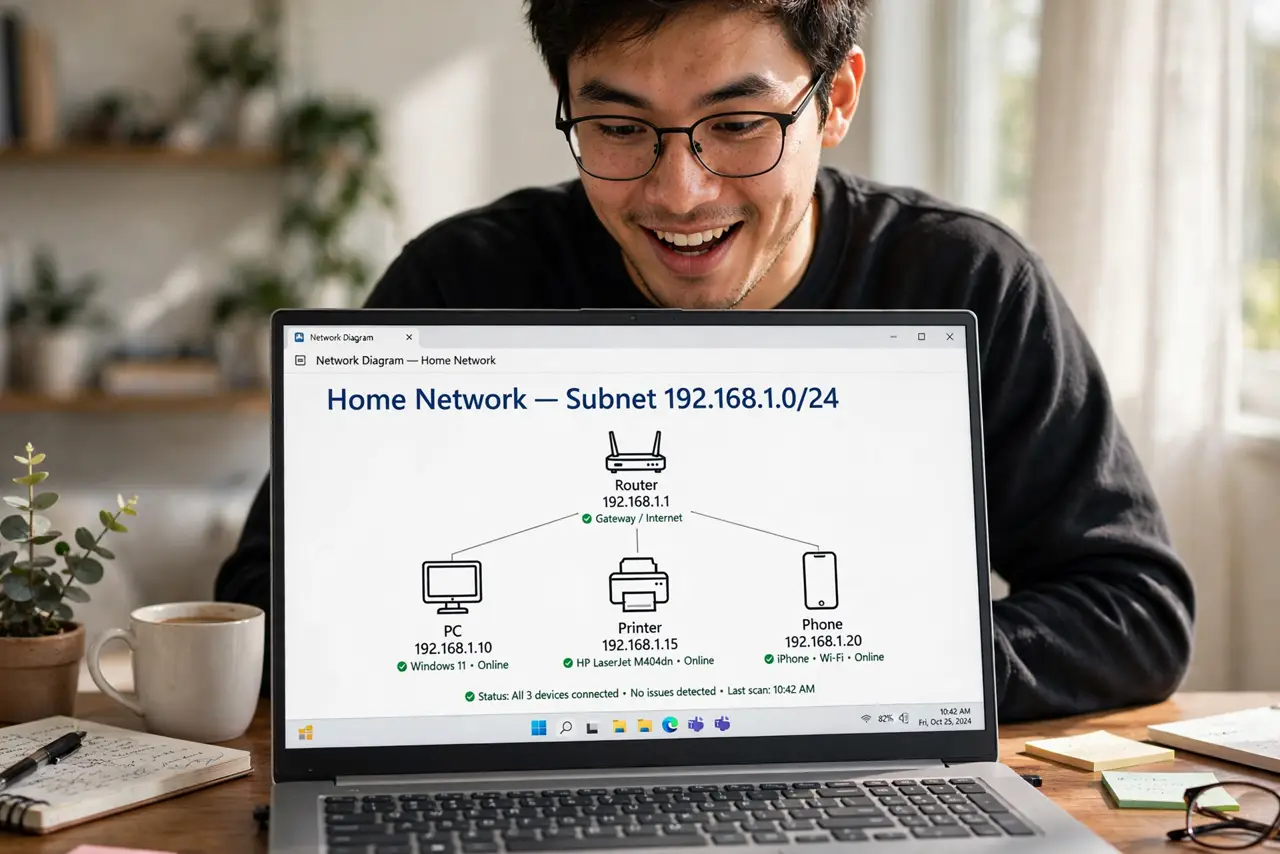
Subnet masks look like numerology — 255.255.255.0, /24 — but the idea is simple: a subnet is the neighborhood your devices must share to talk directly. For home networks, you can understand the whole concept in three minutes and then never touch it again.
TL;DR / Quick Fix
Quick fix: for home use, leave the subnet at 255.255.255.0 (a /24) — it gives 254 usable addresses, plenty for any house. All devices must share the same subnet to see each other. Change it only if you run VLANs.
Follow these steps
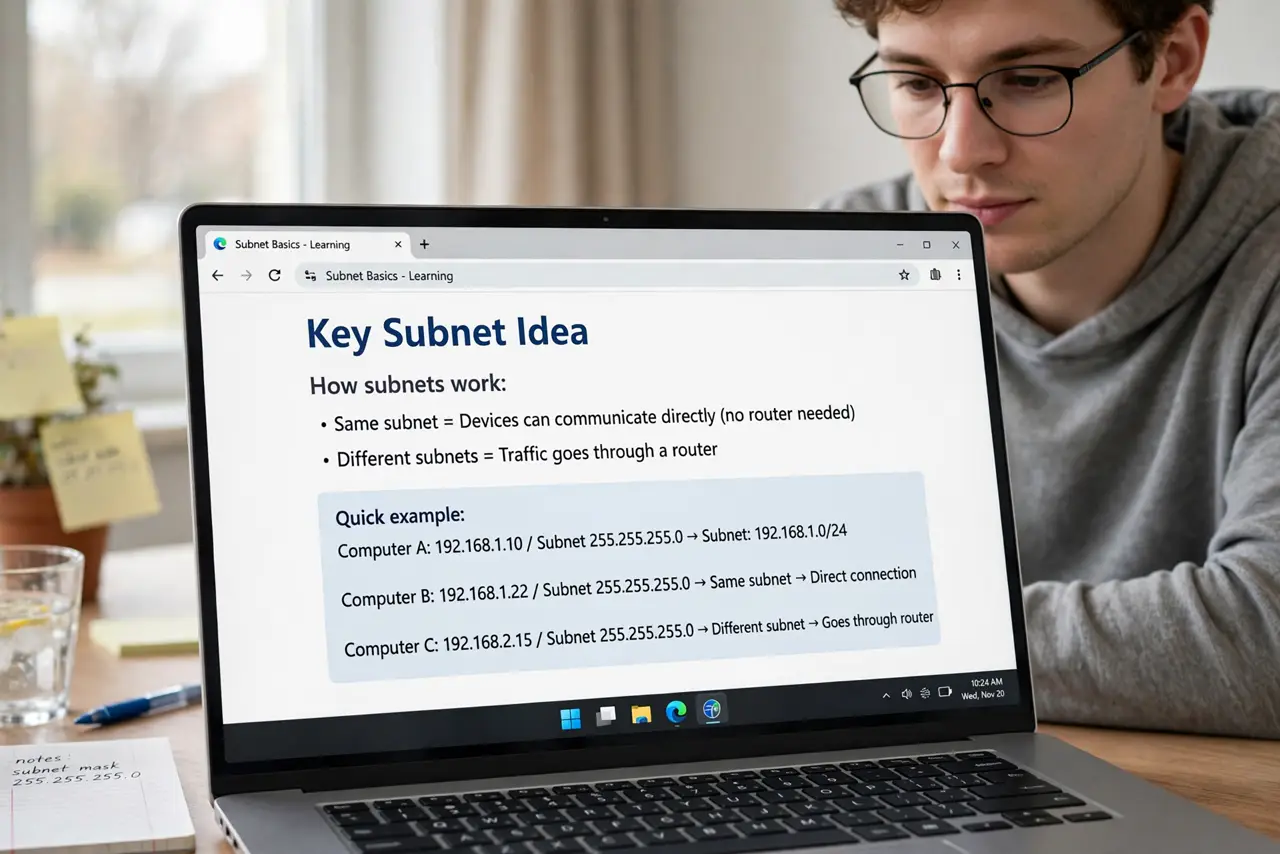
- Learn the one key idea. A subnet defines which devices are ‘local’ to each other. Same subnet = direct talk; different subnet = traffic must go through a router.
- Read 255.255.255.0 as ‘first three numbers match’. With this mask, 192.168.1.10 and 192.168.1.99 are neighbors; 192.168.2.10 is a stranger. That is the whole practical meaning.
- Know what /24 means. It is shorthand for the same mask: 24 bits of network, 8 bits of devices = 254 usable addresses. You will see it in router settings.
- Check devices share the subnet. A device with 255.255.0.0 among 255.255.255.0 devices can cause weird partial connectivity. Consistency matters more than the exact value.
- Leave it alone on home networks. The default /24 fits every normal home. Changing it fixes nothing for typical users and breaks plenty.
- Learn it before [[static IPs|wifi-static-ip-how]]. Manual addressing requires understanding subnets; DHCP handles it invisibly. Learn the concept, then let DHCP do the work.
What NOT to do
- Do not change the subnet to ‘get more addresses’ on a home network. 254 addresses already exceed any house; the change only risks breakage.
- Do not mix subnet masks across devices. Inconsistent masks create phantom connectivity bugs that are miserable to diagnose.
- Do not memorize the binary math. Understanding ‘same neighborhood = direct talk’ covers 99% of real situations.
- Do not confuse subnet with the Wi-Fi password or IP address. It is the grouping rule, not the credential or the address itself.
Frequently asked questions
How many devices fit in a /24 subnet?
254 usable addresses (one is the network, one is broadcast). More than any home will ever need.
Why can't my devices see each other?
Different subnets is one classic cause — but check Wi-Fi isolation settings and firewalls first, as those are more common.
Do I need bigger subnets for a smart home?
No. Even 100 smart gadgets fit comfortably in a /24. Segmentation via VLANs is the advanced answer, not bigger subnets.