The WPS PIN Is a Weak Spot
WPS — the button or 8-digit PIN that connects gadgets without typing the password — was designed for convenience in 2007 and never updated for the attacks discovered since. The PIN method can be brute-forced in hours, handing over your Wi-Fi password. Turn it off.
TL;DR / Quick Fix
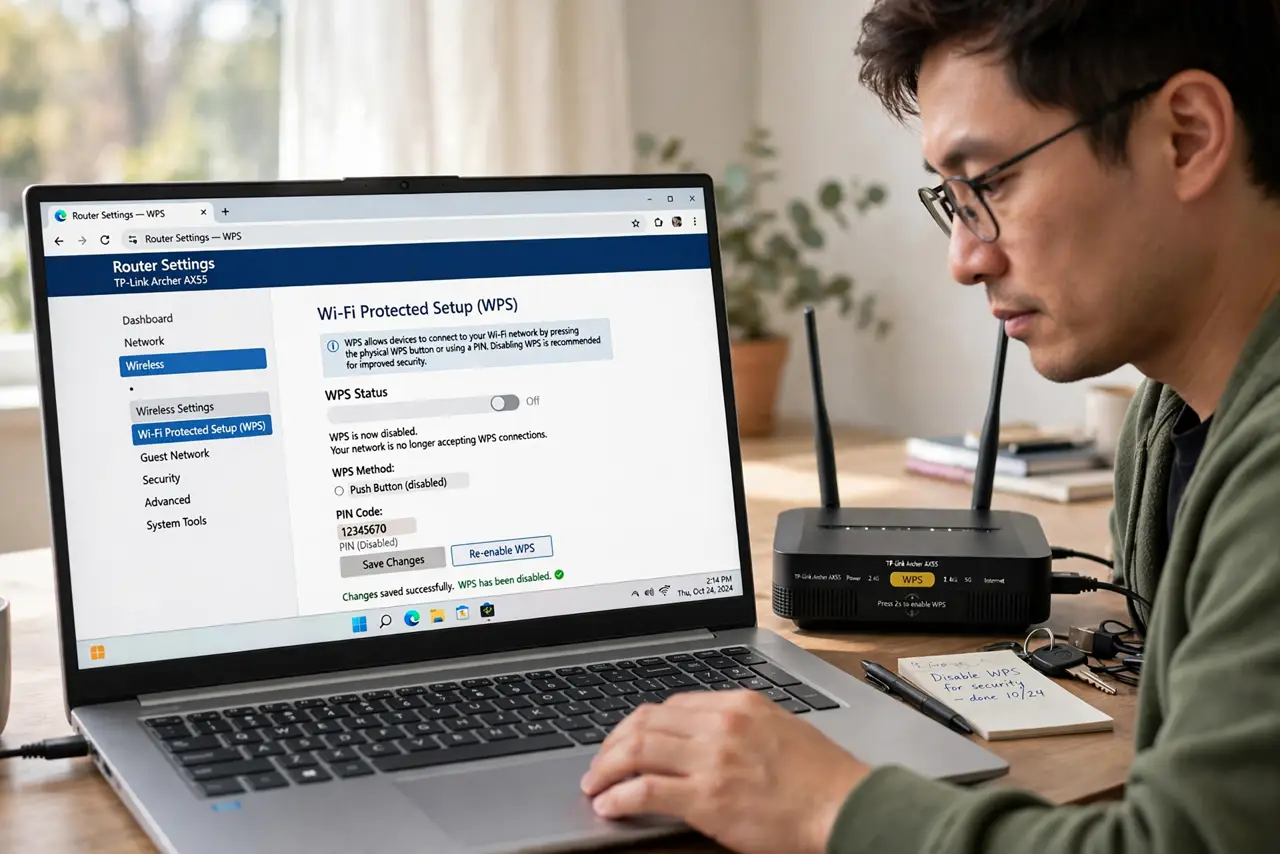
Quick fix: in your router's wireless settings, turn off WPS entirely — the 8-digit PIN can be brute-forced in just hours, giving attackers your Wi-Fi password. Connect devices by typing the password manually instead. Disable the physical WPS button too.
Follow these steps
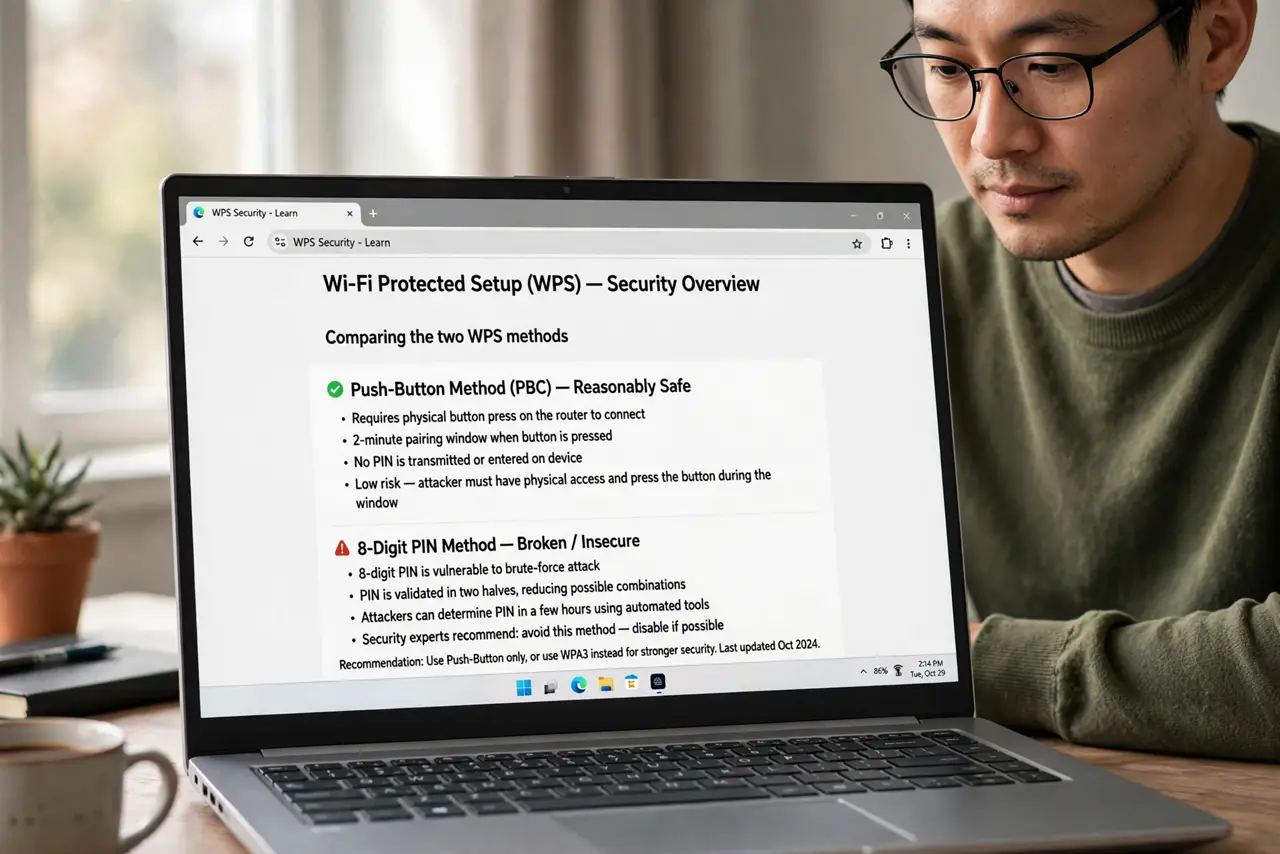
- Understand the two WPS methods. Push-button (PBC) is reasonably safe; the 8-digit PIN method is the broken one. Most routers enable both together — which is the problem.
- Learn why the PIN fails. The PIN is checked in two halves, shrinking the search space drastically. Attacker tools guess it in hours, then read your actual Wi-Fi password.
- Turn WPS completely off. In wireless settings, disable WPS entirely — not just the PIN. Partial disables on some routers leave the PIN active.
- Disable the physical button too. Many routers have a WPS button that re-enables the function. Check for a separate toggle or leave the button unpressed and unwatched.
- Connect devices the manual way. Type the Wi-Fi password once per device, or use a QR code. Thirty seconds of typing beats an open backdoor.
- Lock the front door too. With WPS gone, make sure the router's default admin login is also changed — attackers try that next.
What NOT to do
- Do not leave WPS on ‘because it's convenient’. Convenience that hands out your password is not convenient.
- Do not assume the push-button method saves you. With WPS enabled at all, the PIN method is usually attackable too.
- Do not believe ‘nobody targets home Wi-Fi’. Automated tools scan neighborhoods continuously; obscurity is not a defense.
- Do not forget printers. Many printers ship with WPS PIN enabled — check the printer's own network settings as well.
Frequently asked questions
Is the WPS button also unsafe?
The button itself is far safer than the PIN — but with WPS enabled, the PIN is usually attackable regardless of which method you use.
How fast can attackers guess the PIN?
In hours with common tools, sometimes faster. The design flaw halves the effective PIN length twice over.
My printer only connects via WPS — now what?
Connect it once via WPS, then immediately disable WPS on the router. Or check the printer for a manual Wi-Fi setup option.