Default Browser Keeps Resetting? Fix It
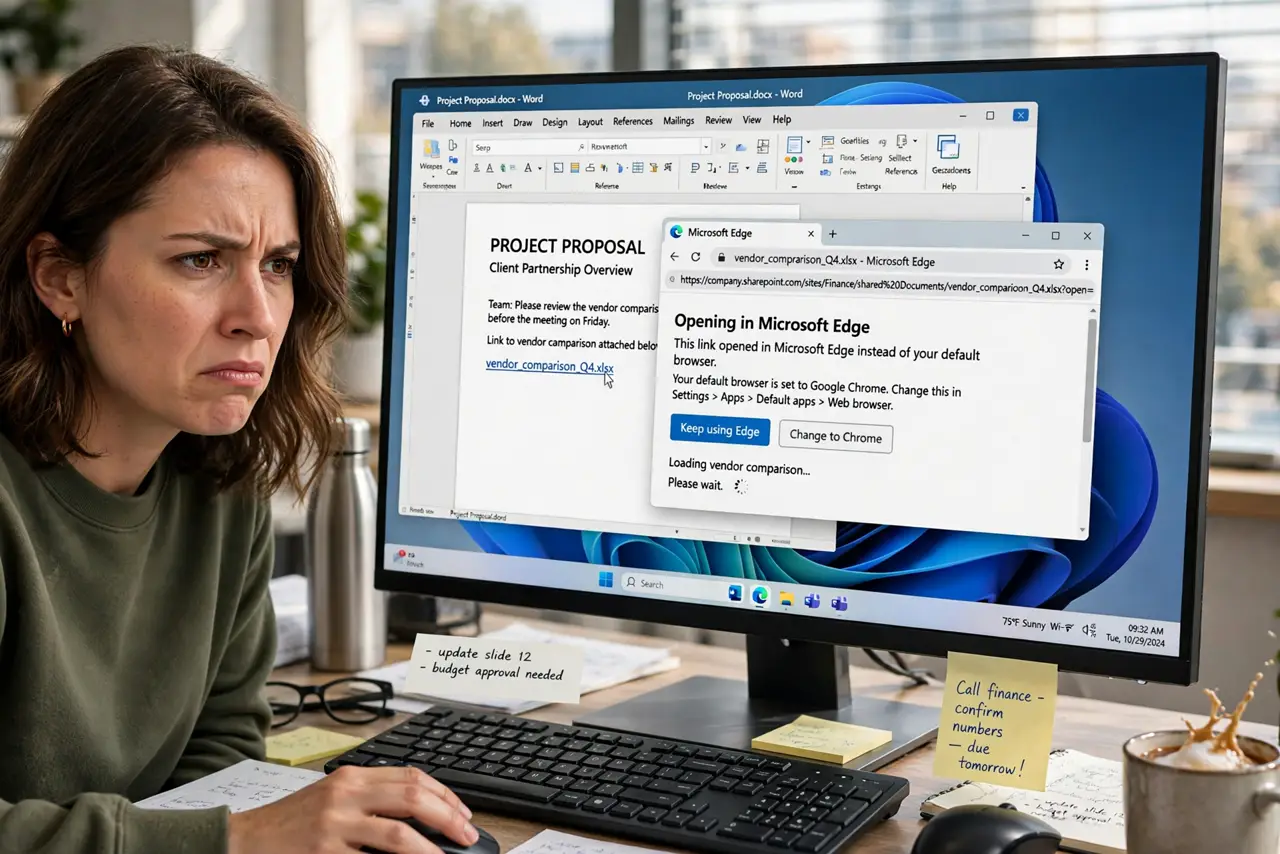
You set Chrome or Firefox as your default, and a week later links open in Edge again. Windows resets the default when updates reinstall Edge's associations, when the browser's own default check fights back, or when only some protocols were set. The fix is setting every protocol, not just the headline one.
TL;DR / Quick Fix
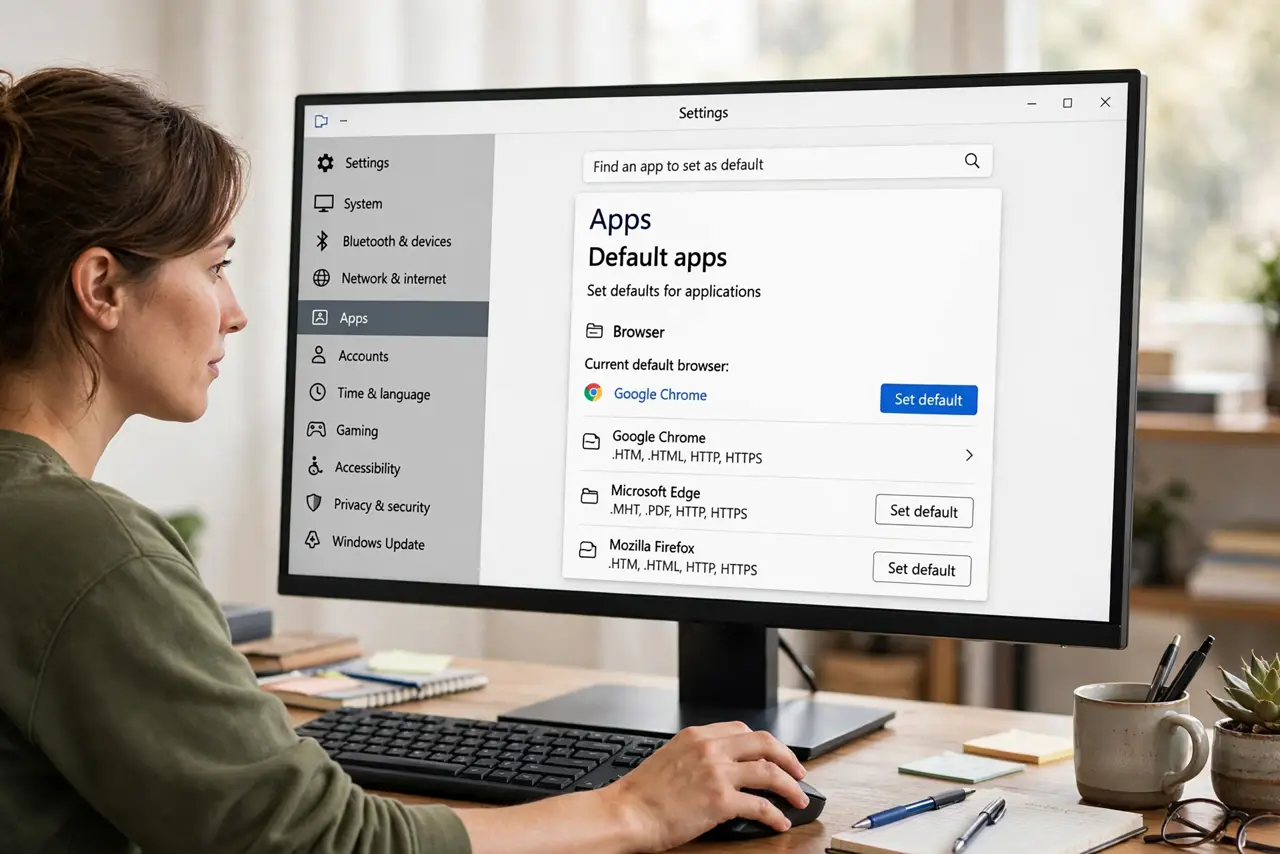
Open Settings > Apps > Default apps, click your browser, and set it as default for HTTP, HTTPS, and .html — Windows sometimes resets only some of these. Check the browser's own 'make default' button and disable any browser-protection feature in your antivirus. Re-set it once after each feature update.
Follow these steps
- Set the default in Settings. Open Settings > Apps > Default apps, click your browser in the list, and choose Set default. This covers the main protocols at once.
- Check HTTP, HTTPS, and .html individually. Click your browser's entry and verify HTTP, HTTPS, .htm, and .html all point to it. A reset often flips only one of these — the classic keeps changing pattern.
- Use the browser's own make-default button. Open your browser's settings and click its 'Make default' button. The browser registers itself with Windows, which sticks better than Windows-side changes alone.
- Turn off antivirus browser protection. Some security suites include a 'browser protection' feature that reverts the default. Check your antivirus settings and disable that specific feature.
- Re-set after feature updates. Twice-yearly Windows updates commonly reset the default browser. After each big update, spend thirty seconds re-setting it.
- Check for a work policy. On company PCs, IT policy can force Edge. If the default flips back within minutes no matter what, your admin owns the choice.
What NOT to do
- Do not reinstall your browser to fix this. The default lives in Windows settings — reinstalling changes nothing about it.
- Do not edit the registry for default apps. The Settings panel handles every protocol safely.
- Do not blame the browser alone. Windows updates and security tools are the usual resetters, not the browser.
- Do not set the default from a non-admin account and expect it to stick. Per-user defaults need the change made in that user's own account.
Frequently asked questions
Why does Windows keep changing my default browser back to Edge?
Feature updates reinstall Edge's file associations, and some updates reset all defaults. Re-setting after updates — all protocols, not just the main one — keeps your choice.
I set it as default but some links still open in Edge. Why?
You likely set only the headline default. HTTP, HTTPS, .htm, and .html are separate entries — check each one under your browser in Default apps.
Can my antivirus really change my default browser?
Some suites include browser-protection features that revert changes they didn't approve. Disable that specific feature, not the whole antivirus.