Add a Defender Exclusion
Windows Defender just quarantined a file you need — a game mod, a developer tool, a utility you have used for years. Defender is usually right, but legitimate software trips its heuristics regularly. An exclusion tells Defender to leave a specific file or folder alone. Used carefully, it ends the daily quarantine fights without turning protection off.
TL;DR / Quick Fix
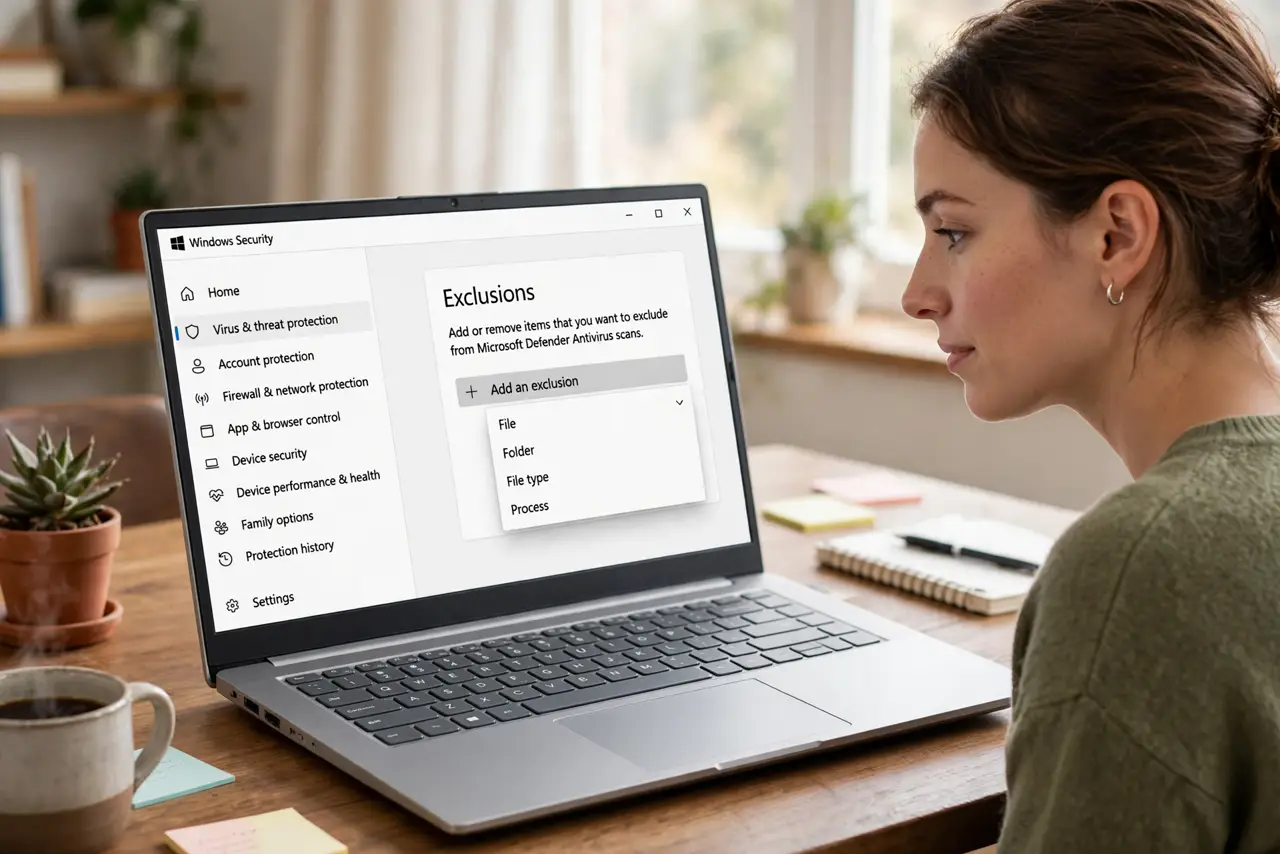
Quick fix: if Defender deletes or blocks a file you trust, add an exclusion at Windows Security > Virus & threat protection > Manage settings > Exclusions. Exclude the specific file or folder — never your whole drive. Only exclude software you trust; exclusions punch holes Defender will not guard.
Follow these steps
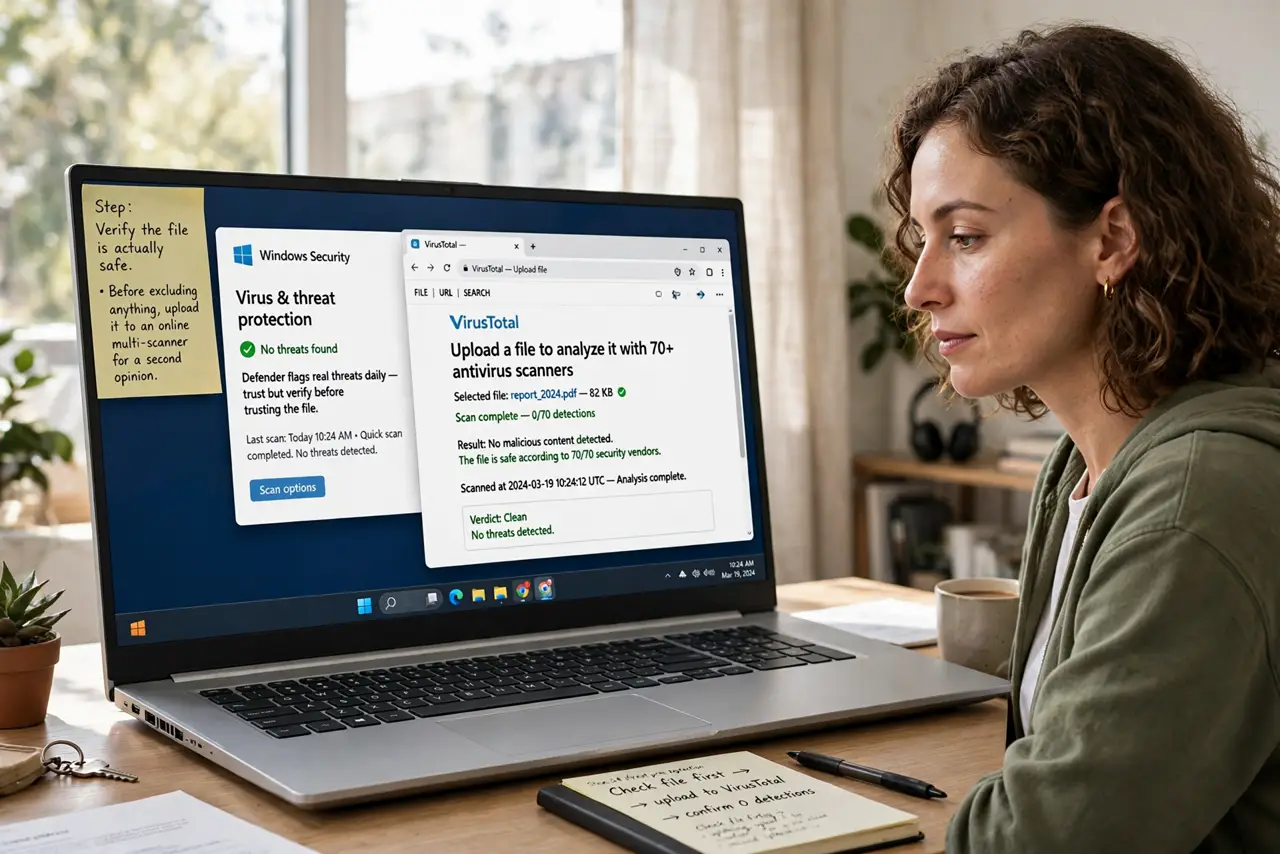
- Verify the file is actually safe. Before excluding anything, upload it to an online multi-scanner for a second opinion. Defender flags real threats daily — I need this file is not proof it is clean.
- Open the Exclusions settings. Windows Security > Virus & threat protection > Manage settings (under Virus & threat protection settings) > Add or remove exclusions. That is the only legitimate path — anything else is a workaround.
- Add the narrowest exclusion possible. Prefer File over Folder, and Folder over Process. Excluding one executable beats excluding its whole folder; excluding the folder beats excluding the drive. Narrow = safer.
- Exclude folders for development tools. Compilers, game mods, and dev tools trip Defender constantly because they behave like malware (writing executables). One exclusion for the project folder ends the daily fights.
- Test that the file survives. Re-download or restore the file and confirm Defender leaves it alone. If it still gets quarantined, the exclusion path was wrong — check for typos in the folder path.
- Review exclusions yearly. Old exclusions for software you no longer use are just holes. A yearly review takes two minutes and closes every forgotten gap.
What NOT to do
- Do not exclude your entire C: drive. That is not an exclusion, it is surrender — one malicious file anywhere on the drive would run unchallenged.
- Do not add exclusions for pirated software or cracks. Those are the exact files Defender is right about most often — excluding them is asking for malware.
- Do not exclude files from email attachments or random downloads. If you do not know where it came from, the answer is quarantine, not exclusion.
- Do not forget the exclusion after the project ends. Temporary dev-folder exclusions become permanent holes unless you clean them up.
Frequently asked questions
Why does Defender keep deleting my file?
Its heuristics see behavior common to malware — packing, self-modification, network calls. Legitimate tools (trainers, compilers, mods) trigger the same patterns; that is what exclusions are for.
Is it safe to exclude a folder?
Only if you fully trust everything in it and control what lands there. A Downloads folder exclusion is reckless; a dedicated dev-projects folder is reasonable.
The exclusion is not working — why?
Usually a path typo, excluding the file while the threat is the folder, or Tamper Protection blocking the change. Double-check the exact path character by character.