Double-Click Not Registering? Fix It
You double-click a folder and nothing happens — or it opens sometimes, on the third or fourth try. Before blaming the mouse, check the double-click speed: set too fast, Windows demands superhuman clicks. The slider plus the test icon diagnose it in a minute.
TL;DR / Quick Fix
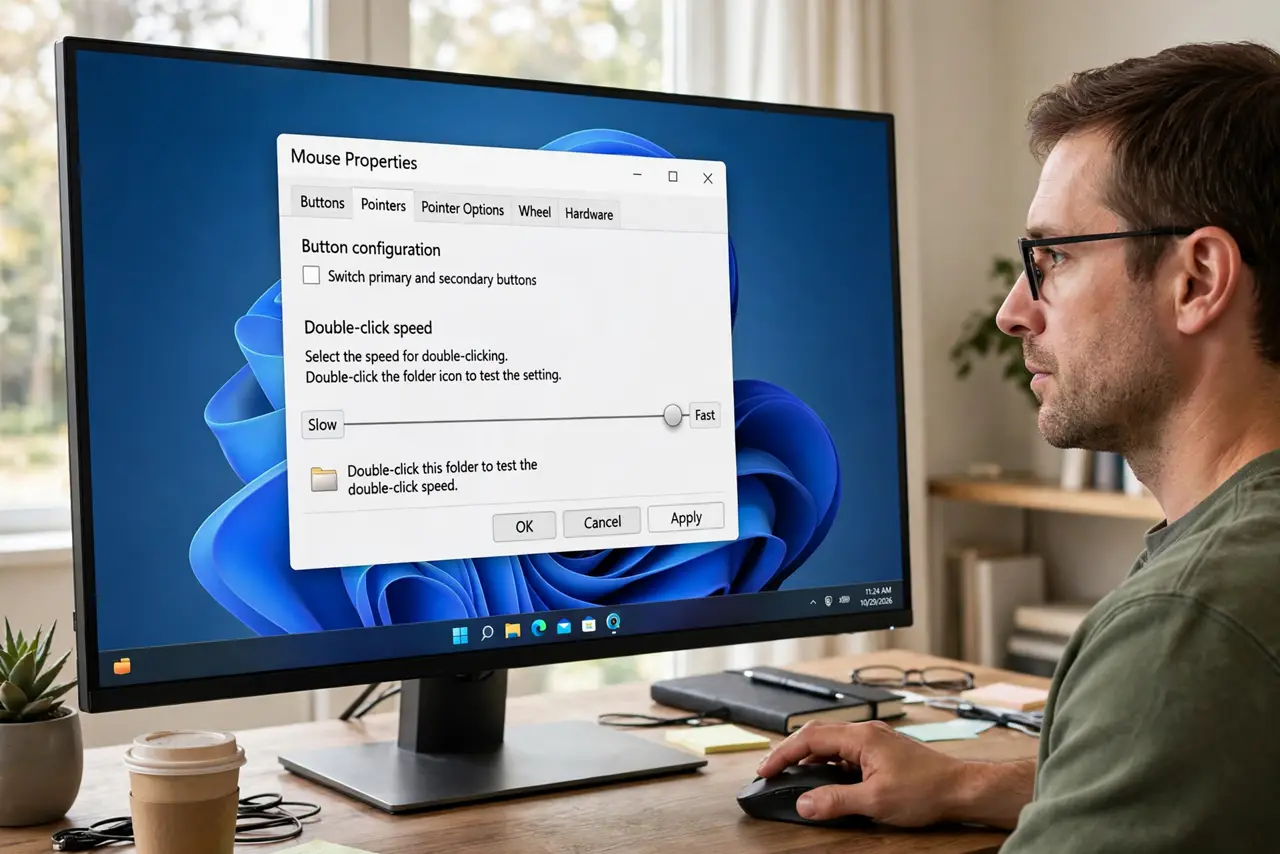
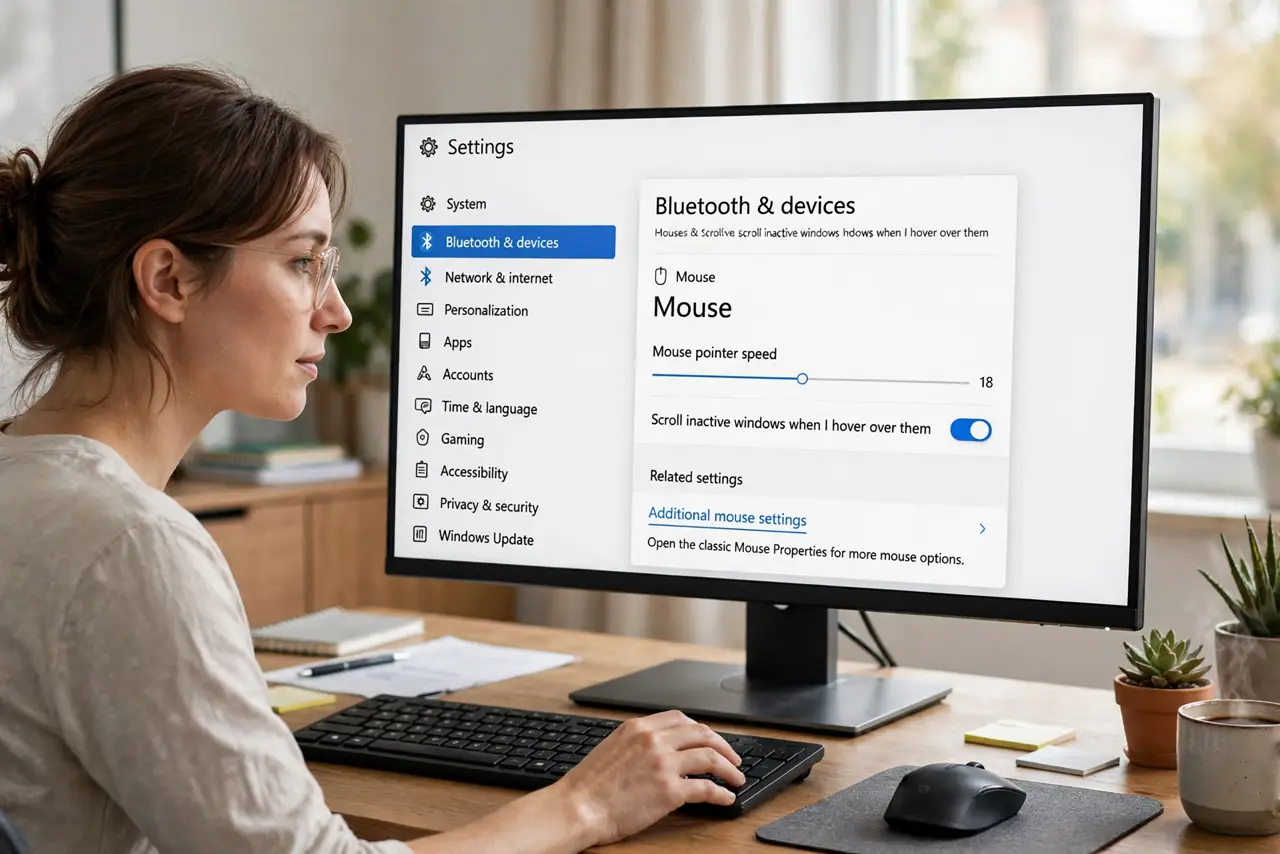
Quick fix: open Settings > Bluetooth & devices > Mouse > Additional mouse settings, and on the Buttons tab drag the Double-click speed slider toward Slow, then test on the folder icon. Try another mouse to rule out a worn button — hardware fails more often than settings.
Follow these steps
- Find the slider. Open Settings > Bluetooth & devices > Mouse > Additional mouse settings. The Buttons tab holds the Double-click speed slider.
- Drag toward Slow and test. Move the slider left a notch, then double-click the test folder icon. Repeat until your natural click rhythm registers every time.
- Learn what the slider means. It sets the maximum gap Windows accepts between two clicks. Faster setting means less forgiveness — most people need the middle or slower.
- Try a different mouse. If the slider does not help, plug in another mouse. A button that registers twice per press or misses presses is worn out, and no setting fixes worn hardware.
- Check the USB port and surface. Try another port, and make sure an optical mouse sits on a non-glossy surface. Tracking glitches can masquerade as click problems.
- Check for single-click mode. In File Explorer > View > Options, confirm items open on double-click. Single-click mode makes every lone click act like a double — confusingly similar symptoms.
What NOT to do
- Do not set the speed to the fastest notch to feel pro. An unforgiving slider is the most common cause of this exact complaint.
- Do not keep using a mouse with a dying button. Double-registering switches only get worse, and they corrupt drags and selections too.
- Do not confuse this with touchpad tap speed. The mouse Buttons tab does not govern touchpad taps — those live in Touchpad settings.
- Do not reinstall Windows over clicks. This is a slider, a switch, or a fifteen-dollar mouse — never an OS problem.
Frequently asked questions
Why does double-click work sometimes?
Borderline timing: your clicks land just outside the allowed gap. Slowing the slider slightly usually makes it 100 percent reliable.
My mouse opens things with one click now — related?
That is single-click mode in Folder Options, a separate setting. Check it before touching the speed slider.
Could it be the batteries?
In a wireless mouse, yes — low batteries cause missed and phantom clicks. Swap them before buying a new mouse.