Set Your First Day of Week
Your calendar insists the week starts Sunday, but your brain — and your countrys convention — starts Monday. Every month view looks subtly wrong, and week numbers never match your colleagues. Windows buries this setting two menus deep, but the fix takes thirty seconds once you know where it hides.
TL;DR / Quick Fix
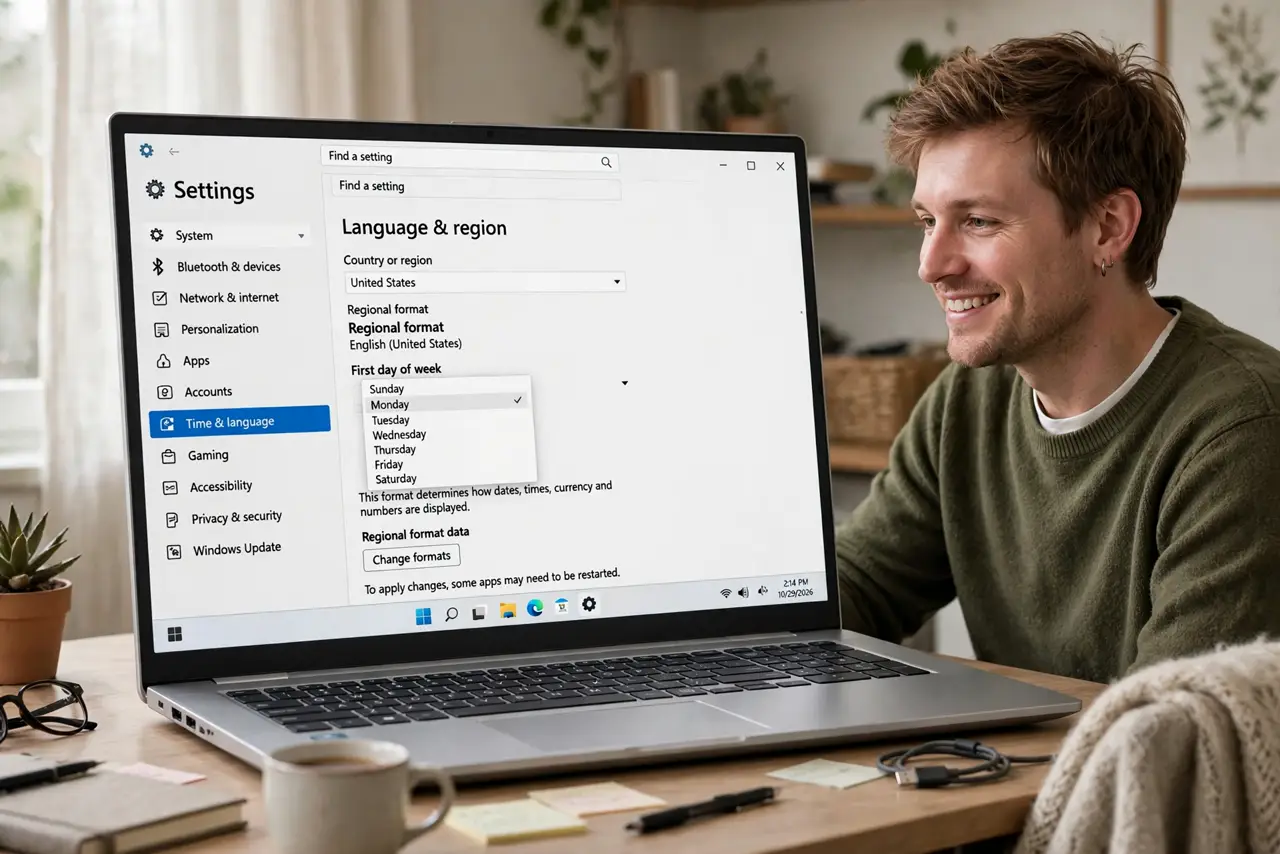
Quick fix: open Settings, Time and language, then Date and time, and set the first day of the week to Monday. The taskbar calendar and most Windows apps follow immediately. If an app still shows Sunday, check that apps own calendar settings — some keep their own preference.
Follow these steps
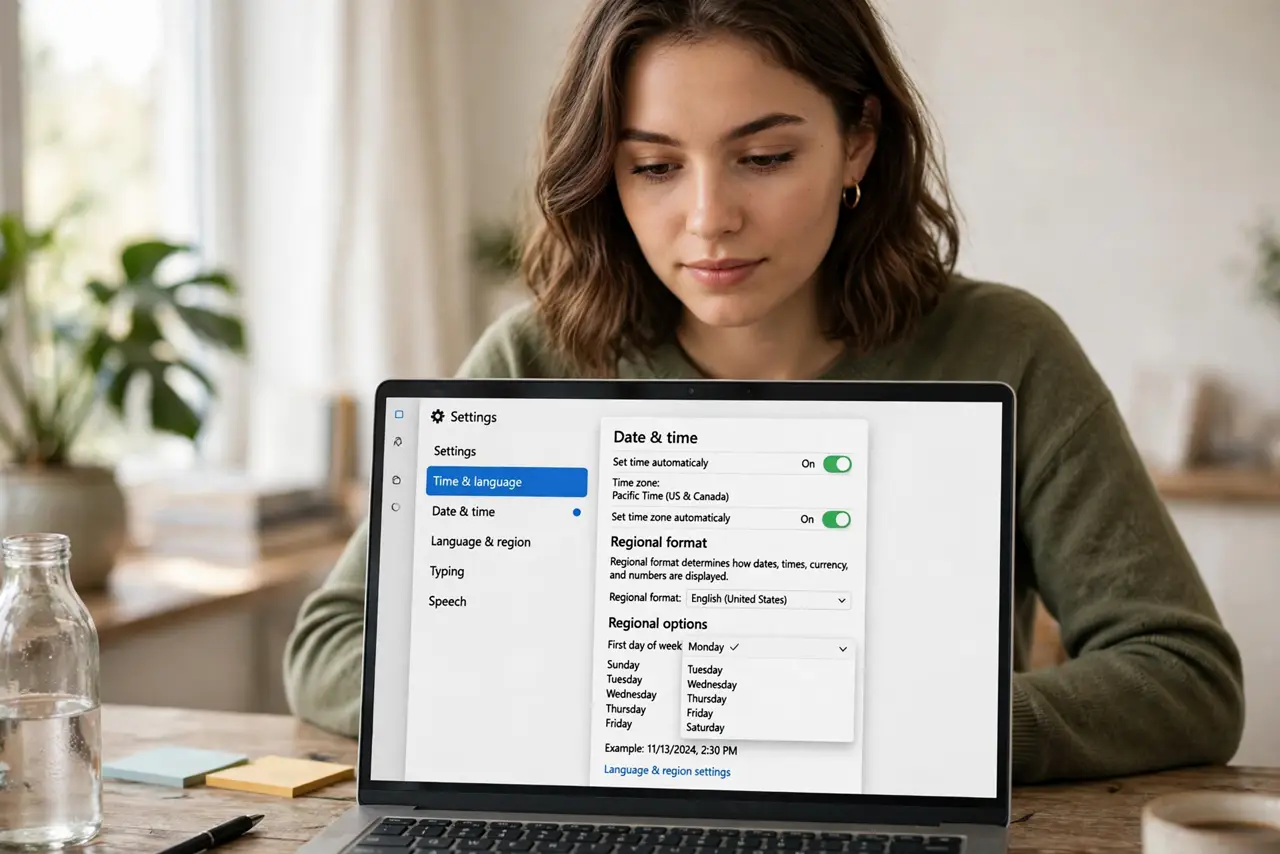
- Open the date and time settings. Go to Settings, then Time and language, then Date and time. The regional options live here — first day of week hides among them.
- Find the first-day dropdown. Look for the First day of week setting on the Date and time page. Change it from Sunday to Monday — the taskbar calendar updates immediately.
- Check the taskbar calendar. Click the clock to open the calendar flyout. Weeks should now start Monday — if not, a restart of Explorer or the PC settles it.
- Fix individual apps. Some apps keep their own calendar preference independent of Windows. Check the settings inside your mail or calendar app if one still shows Sunday.
- Match your region properly. While here, confirm the regional format matches your country — date formats and week numbering follow the region, and mismatches confuse shared calendars.
- Tell your colleagues. If week numbers now differ from a coworkers view, it is their setting, not yours. Shared planning works when everyones first day matches.
What NOT to do
- Do not change the region just for this. Region controls date formats and currencies too — change only the first-day setting.
- Do not expect every app to follow. Third-party calendars often keep their own setting; check inside the app.
- Do not forget the work PC versus home PC. The setting is per-machine — set it everywhere you look at calendars.
- Do not confuse first day with week numbers. ISO week numbering is a separate regional behavior; Monday start usually fixes both.
Frequently asked questions
Why does Windows default to Sunday?
The US convention starts weeks on Sunday, and Windows follows the regional default. Many countries use Monday — the setting exists for exactly this.
Will this change my appointments?
No — it only changes how weeks display. All appointments stay on their dates.
Does it sync across my devices?
No, it is per-machine. Set it on each Windows PC you use.