Focus Assist Silenced Your Alarms? Fix It
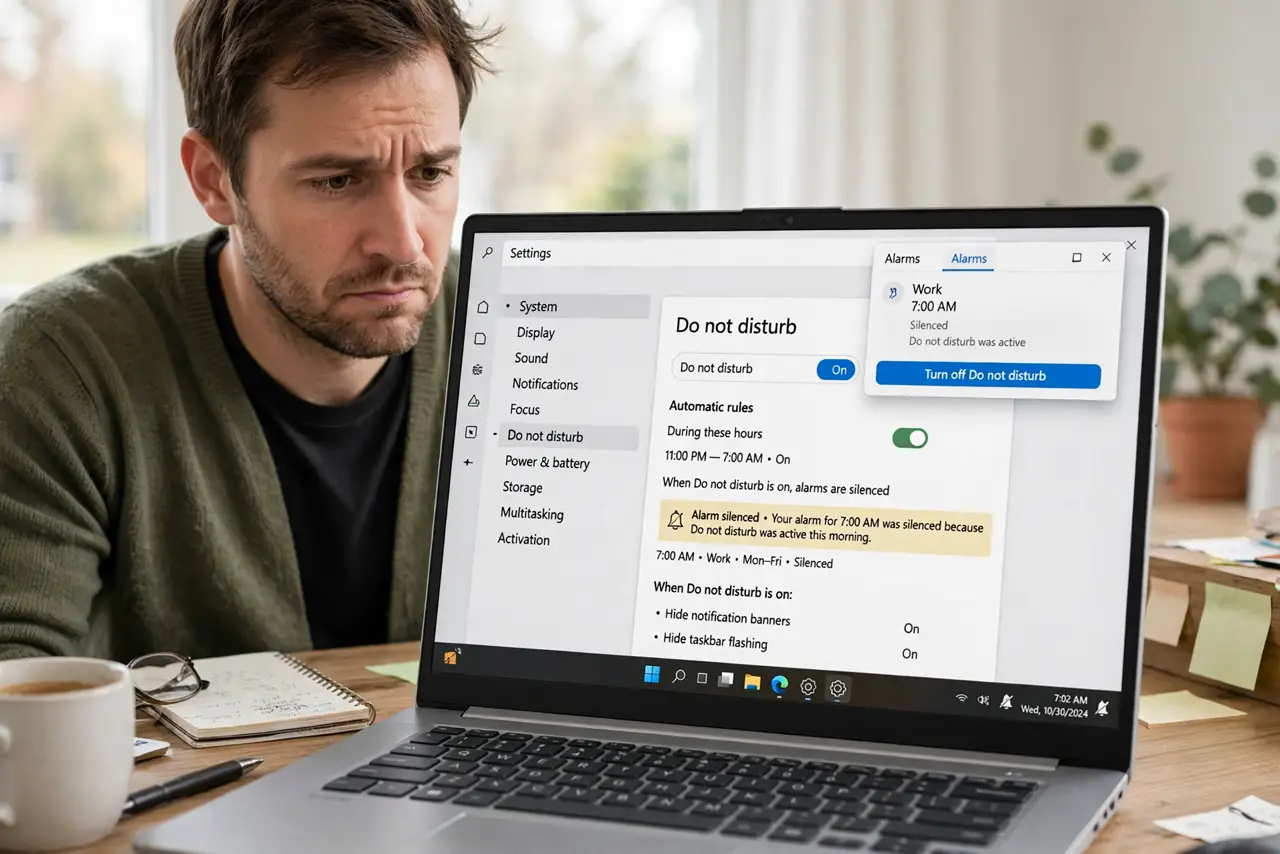
You set an alarm, Focus Assist (now called Do Not Disturb) kicked in, and the alarm never made a sound. By default, focus modes silence nearly everything, including alarms you actually wanted. The fix is teaching the priority list that alarms are always allowed — the notification center that will not open guide covers the related panel problem.
TL;DR / Quick Fix
Quick fix: open notification settings and add the Clock app to the priority list, or set Do Not Disturb to allow alarms. Also check the automatic rules that turn focus on during certain hours, since a bedtime rule is the classic alarm killer. Test with a one-minute alarm.
Follow these steps
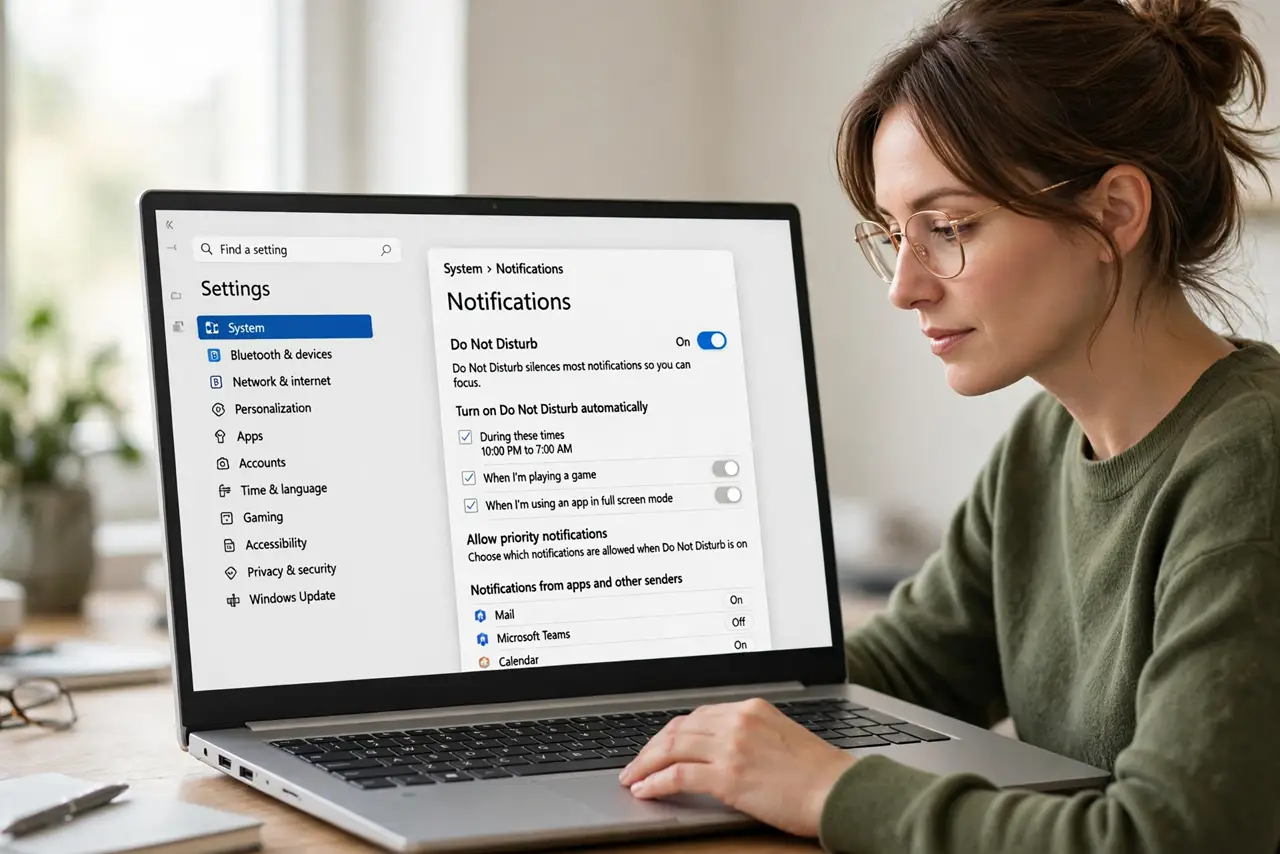
- Open the Do Not Disturb settings. Go to Settings, then System, then Notifications, and find the Do Not Disturb section. This is where Windows decides what gets silenced and when.
- Allow alarms through the priority list. Set the priority to allow alarms, or add the Clock app to the allowed list. Alarms are treated as notifications, so they need an explicit pass to ring during focus.
- Check the automatic turn-on rules. Look at the automatic rules that enable Do Not Disturb on a schedule, such as during set hours or when duplicating the display. A nighttime rule is the classic reason a morning alarm never sounds.
- Test with a one-minute alarm. Set an alarm one minute out, turn Do Not Disturb on, and wait. Hearing it ring proves the exception works before you trust it overnight.
- Check the alarm volume separately. Open the volume mixer and confirm the Clock app is not muted there. A silenced app volume defeats the priority exception silently.
- Review which apps truly need priority. Keep the priority list short: alarms and phone calls, not every chat app. A long priority list recreates the interruption problem you were avoiding.
What NOT to do
- Do not turn Do Not Disturb off entirely as the fix. You lose the focus benefit, when a two-minute exception list solves the alarm problem properly.
- Do not rely on an alarm you have not tested under focus mode. An untested exception is a guess, and guesses fail at 6 a.m.
- Do not forget the duplicate-display rule. Presenting on a projector often triggers focus automatically, which can silence reminders during a meeting day.
- Do not set the alarm in an app outside the priority list. Only apps on the allowed list ring through, so the alarm must live in an approved app.
Frequently asked questions
Why did my alarm not ring during Focus Assist?
Because focus modes silence notifications by default, and alarms count as notifications unless you explicitly allow them.
Is Focus Assist the same as Do Not Disturb?
Yes. Microsoft renamed Focus Assist to Do Not Disturb, but the silencing behavior and the priority list work the same way.
Will a priority alarm ring when the PC is asleep?
Only if the PC wakes for it. Check your sleep and wake settings too, since a deeply sleeping PC may miss the alarm regardless of focus mode.